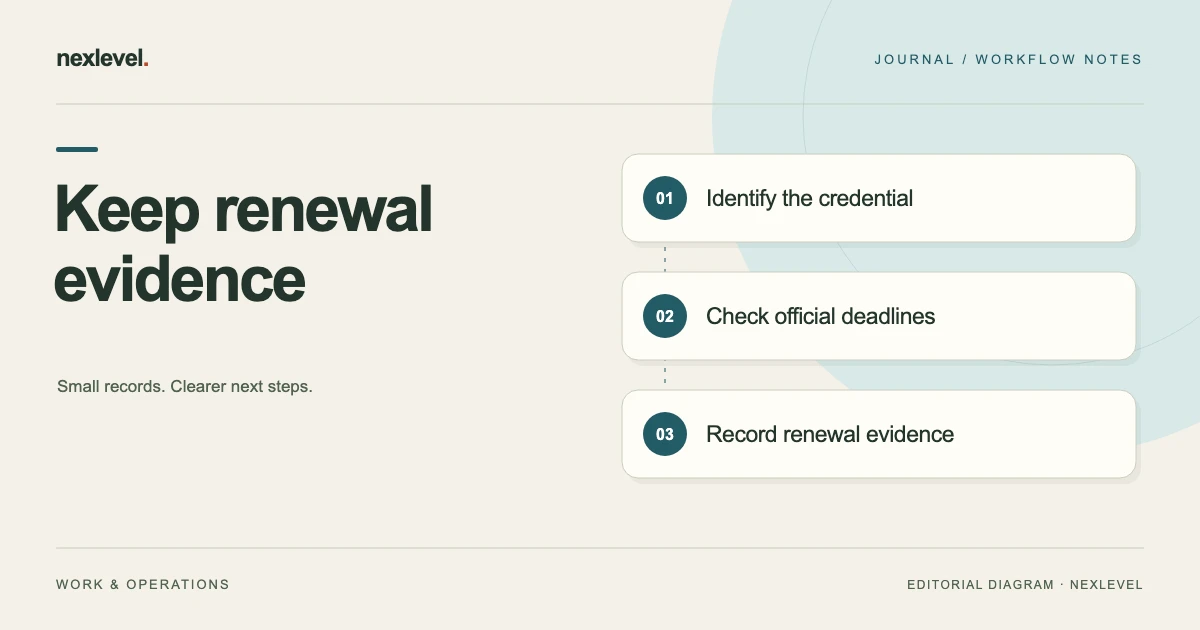
A credential renewal tracker should show who holds the credential, which source defines its dates, what evidence is available, and which action needs an owner. A red calendar cell is not enough when renewal requires documents, an application, payment, or a response from an issuer.
This template connects credential identity, requirement versions, renewal preparation, evidence, and dated reports. It includes a fictional example. It organizes entered information rather than verifying issuer records or deciding whether someone is legally authorized, insured, qualified, or compliant.
Identify the holder and the actual credential
Give the holder and credential separate references. Two people can hold credentials with the same title but different numbers and dates. One person can also hold several similarly named records from different issuers.
Record the issuer, credential name, identifier, scope as stated in the source, and relevant dates. Keep the original evidence or an appropriate reference. A short dashboard name should not replace the detail needed to identify the actual record.
Mask identifiers in ordinary lists and reports where full display is unnecessary. A person reviewing upcoming work may need a readable credential label without needing the complete number.
Keep holder identity changes and credential renewals distinguishable. A corrected name is not automatically a new credential event, while a newly issued record should not silently overwrite the earlier history.
Copy this credential renewal template
Use a credential index with renewal events and linked evidence. Keep the current summary readable while preserving the earlier dates.
- Holder: private identity reference, relevant role, and responsible contact.
- Credential: title, issuer, identifier, scope, and original source.
- Dates: issue, expiry, application, review, or other events, each with its meaning.
- Requirements: the applicable checklist or template version and its source.
- Evidence: file or metadata reference, version, receipt date, and review state.
- Renewal work: task, owner, dependency, requested date, and actual completion.
- Issuer response: submitted, pending, issued, rejected, or another faithfully recorded state.
- Reporting: snapshot date, included requirements, masking choice, and limitations.
Keep unknown information explicit. A missing expiry date is not the same as a credential with no expiry under its actual terms. Record the source question instead of inventing a date.
Separate source dates from your preparation dates
The issuer’s stated date and your internal review date serve different purposes. The tracker should preserve both rather than use one field to represent every deadline.
Record where each important date came from and when it was checked. An old reminder may remain in a calendar after a source changes. The reminder should be reviewed against the current record.
Do not assume all credentials renew on the same cycle. Applicable rules, conditions, and issuer procedures can differ. Enter the actual source information rather than extending a familiar date pattern automatically.
If a deadline includes time-zone or cutoff detail, preserve it where relevant. A date-only field should not conceal information that affects the real next action.
A fictional example: evidence pending for one holder
Imagine Holder H-03 has two credentials in the tracker. Credential A has a current source document and a recorded future expiry. Credential B has an application in progress, but no new issued document has been received.
The owner records B’s submitted application and supporting evidence without replacing its previous issued dates. The current state says that a response is pending. It does not imply that submission extended validity or established authorization.
A required supporting document is missing from the internal checklist. The tracker gives that task an owner and source reference. A reminder prompts preparation, while the issuer’s actual process remains separate.
When a new document arrives, the owner checks identity, dates, and scope, adds a new evidence version, and records the renewal event. Earlier evidence remains identifiable so the history explains what was known before the new issue.
Use requirement templates with versions
A reusable requirement list can reduce repeated setup, but it needs an identity and version. A list used for one role, customer, or period may not apply unchanged to another.
Record the source and owner of the requirement set. If it is an internal preparation checklist, label it that way. Do not present an organization’s working list as a universal statement of legal requirements.
When the list changes, identify which holder or report uses the new version. A report based on the earlier version should remain understandable without being silently rewritten.
Keep applicability visible. A credential marked missing under one requirement set may be irrelevant to another role. The tracker should preserve the relationship instead of treating every absent document as the same kind of problem.
Make evidence states more precise than attached or missing
A file can be attached while still needing review. It may be unreadable, outdated, for another holder, or insufficient for the actual requirement. Record the state that matters to the next action.
Use source identity and version in the evidence reference. A filename alone may not establish which issue is current. Preserve the original and label any annotated or redacted copy.
If you store metadata only, make that limitation clear. A reference stating where evidence exists is useful, but it does not mean the full document is available inside the tracker.
Test access for the person who needs to review it. A link that works only for the preparer can leave a handoff blocked despite a dashboard appearing complete.
Build a renewal work queue
Separate tasks such as checking source information, collecting evidence, preparing an application, confirming submission, and reviewing the response. These actions can have different owners and dependencies.
Give each task a concrete next step. “Request the named supporting document from the holder” is clearer than “renew credential.” Include the source and a review point where appropriate.
Keep requested dates distinct from commitments. A colleague or issuer has not promised a response simply because you entered a target in the tracker.
Review the latest state before following up. A document may have arrived or a task may have been reassigned. Acting from an old exported list can create duplicate work and confusing messages.
Do not treat application progress as issuance
Prepared, submitted, acknowledged, and issued describe different events. Record what actually happened and the evidence supporting it. An automated acknowledgment may confirm receipt without resolving the application.
Keep a payment event separate from an issuer decision. A recorded fee payment does not by itself establish that the credential was granted or renewed.
When the response is unclear, preserve the question and route it through the responsible issuer or organization. The tracker should not interpret uncertainty into a reassuring status.
If eligibility or authorization matters to a real activity, verify it through the appropriate authoritative process. A readiness view based on entered dates cannot replace that decision.
Use reminders as private preparation prompts
Choose reminder timing according to the actual work needed and source dates. A multi-stage reminder can support preparation, but there is no universal alert ladder that guarantees a renewal will finish on time.
Keep notifications useful without exposing full credential numbers or sensitive holder details. A generic task reference can direct the owner to the protected record.
Check notification permissions and whether underlying changes cancel or update old reminders. A revised expiry or renewed document can leave stale alerts if the workflow is not maintained.
Use a manual queue review as another habit. A scheduled notification, a noticed alert, and a completed task are three different states.
Issue dated reports with their scope visible
A readiness report should state its snapshot date, included holder or group, requirement version, and evidence basis. The reader needs to know what the report actually covers.
Explain labels such as Ready or Missing within that entered-data framework. A software label should not look like an issuer’s independent verification or a regulator’s certification.
Choose identifier masking deliberately and inspect the exported document before sharing. A recipient may need the status summary without needing every private number or attachment.
For a general evidence handoff method, see our handoff checklist. Keep the current version, open questions, owners, and receiving check together.
Preserve renewals and corrections as history
Record a renewal as a new event linked to the credential rather than replacing every earlier date. That makes it possible to explain a past report using the evidence available at the time.
A corrected transcription should identify what changed and why. A newly issued document should have its own source and version. These are different kinds of updates.
After a meaningful correction, review affected reminders, requirement assessments, and reports. Fixing the visible date alone can leave an old summary inconsistent with the current record.
Our obligation tracker template provides a related way to connect a requirement, responsible person, evidence, and closure decision without treating a checkbox as proof.
Test retrieval before expanding the register
Choose one credential and ask another authorized person to find the current source, earlier renewal, requirement version, and next task. If they need a private explanation for every step, improve the index first.
Keep exports readable outside the app. Dates, identifiers, states, and evidence references should retain their meaning, including whether a number was masked.
Know which files belong in a report and which belong in a private recovery copy. Use the supported backup and access process rather than assuming a CSV preserves every attachment or relationship.
Archive inactive holders or retired requirements carefully so they no longer clutter the active queue, while retaining records appropriate to the organization’s actual needs.
Check coverage by holder and requirement version
Imagine two holders both need a record under an internal requirement called R-1. Holder A has evidence E-7 linked to the current requirement version. Holder B has a similarly named file, but its holder identity has not been checked. The presence of both filenames does not establish equal readiness.
Build a small review packet for each holder: the applicable requirement version, credential identity, source dates, current evidence, and unresolved question. Keep a metadata-only reference visibly different from a stored document so the reviewer knows which material is actually available.
If one internal checklist contains five required items and only four have reviewed evidence, identify the missing item directly. A percentage can summarize the entered set, but it should not conceal which requirement needs action or imply legal eligibility.
Ask the receiving reviewer to identify the holder, requirement, evidence version, and next task from the packet. If they cannot tell which person a document belongs to, fix identity before treating the review as complete.
When the organization changes its requirement set, preserve which version informed earlier reports. A holder’s historical report should not appear to have been assessed under a rule introduced later. The new review can state what changed and which evidence must be reconsidered.
Finish by checking access and masking in the actual shared output. A private register can contain details that a readiness summary does not need. The recipient should receive enough information to understand the current entered-data assessment, with the authority and limits of that assessment clear.
Use VeraDue for evidence and renewal work
VeraDue records holders, credentials, dates, versioned requirements, renewal history, and evidence. Its official listing describes masked identifiers, local reminders, dated PDF readiness reports, and CSV register exports. It reports entered information rather than verifying issuer records or certifying compliance.
View VeraDue on the App Store for current features and access. Use it to make the next action and its evidence clear, with actual authority and approval checked through the responsible source.
Sources and example scope
App features were checked against the official VeraDue listing and product page. H-03 and the credentials are fictional. No renewal interval, issuer requirement, legal eligibility, insurance coverage, or regulatory status is asserted.