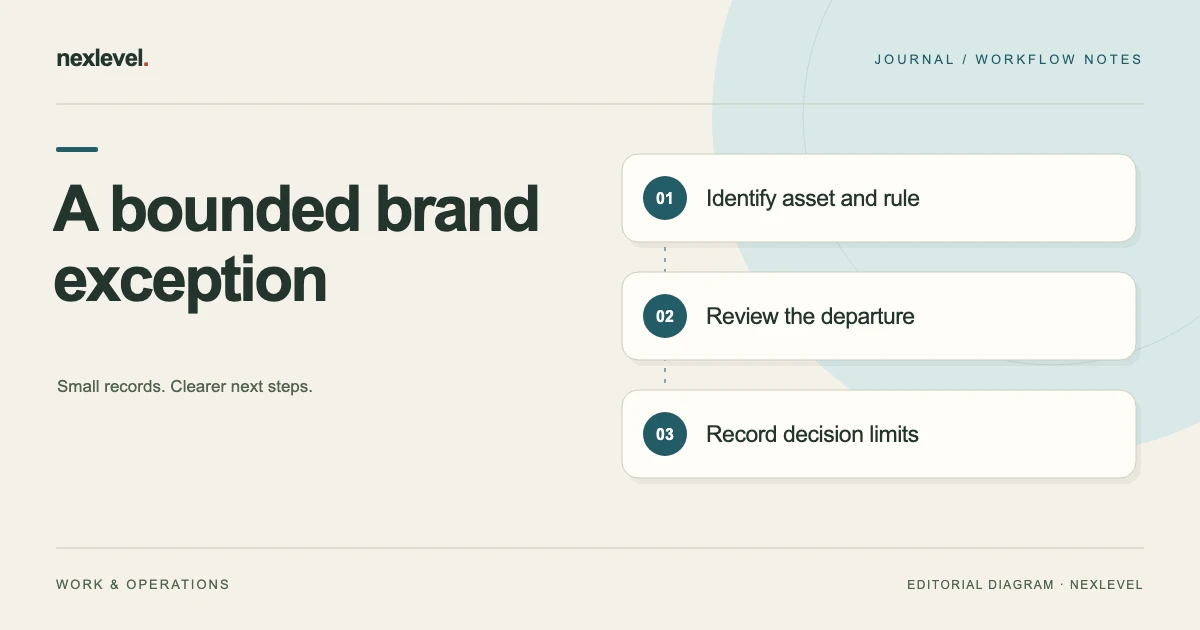
A brand exception request should describe one proposed departure from a specific rule, explain why it is needed, and make the limits of any decision clear. “Marketing approved it” is rarely enough to tell a designer which file may ship, where it may appear, or whether the decision applies to a later adaptation.
Use an exception request when the asset genuinely departs from an applicable rule and someone with the appropriate responsibility needs to decide what happens next. If the rule does not apply, or the review finding is mistaken, record that different conclusion instead of creating an unnecessary waiver.
The template and campaign example below are original working aids. The example brand, rules, files, and decisions are fictional. For the broader review process, start with the brand review checklist, then use this narrower request to document a specific unresolved departure.
Define the exact asset and rule
Identify the file being reviewed by its working name, revision, format, and intended placement. If several exports exist, specify which one is covered. A decision about a horizontal web banner should not silently become permission for a printed poster or a square social crop.
Identify the brand kit edition and rule reference. Include the relevant wording or a short accurate excerpt, along with a source location. The reviewer should be able to establish what the current rule says without searching through unrelated campaign folders or relying on memory.
Separate the observed departure from the proposed solution. “The footer is absent from banner revision 3” is an observation. “Allow the footer to be omitted” is a request. Keeping those statements distinct helps someone decide whether changing the asset would resolve the problem more appropriately.
Check whether an exception is actually needed
First establish whether the rule applies to the asset’s channel, audience, and format. A requirement written for packaging may not govern an internal slide. Do not assume the answer; record the applicability check and its source so another reviewer can follow it.
Next inspect the finding itself. Text extraction can miss small or rotated text, and a cropped review preview may omit part of the artwork. Check the actual source asset before treating an automated observation as a confirmed departure.
If the rule is inapplicable or the finding is incorrect, document that conclusion with evidence. An exception should represent a deliberate decision about a real departure. Using exceptions to close every uncertain finding obscures which rules were intentionally set aside and which issues were resolved through better inspection.
Use a complete request template
Start with these identification fields: request ID, requester, asset filename and revision, campaign or project, placement, intended audience, planned use window, and related review item. Add the brand kit identifier, rule reference, applicable requirement, and observed departure.
Then capture the decision information: reason for the request, alternatives considered, expected consequences, proposed limits, responsible decision-maker, required follow-up, and latest useful decision time. The latest useful time is a scheduling input; it should not imply that silence means permission.
Finish with outcome fields: accepted, changes requested, declined, or unresolved; decision rationale; exact covered asset; covered placement; end condition; and decision date. Include a place to link the final output. Keep the original request distinguishable from the later decision rather than rewriting the request to resemble what was approved.
Write a reason that helps someone choose
Explain the constraint behind the request. “The layout looks cleaner” is a preference. “The distributor’s fixed banner area cannot fit the current footer at a readable size, and its specification cannot be changed for this placement” describes a constraint that can be examined.
Support the constraint with the actual placement specification or other relevant material. Show the current design and at least one feasible alternative if available. A reviewer should be able to assess the tradeoff without having to imagine the file or reconstruct the design history.
Avoid presenting urgency as the whole justification. A late deadline may explain why a decision is needed quickly, but it does not explain why a particular departure is appropriate. Record the timing issue separately from the brand consequence and the possible remedies.
Work through a fictional campaign request
Imagine the fictional LumaRiver studio preparing banner P17, revision 3, for a distributor’s campaign page. Brand kit BK-4 contains rule R12: external campaign artwork must include the studio’s support line. The submitted banner omits that line because the distributor’s fixed area leaves little room beneath the headline.
The request identifies P17-r3.webp, the campaign-page placement, and a two-week use window. It includes the distributor’s size specification, the applicable rule excerpt, and two alternatives: shorten the headline to make space, or place the support line in the adjacent page text. Neither alternative is described as automatically acceptable.
The fictional brand owner asks for a shortened headline and a new export containing the support line. The outcome is “changes requested,” not “exception accepted.” The requester produces revision 4, and the reviewer checks that file. This is a successful exception process even though no departure was ultimately permitted.
Show how a limited acceptance would differ
Suppose the fictional reviewer instead accepted omission from P17 revision 3 because the distributor confirmed that the support line would appear immediately beside that banner. The record should name both the exact banner and the adjacent text arrangement that formed the basis of the decision.
Limit the acceptance to that placement and use window. Add a follow-up to verify the published page and an end condition for removing or replacing the banner. A later social crop without the adjacent text would require its own review because the supporting context has changed.
Do not convert a narrow acceptance into an edit to the entire brand kit. If the team wants to change the general rule, that is a separate policy decision with a wider scope. The exception record should remain understandable without implying that every future asset may omit the support line.
Keep decision authority explicit
Name the person or role responsible for deciding the request under your organization’s own process. The requester, designer, campaign owner, and brand reviewer may be different people. A message from someone who reviewed the file does not necessarily establish that they can authorize the proposed departure.
Where several responsibilities overlap, record which decision is still missing. A brand review can address presentation consistency while other reviews address different requirements. Do not treat a brand exception as a determination about rights, advertising claims, or other obligations outside that review’s scope.
If the appropriate decision-maker is unavailable, keep the request unresolved and make the scheduling consequence visible. Escalate through an agreed internal route. Avoid inventing an approval rule such as “accepted if no reply by Friday” unless that rule is actually established for the process.
Record the decision without losing the evidence
Save the request, source rule, reviewed asset, supporting placement specification, and outcome together or with reliable references between them. The useful record answers what was observed, what was requested, who decided, and what that decision covered.
Preserve the exact reviewed version. If the designer modifies the asset afterward, compare the change with the decision’s scope. A small headline edit might be straightforward; removing the adjacent support text that justified acceptance would change the basis of the decision.
Record comments as comments and outcomes as outcomes. “Looks reasonable” can be useful feedback, but it may not identify a final file or a clear decision. Ask for a specific disposition when the record needs one, rather than interpreting a friendly response as broader permission.
Handle recurring requests without normalizing drift
Several similar requests may indicate a mismatch between the brand kit and common production formats. Track the pattern for the person who maintains the rules. Keep individual requests specific so that the pattern does not become an informal, undocumented replacement policy.
For example, three distributors might use different small banner areas. Review the actual constraint in each placement rather than assuming they all justify the same solution. One might support adjacent text, another might allow a shorter headline, and another might require a different asset format.
A periodic rule review can consider whether to add a documented compact-format treatment. Until that change is made through the appropriate process, maintain the distinction between a general rule, a proposed rule change, and an individual exception with limited scope.
Check the released placement and close the loop
After release, compare the published asset and surrounding context with the decision. Verify the file revision, placement, relevant supporting text, and any conditions. A correct export in the design folder does not prove that the distributor used that export.
If the placement differs, open a follow-up with a concrete description and owner. Preserve evidence of what was found. Avoid changing the exception record afterward to make the unexpected publication appear to have been covered all along.
Close the request when the required follow-up has been completed, or record why it remains open. If the acceptance had an end condition, make that condition actionable in your own task process. A date buried in a PDF is easy to forget if nobody owns the removal or replacement.
Make the record usable for the next designer
A colleague should be able to identify the approved treatment without reading an entire conversation. Give the record a concise summary: exact asset, relevant rule, disposition, limits, and location of the evidence. Keep the detailed rationale available behind that summary.
Try a retrieval check with a later adaptation. If a designer is preparing a square crop of fictional P17, can they tell that the earlier decision covered only the distributor’s horizontal placement with adjacent support text? If that limitation is unclear, improve the record before copying the treatment.
Keep historical exceptions searchable by campaign and rule, but visibly separate them from current reusable guidance. A collection of old approvals is useful evidence about earlier decisions; it is not automatically a library of treatments authorized for every future project.
Document a decline and the route back to review
A declined request still needs a useful record. State which departure was declined, what evidence informed the decision, and whether a revised asset or different placement could be considered. Do not leave the designer with an unexplained red status that offers no practical next step.
For fictional P17, a decline might say: “Omission of the support line is declined for the campaign banner. Submit a shortened headline with the support line visible, or provide a different placement specification for review.” That wording identifies the current outcome without pretending that a future revision is already accepted.
If new evidence appears, open a clearly linked successor request or revision. Keep the original decline intact, identify what changed, and ask the responsible reviewer to assess the new situation. A changed distributor specification could matter; a duplicate submission with a different filename does not, by itself, change the basis of the decision. This preserves a readable history while giving the team a legitimate way to reconsider a constrained design.
Use a review tool within its actual scope
MotifGuard supports review of campaign PDFs, images, and text against versioned brand rules, with source-linked findings and human decisions. The current listing describes accepting findings, requesting changes, or marking findings not applicable, as well as explicit report approval. The template above adds organizational context that still needs a responsible human decision.
Its observations are review aids, so inspect the source and keep the final outcome under human control. Check current features and export-plan details in the official MotifGuard App Store listing. Choose a process that keeps a specific exception from becoming an ambiguous promise about unrelated assets.