A repair invoice can explain part of a home’s history, but only when it is connected to the right task, location, and visit. A file called “window repair” is difficult to use later if several windows were repaired or the invoice date differs from the day someone attended.
Build a clear relationship between the maintenance event and the document. Keep the invoice’s actual wording, your completion note, any relevant photographs, and the source location distinguishable. The record should help you retrieve what happened without claiming more than the documents show.
This guide provides an original matching worksheet and a fictional two-window example. It is an organizational method, not repair, inspection, accounting, or warranty advice. Start with the home maintenance records guide if your basic task history needs structure.
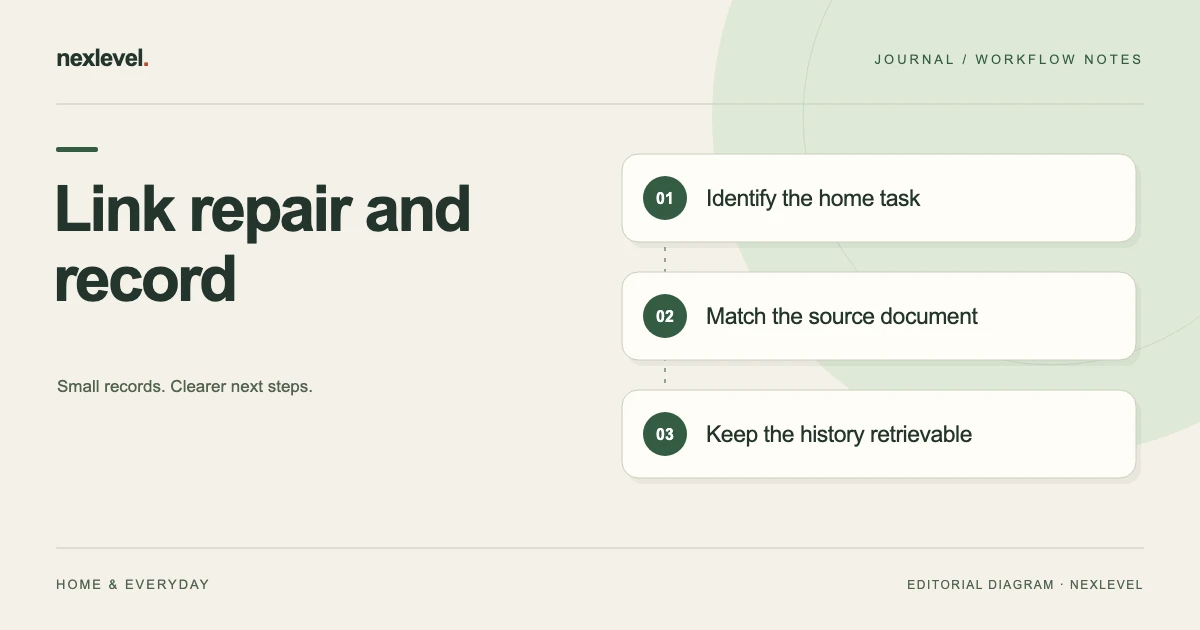
Identify the home task and location
Record the home or property reference, room or area, relevant item, and task identifier where you use one. “Window repair” may describe several separate events. A location such as “hallway window beside the stairs” provides more useful context.
Use your own consistent references without treating them as a substitute for the source description. The invoice may use a contractor’s job number or a different location label. Keep both references visible until their relationship is clear.
Check whether the document concerns the whole home, one item, or several tasks. Avoid assigning a shared invoice to a single task merely because that task’s name appears first in the description.
Keep the visit date and document date distinct
A visit date, invoice issue date, and payment record date can be different. Capture each according to what the source actually establishes. Do not use the newest date on a document as the repair completion date without checking its meaning.
If the maintenance note was written later, record the source of the visit date. A diary entry, appointment confirmation, or relevant service note may help establish the event. Preserve uncertainty when the exact date is not available.
Keep the task’s future schedule separate from the invoice record. Recording a document does not by itself establish what recurring care should happen next. Use the task’s actual plan and relevant manufacturer or professional guidance for that decision.
Read the invoice as a document
Record the invoice reference, named provider, issue date, location or job reference, described work, displayed total, and relevant line items. Keep the original document in the appropriate location under your own storage arrangement.
Do not replace the source wording with a more confident interpretation. “Adjusted handle” and “replaced handle” describe different things. If the wording is unclear, identify the question rather than choosing the description that makes the history look more complete.
Check that you have the relevant pages or attachments. A filename or email subject can help retrieval, but the document’s contents should establish what it actually covers.
Use a repair-document matching worksheet
Useful fields include: home reference; area and item; task or event ID; visit date and source; invoice reference; invoice issue date; work description; document location; related photographs; cost treatment note; discrepancies; and next action.
Add a matching result such as linked, uncertain location, shared across tasks, or awaiting clarification. These are working labels for the record, not statements about repair quality or a provider’s obligations.
Keep your completion note separate from the invoice observation. A clear history can say what you recorded as done, what the provider’s document states, and what remains uncertain without merging those facts into an unexplained “verified repair” label.
Work through a fictional shared invoice
Imagine home H1 with two task records: T11 for a hallway window handle and T12 for an upstairs window handle. Invoice R204 describes two handle replacements and totals 120 currency units, but it does not divide the amount between the two locations.
The owner links the same invoice reference to both relevant event notes and records that it covers two tasks. They do not enter the full 120 as a separate cost on each task, which would make the combined notes appear to total 240 for one invoice.
If a later itemization establishes 75 for one task and 45 for the other, the owner can record those source figures with the supporting reference. The sum is 120. Until then, the cost allocation remains a documented question rather than an invented line-item fact.
Handle one document covering several items
Create an index or reference that identifies each maintenance event covered by the document. Keep a clear note that the source is shared. This can be simpler than making several unlabelled copies with different filenames.
If you use a working allocation for your own planning, label it as your allocation and record its basis. Do not present an evenly divided amount as if the provider supplied separate line items when the invoice does not do so.
Check summaries for double counting. The document’s total and your task-level notes should remain understandable together. This is a practical consistency check on your records, not a prescription for business or tax accounting.
Distinguish an invoice from a payment observation
An invoice and a payment record are different sources. Keep any payment observation linked to the appropriate document and amount, with its own date and reference. Avoid marking payment simply because an invoice exists in the folder.
If the invoice itself contains a payment status, record what it says and when you checked it. If your own records differ, preserve the discrepancy for clarification rather than silently changing one record to match the other.
Use appropriate privacy arrangements for financial information. A maintenance handoff may need the repair description and provider reference without requiring every unrelated detail from a personal account record.
Use photographs for the context they show
Label photographs with the relevant item and event. Distinguish a pre-visit image, a later condition image, and a photograph of a document. They may all be useful, but they do not establish the same facts.
A picture of a handle can help identify the location or visible condition. It does not automatically establish who performed the work, which parts were used, or whether the repair meets a technical standard. Keep those questions tied to their appropriate sources.
Preserve the original image where needed and record the relationship between any selected copy and the maintenance event. Avoid a folder of unlabeled photographs that requires someone to recognize every room from memory.
Record exceptions and unfinished work explicitly
A visit may complete one task while leaving another question open. Record the actual scope of the completion note and the outstanding issue. Do not mark every related task complete merely because the provider has issued an invoice.
For the fictional window example, the owner might record that both handles were replaced while a separate concern about a window’s movement remains for later assessment. That unresolved concern should have its own clear note and next action.
Use qualified help for repair or inspection questions beyond your own role. The maintenance record organizes the information; it should not turn a photograph or invoice description into a diagnosis.
Resolve conflicting descriptions without rewriting history
If a task note says “replacement” while the document says “adjustment,” preserve both observations and identify the source of each. Check the provider’s job reference and any other relevant record before deciding how to describe the event.
When clarified, add a concise correction or explanation using the tool’s actual workflow. Make the current description easy to find while keeping the earlier uncertainty understandable. Avoid editing the invoice’s contents to make it agree with your note.
Record who resolved the question and the supporting reference. A later reader should be able to understand why the maintenance history uses its current wording without relying on a memory of the phone conversation.
Keep the source reference usable
If the app or task system stores a note rather than the original invoice, include a meaningful document reference and maintain the original in your chosen storage arrangement. Do not assume that a note or PDF maintenance report automatically embeds every source document.
Use a consistent filename or index entry based on the home, event, and invoice reference. A readable example is H1-window-visit-R204. Keep detailed scope and date explanations in the index instead of hiding them inside a very long filename.
Check that the intended person can locate the source through the appropriate access route. A reference into an unavailable private folder may preserve the name of a document without providing a usable history.
Inspect a maintenance report before sharing
Prepare the actual report or copy you intend to share, then inspect its task labels, locations, dates, notes, costs, and photo references. Confirm what it includes and what remains only in your own archive.
Remove unrelated private information from a deliberate handoff copy where appropriate. Keep the underlying retained record in its proper location rather than treating every shared report as the main archive.
State the report’s scope and preparation date. It can summarize recorded maintenance without certifying the home’s condition or establishing that every possible repair record is present.
Test retrieval from a realistic question
Ask someone to find which window invoice R204 concerns and what the record says about its cost allocation. They should be able to locate the two tasks, the shared document reference, and any later itemization.
If they conclude that each window cost 120, improve the shared-invoice note or summary. The source total did not become two separate totals simply because it was referenced from two records.
Record and fix broken references, ambiguous room labels, and missing date context. This checks the usability of the selected history. It does not assess the technical quality of the repair or guarantee that the home has no other maintenance needs.
Review records when the task arrangement changes
If an item is replaced or a room is renamed, preserve the relationship to earlier maintenance history. A new task label should not make an old document appear to concern a different physical item.
Keep old and current references distinguishable through a short note or index relationship. When several similar items are involved, include enough location context to avoid relying on a broad room name alone.
Use the same approach when someone else takes over home recordkeeping. Give them the current task structure and a tested route to the relevant documents, rather than asking them to infer the history from a pile of invoices.
Link a corrected document to its predecessor
If the provider issues a corrected invoice or clearer itemization, identify it as a new source document and record which earlier document it relates to. Check the reference, date, scope, and displayed amounts instead of assuming that a familiar filename means only a minor formatting change.
For fictional R204, a later itemization may explain the 75 and 45 amounts without changing the overall total. Another correction could change the total itself. The maintenance note should state what the later document actually establishes and which figure remains current for your own record.
Keep earlier retained copies distinguishable from the corrected source under your chosen process. A later reader should be able to see why a task note changed and locate the supporting document. Do not overwrite an old file with different contents while leaving the index unable to explain the change.
Use Dwellmark as the maintenance history
Dwellmark organizes home tasks by room or area and records completion history, notes, and costs. Its current listing describes Pro photo records, full history, and private PDF maintenance reports. The worksheet above can connect that history to invoices held in your own document arrangement.
The app is an organizational aid, not inspection or repair advice. Check current features and purchase details in the official Dwellmark App Store listing, and inspect the actual scope of any report you export.