The moment you need a receipt is usually the moment you discover that it lives somewhere inconvenient. A purchase confirmation is in an email account you rarely open. The product’s serial number is on a label behind a cabinet. A support representative asks for a model number, and the photograph you saved shows the wrong side of the device.
A practical receipt and warranty system connects those details before the support conversation begins. Instead of keeping a large undifferentiated folder of images, build one record for each important purchase. That record points to the evidence, dates, identifiers, and correspondence you may need later.
This guide covers personal record organization. Dates and document requirements vary by product, seller, manufacturer, and location. Record the terms that actually apply to your purchase rather than assuming a generic warranty period or return rule.
Start with the question you want to answer
A useful system should help you answer ordinary questions quickly: What did I buy? Where did I buy it? Which exact model do I own? Where is the proof of purchase? What date did the seller or manufacturer provide? What happened during the last support conversation?
These questions suggest a record organized around the item, not around the document format. A receipt photograph, an emailed invoice, a warranty document, and a service reference can all belong to the same purchase. Keeping them connected reduces the need to search several unrelated folders.
Choose a sensible starting boundary. You might begin with household equipment, recent electronics, or purchases with an active support issue. Trying to reconstruct every minor purchase from the last decade can turn a useful project into a large sorting exercise with little immediate benefit.
Write down what belongs in your system. A clear boundary makes it easier to decide what to capture next without repeatedly reconsidering the purpose of the archive.
Create one record per identifiable purchase
Give each record a plain, searchable name. “Kitchen mixer — model AB200” is more useful than “Receipt 17.” If you own several similar items, add a distinguishing reference such as the room, owner, or purchase date.
Record the product name, brand, model, seller, purchase date, and an order or receipt reference when available. Add the serial number if the product has one and it is relevant to identification. Do not treat the model number and serial number as interchangeable; one may identify a product family while the other distinguishes an individual item.
Use a separate field for your own notes. “Stored in hallway cupboard” can be helpful, but it should not be mixed into the manufacturer’s model identifier. Keeping factual identifiers separate from personal descriptions makes later copying and searching less error-prone.
If a single receipt covers several products, connect that document to each relevant record or keep a clear shared reference. Avoid creating contradictory copies of the receipt’s purchase details while splitting the items into separate records.
Capture readable evidence rather than a quick blur
Before filing a receipt image, check that you can read the seller, purchase date, relevant item, total, and transaction reference where those details appear. A photograph that merely proves a piece of paper exists may not be useful during a support request.
Capture the entire relevant document and inspect the result. If the receipt is long, use a method that preserves a readable sequence. If a document has multiple pages, retain all pages that explain the purchase or the applicable terms.
Preserve the original digital invoice or confirmation when you have it. A screenshot can be convenient for a quick view, but it may omit attachments, reference numbers, or information outside the visible area. Keep the useful original alongside any simplified image you choose to use.
For a product label, take a separate identification photograph where appropriate. Check the image before moving on. Recording an unreadable serial-number image does not save you from having to find the label again.
A simple purchase-record template
The following fields provide a practical starting structure. Use “not found” or “not applicable” where that accurately describes the situation. An empty cell should not be mistaken for a confirmed answer.
| Field | What to keep |
|---|---|
| Record name | Readable item name and distinguishing detail |
| Product identifiers | Brand, model, serial number if relevant |
| Purchase information | Seller, date, order or receipt reference |
| Proof of purchase | Readable receipt, invoice, or relevant confirmation |
| Terms source | The document or message supporting a recorded date |
| Attention dates | Dates stated for the purchase and your own review reminders |
| Support history | Case reference, date, action, and current status |
| File location | Where originals and supporting documents are stored |
You do not need to complete every field before the record becomes useful. Start with the information you can verify, mark the gaps, and decide which missing details matter for the purchase.
Record dates together with their source
A date without context can be misleading. The purchase date, delivery date, registration date, and a stated coverage date may differ. Label each one accurately and keep the document that explains it.
If you enter a return or warranty date, record where it came from. That might be a seller’s purchase-specific confirmation or the manufacturer’s applicable documentation. Avoid calculating a universal deadline from memory and presenting it as a verified term.
Distinguish an actual deadline from a reminder you set for yourself. “Review documents on Monday” is a personal planning action. It does not mean that a seller’s policy ends that Monday. Different labels prevent a helpful reminder from becoming an incorrect statement about your rights or coverage.
When the source is unclear, keep the uncertainty visible. Record the question and the contact or document you intend to check. A carefully labeled unknown is more useful than a confident date that cannot be supported.
Work through a fictional purchase
Imagine that you bought a kitchen mixer from a fictional store called Harbor Home. Your order email contains an order number, the attached invoice lists the item, and the product label contains its model and serial number.
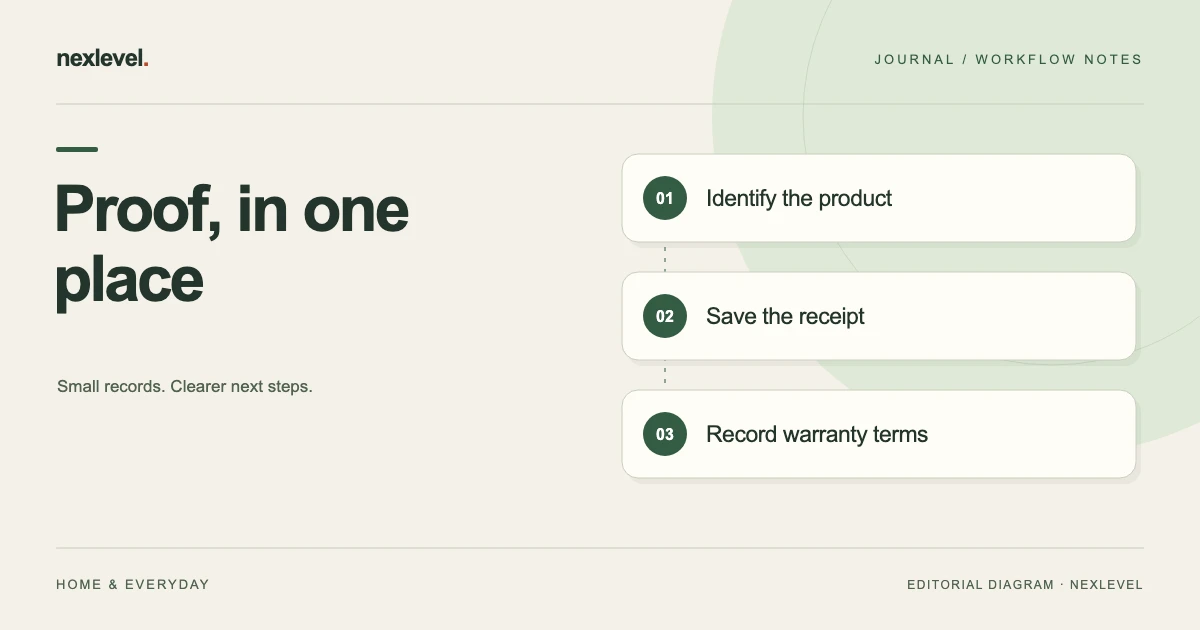
Create a record named “Kitchen mixer — AB200.” Add Harbor Home as the seller, copy the purchase date from the invoice, and enter the order number from the confirmation. Save the invoice and the identification photograph as separate supporting files.
Suppose a purchase-specific message also describes a return window. Store that message and label its stated date separately from your reminder to review the purchase. If a manufacturer document provides different information about product coverage, retain it under its own clear label.
Later, a support conversation produces case HH-104. Add the case reference, the date, the question discussed, and the next action. The record now connects the original purchase to the ongoing support issue without requiring you to reconstruct the sequence from several inbox searches.
Prepare a focused support packet
When someone requests information, use the purchase record to assemble what is relevant to that request. A concise packet might include the product identifiers, the proof of purchase, the support case reference, and the specific photograph or document requested.
Review the recipient and the material before sharing. A receipt may contain unrelated purchases or personal details. A whole archive may include documents the recipient does not need. Keep a complete private record while sharing only the information appropriate to the conversation.
Check that the packet is readable outside your own system. Open the exported file, verify the page order, and confirm that images and identifiers remain legible. If the packet refers to another attachment, make sure that attachment is actually included when needed.
Preserve a record of what you sent and when. That makes follow-up easier if the support team asks for the same information again or a different person takes over the case.
Keep the history useful after the first reply
A support record should explain the current situation as well as the past. Use a short status such as waiting for a response, information requested, appointment arranged, or resolved. Choose labels that describe what is actually happening.
After each meaningful exchange, record the date, reference, action, and next step. You usually do not need to rewrite an entire conversation into your notes if the original correspondence is retained and clearly connected.
If a product is repaired, exchanged, or replaced, record the relevant change. A replacement may have a different serial number. Keep the earlier identity and the supporting documents understandable rather than overwriting them without explanation.
When the case is resolved, write a brief closing note. Future you should be able to tell whether the record concerns an unresolved issue, a completed repair, or a product you no longer own.
Review the archive in small, useful passes
A short recurring review is easier to maintain than occasional attempts to reorganize everything. Look at recent purchases, approaching review reminders, and open support cases. Add missing documents while they are still easy to locate.
Check whether the records can actually be searched in the ways you expect. Try finding an item by product name, seller, model, and serial number. A file stored under an unrelated image filename may be technically present but effectively lost.
Remove duplicate working copies only after you understand which version is complete. Keep the original evidence your process requires. The point of review is to improve retrieval and clarity, not to delete material merely because it is old.
If you share responsibility for household purchases, agree who maintains each record. Someone should know whether a new invoice has already been filed and where to add the next support message.
Check access, export, and backup
Choose storage that fits the sensitivity of your documents. Receipts and support records can contain addresses, contact details, and transaction information. Review who can access the archive and what happens when a device or account changes.
Test the export process before you need an urgent document. Can you produce a readable copy of a purchase record? Does it include the required attachments? Can you open the result on another appropriate device or application?
Keep a backup through a method you understand and can maintain. The right arrangement depends on your devices and preferences, but the retrieval question remains practical: if the original device is unavailable, can you recover the records you consider important?
Write a short instruction for anyone who needs authorized access. A well-organized archive can still be difficult to use if only one person knows how to locate or export its contents.
Keep records understandable when ownership changes
If an item moves to another room, household member, or workplace, update your own location and responsibility notes. That small change can prevent a later search from starting in the wrong place. Keep the original purchase identity and history connected rather than creating an unrelated record with no explanation.
When you sell, give away, recycle, or otherwise stop owning an item, record that status according to your own recordkeeping needs. Do not assume that a warranty or service arrangement transfers with the item. Check the actual terms if that question matters to the transaction.
A clear archive can distinguish items still in use from older records retained for a reason. This helps your next review focus on active purchases and open support cases while preserving the history you need.
Use a tool that keeps the evidence connected
A folder and a small index can work well when you have few records. A spreadsheet can connect identifiers to file locations. A dedicated app may be useful when you want purchase details, date reminders, supporting documents, and exports in one workspace.
Warrava is designed around purchase records, receipts, return and warranty dates, serial numbers, and support documents. Its official listing also describes search and a Pro option for producing a PDF proof pack. Check the current listing for supported devices and feature availability.
You can view Warrava: Warranty Tracker on the App Store. Whichever method you choose, begin with a few meaningful purchases and test a real retrieval. The system is doing its job when you can find the right evidence without turning an ordinary support request into a new filing project.
Product reference: Warrava’s official App Store listing. The store, product model, and support case in the worked example are fictional. Purchase-specific terms should be checked against their actual sources.