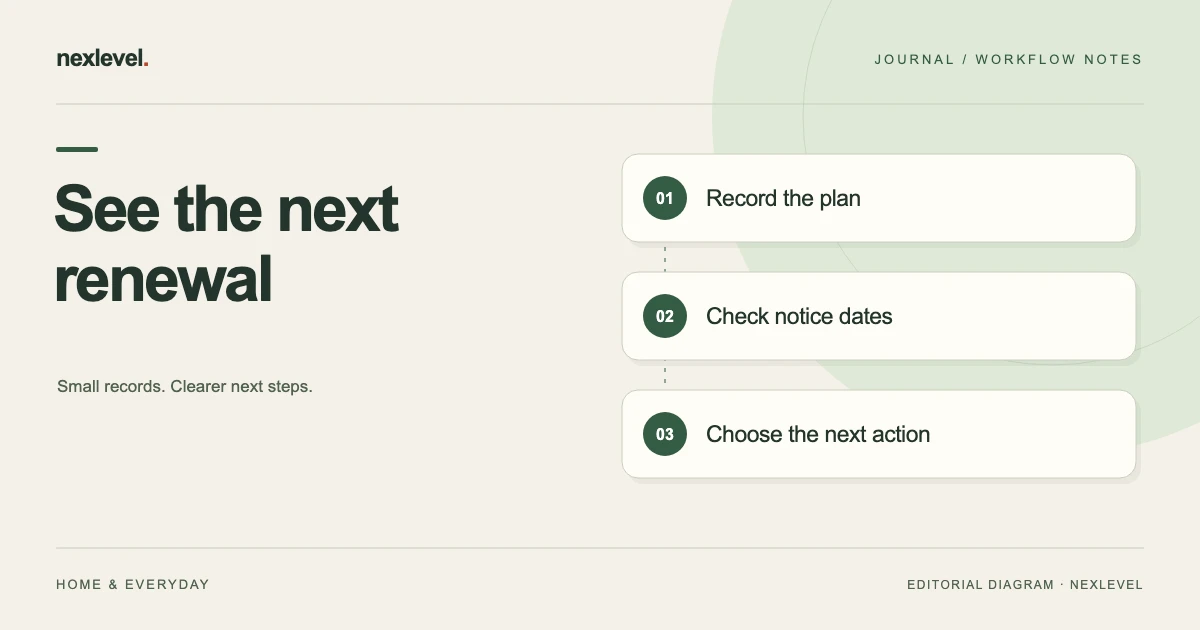
A subscription renewal tracker should help you find the next date that needs a decision, the source that controls the subscription, and the action you have actually completed. A list of service names and prices is useful, but it does not tell you where to manage a trial or whether a cancellation request was confirmed.
This subscription renewal tracker template covers manually recorded trials and recurring plans without a bank connection. It includes a fictional example, date checks, reminder planning, and an update routine. It organizes your records rather than predicting charges, cancelling services, or providing financial advice.
Identify the subscription and its billing source
Record the service name, plan, account reference where necessary, and the organization or platform that bills you. The app you use and the place that manages the subscription may differ. A plan purchased through a platform may need to be managed there rather than inside the service’s own website.
Use the original confirmation, current account page, or another reliable billing record to identify the management route. Save the relevant link and the date you checked it. Do not store passwords or recovery codes in the tracker; identify the account without turning a reminder list into a credential store.
Keep subscriptions with similar names separate when they belong to different accounts or plans. A family member’s plan and a work plan can share branding while having different dates, billing routes, and decision owners.
Start with active subscriptions and trials you can verify. Older receipts can help find missing services, but a past payment alone does not establish that a subscription is still active or tell you its current renewal terms.
Copy this renewal tracker template
Use a spreadsheet, note, or dedicated reminder workspace. These fields separate the schedule, intended decision, and completed action:
- Identity: service, plan, account reference, owner, and billing source.
- Schedule: next renewal or trial-end date, source checked, and date last verified.
- Cycle: weekly, monthly, annual, or custom, with any relevant recurrence notes.
- Amount: recorded price, currency, billing period, and whether the amount is confirmed or estimated.
- Management: cancellation or account-management route, contact details, and relevant instructions.
- Reminder plan: review date, notification offsets, and an alternative review routine.
- Decision: keep, review, change, or seek cancellation, with the person responsible.
- Action record: what was done, when, confirmation reference, and any effective date shown.
Keep the source of the schedule close to the date. “Renewal shown on account page, checked 10 October” is more informative than a date copied from an old memory. When the source and your estimate disagree, investigate rather than choosing whichever date is more convenient.
Separate trial end, renewal, and your own review date
A trial end is a service event. A renewal date is a billing or plan event according to the provider’s terms. Your review date is the time you choose to decide what to do. These dates may be related, but they should not share one field without labels.
Set your review early enough for the actual action you need to take. That might involve checking usage, asking another household member, or following the provider’s stated process. There is no universal reminder offset that fits every service and cancellation arrangement.
Record a time and time zone if the source provides them and they matter to the action. A date-only reminder can conceal a specific cutoff. If you cannot verify the relevant timing, note the uncertainty and check the provider’s instructions.
Do not assume a calendar month always means a fixed number of days. Likewise, an annual cycle should not be advanced by an arbitrary day count without checking the service’s actual next date. Use the current management page or confirmation as the authoritative source for your record.
A fictional example: one trial and one annual plan
Imagine Sam adds two services to a tracker. The first is an editing-tool trial, billed through a platform. Sam records the trial end shown in the account, the management route, the price displayed for the following plan, and the currency. The intended decision is “review before trial ends,” not “cancelled.”
The second is an annual storage plan purchased directly from its provider. Sam records the next renewal date from the current account page and saves the provider’s management link. The annual amount and currency remain separate from the editing tool’s monthly amount.
Sam chooses an earlier personal review date for each service. At review, Sam decides to keep the storage plan and seek cancellation of the editing trial. The tracker records those decisions, but the trial remains in an action-needed state until Sam completes the actual platform process.
After completing that process, Sam saves the confirmation reference and the effective date shown. The trial entry now records what happened and which evidence supports it. The reminder did not cancel the service; it helped Sam remember to take and verify the action.
Plan reminders around decisions, not just charges
A reminder labeled “Subscription tomorrow” can arrive too late for a thoughtful review and still fail to identify the service. Use a label that includes the plan and action, such as “Review editing trial; management link in record.” Keep sensitive account details out of notification text that may appear on a lock screen.
Choose offsets based on the work involved. A simple personal decision may need one reminder. A shared or business plan may need an earlier check with another person. Keep the number of notifications manageable so important reminders do not disappear among routine alerts.
Check notification permission and the device settings that affect delivery. A scheduled reminder and a notification you actually notice are different things. Keep a regular manual review of upcoming dates as an additional habit rather than relying on one alert as a guarantee.
If you dismiss an alert without acting, update the next action or review date. Repeatedly clearing the same notification can hide an unresolved decision while the tracker still looks organized.
Record prices without mixing unlike amounts
Include the currency and billing period beside each amount. A monthly amount in one currency and an annual amount in another cannot be added into a meaningful single total without a defined conversion and period basis.
If you annualize a monthly price for planning, label it as an annualized figure. Multiplying a stable monthly amount by 12 describes that assumption; it is not proof of the provider’s next 12 charges. Taxes, usage-based amounts, price changes, and plan adjustments may change the actual result.
Keep a promotional amount separate from the later price shown in the service terms or account page. If the later price is unknown, mark it unknown. A blank or estimated future amount is better than a precise-looking figure with no source.
For variable charges, record the basis you are tracking and its limits. A renewal reminder can still be useful even when it cannot forecast the final amount. Do not describe a manually maintained tracker as a complete or guaranteed picture of all spending.
Distinguish a decision to cancel from completed cancellation
Use separate states for reviewing, intending to cancel, taking action, and recording confirmation. This prevents a checkbox ticked during planning from looking like evidence that the provider received or completed a request.
Follow the actual billing source’s process. For subscriptions billed by Apple, Apple’s cancellation guidance explains how to manage them and how to investigate when the subscription is not visible. Other billing routes have their own instructions, which should be checked with the relevant provider.
Record the confirmation or account state shown after the action. Include the effective date if provided, and preserve any relevant reference privately. Do not assume that deleting an app, removing a reminder, or writing “cancel” in a note changes the underlying subscription.
If the process is incomplete or unclear, keep the next action visible. A request awaiting support is different from a confirmed end state. The tracker should reflect that uncertainty rather than offer reassurance it cannot support.
Update the tracker when the underlying plan changes
Review the entry after an upgrade, downgrade, pause, new billing cycle, or payment-source change. These events can make the old amount, next date, or management route inaccurate. Preserve a short change note so the history remains understandable.
When a renewal occurs, verify the next date from the current source before simply moving the reminder forward. A provider may have changed the schedule or the plan. The act of advancing a date in your tracker does not establish the provider’s schedule.
If another person becomes responsible for the plan, hand off the management route and current state without sharing credentials insecurely. Confirm who will act and who will maintain the tracker. Two people each assuming the other is handling a trial can leave a clear reminder with no owner.
Archive ended plans rather than leaving them in the active decision queue. Keep the confirmation and effective date available where needed, and label a later reactivation as a new event instead of erasing the previous end state.
Audit the list for missing and duplicate entries
Periodically compare the tracker with the account pages, confirmations, and records you normally use. The goal is to catch forgotten trials, duplicate entries, stale dates, and management links that no longer lead to the correct account.
Check duplicates carefully. Two entries with the same service name may be different plans. Compare the account reference, billing source, plan, and dates before merging or archiving anything. A second entry can also reveal that the same subscription was recorded twice.
For an uncertain record, make verification the next action. Do not assume that a service is cancelled because you cannot find a recent email. Likewise, an old receipt does not prove it remains active. Use the relevant current source to settle the status.
Keep the review short enough to repeat. A focused list of upcoming decisions is more useful day to day than a large dashboard whose information nobody checks.
Keep exports readable and private
If you export the tracker, check the labels, dates, currencies, and action states in the exported file. A column of amounts without billing periods or a date field without its meaning can be misleading outside the original workspace.
Keep account identifiers and support references limited to what you need. Use a deliberate destination for backups and shared copies. A reminder system does not need bank access to be useful, and an exported file should not contain passwords.
Separate a personal working archive from a summary you share with someone else. The recipient may need the next decision and billing source without needing every historical confirmation or private note.
Add new trials while the confirmation is available
Create the tracker entry when you start a trial or recurring plan, while the confirmation and management route are easy to locate. Record the date shown, plan, billing source, and intended review action. Delaying entry until the first renewal can defeat the purpose of the reminder.
Check the saved record against the confirmation before closing the page. Then review the notification plan and leave the action state accurate. Adding a cancellation link is preparation; it does not mean you have requested cancellation. This small distinction helps the tracker remain trustworthy from its first entry.
Use DueNudge for a local renewal queue
DueNudge supports manually entered trials and subscriptions, billing cycles, next renewal dates, local reminder offsets, and saved cancellation details. Its official listing describes separate currency totals and optional Pro access to unlimited active subscriptions and CSV export. No bank connection or app account is required.
View DueNudge on the App Store for current features and access. It cannot cancel third-party subscriptions for you. Use it to make the next decision visible, then complete and verify the action through the actual provider or billing platform.
Sources and example scope
App capabilities were checked against the official DueNudge listing and product page. Apple management instructions are linked in the cancellation section. Sam’s services and decisions are fictional. The template does not state universal cancellation deadlines, guarantee notification delivery, or predict future charges.