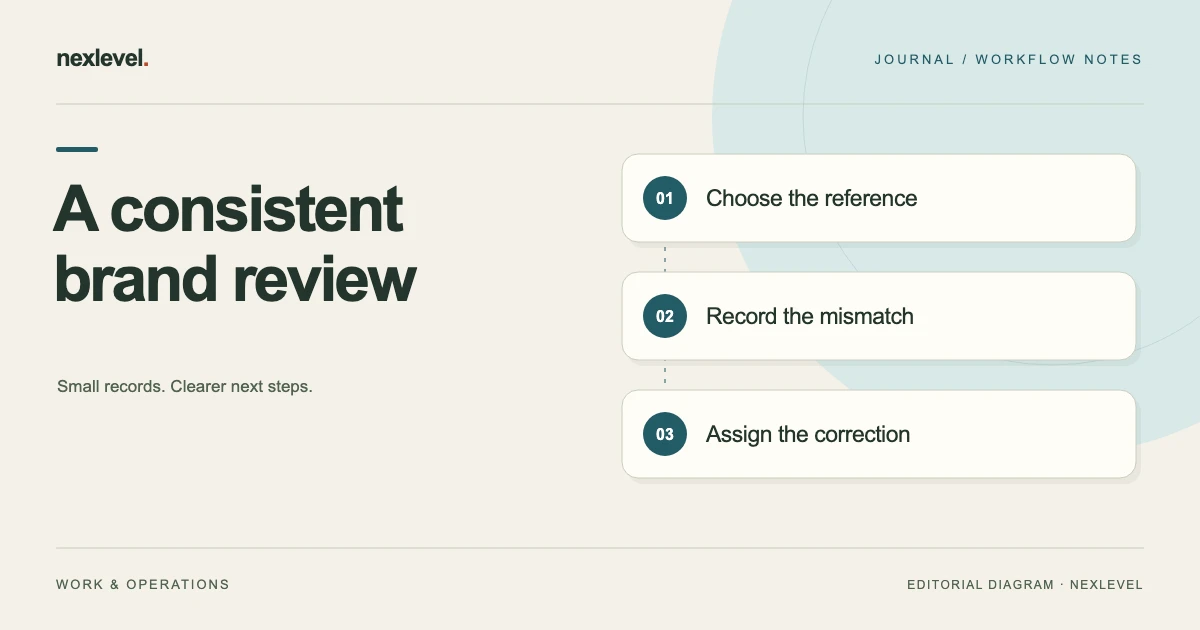
A brand review checklist is useful when it connects a rule to the asset being reviewed and records the decision that follows. “Check the logo” is a reminder, but it does not identify the relevant rule, show the evidence, or explain whether a potential exception was accepted.
This template helps a small creative team review campaign PDFs, images, and copy against a defined brand kit. It separates observations from decisions, includes a fictional campaign example, and shows how to preserve the version actually reviewed. It supports a human review rather than promising automatic brand approval.
Define the review package before opening the checklist
Record the campaign, asset name, asset version, intended channel, and review owner. A print flyer, social image, and landing-page screenshot may reuse a design while requiring different checks. Give each deliverable an identity instead of assigning one blanket result to the whole campaign.
Identify the brand kit version that applies. Keep a readable copy or stable source reference, including the date and scope. A rule remembered from a previous client project should not silently become the standard for the current review.
State the review boundary. You may be checking brand language and visible artwork, while another person reviews factual claims, accessibility, permissions, or production specifications. A clear boundary prevents a passed brand checklist from appearing to cover decisions that nobody made.
Confirm the source format and its limits. A screenshot may be enough to discuss visible hierarchy but may not support conclusions about the underlying file’s production settings. Record those limits before a finding gets described as definitive.
Copy this brand review checklist structure
Use one row or entry for each meaningful rule. The structure should let someone follow the path from source requirement to observed evidence and final decision without asking the reviewer to reconstruct the conversation.
- Rule reference: brand-kit version, section, and exact requirement or faithful summary.
- Applicability: why this rule applies to this asset, or why it does not.
- Asset reference: filename, version, page, section, or other readable location.
- Observation: what was seen or extracted, with supporting evidence.
- Uncertainty: missing source, unreadable detail, or limitation affecting the check.
- Proposed finding: possible mismatch or question requiring review.
- Human decision: accept, request a change, or mark not applicable, with the reason.
- Follow-up: owner, requested action, and the version that needs rechecking.
Do not use “not applicable” as a substitute for “not checked.” A rule outside the asset’s scope and a check blocked by missing evidence are different states. The checklist should make that difference visible.
Turn broad brand guidance into bounded checks
Some rules are specific: an approved phrase must appear, a prohibited expression must not appear, or a supplied asset must use a named variant. Other guidance is interpretive, such as a tone described as calm or direct. Keep the two kinds of review distinguishable.
For a specific rule, identify the observable evidence. A required phrase can be checked against a relevant page or text field. If text extraction is uncertain, inspect the source. The fact that a tool failed to detect a phrase does not prove the phrase is absent.
For interpretive guidance, state the review question and reason. “The headline introduces three competing ideas, which may conflict with the kit’s one-message guidance” is a useful discussion point. “Tone failed” hides the judgment behind a binary label.
Avoid inventing measurements the rule does not define. If a brand kit says “give the logo space,” ask for the intended reference or use an explicitly human review note. Do not create a numeric threshold and present it as the client’s existing standard.
A fictional example: a campaign flyer review
Imagine a studio reviewing Flyer C, version 2, against Brand Kit 4. The kit requires the approved campaign phrase and identifies which logo variant belongs on the selected background. The review package contains the flyer PDF and the applicable kit pages.
Check BR-01 concerns the campaign phrase. Text extraction suggests the final word may be missing, but the reviewer inspects the PDF and finds it in a line break. The reviewer records the phrase as present, notes the extraction limitation, and closes the proposed mismatch with a source reference.
Check BR-02 concerns the logo variant. The reviewer identifies a possible mismatch between the supplied artwork and the applicable kit example. The decision requests a change and cites the relevant page. It does not claim that the review software independently verified the identity of every logo element.
Version 3 arrives with the requested replacement. The reviewer rechecks BR-02 against the new asset, preserves the earlier decision, and records the current result. The issued review identifies Flyer C version 3; it does not imply the earlier file received the same outcome.
Keep automated observations separate from approval
Text recognition, geometry observations, and color observations can help direct attention. They are inputs to the review. They should not appear as the final authority when source quality, rule interpretation, or context still requires judgment.
Record what the tool actually observed and how confidently it extracted the relevant evidence. An unreadable text region is an evidence gap, not an automatic pass. A whole-artwork color observation should not be described as a precise check of an individual logo component unless that is what the method establishes.
Give the reviewer a way to accept, correct, or reject a proposed finding with a reason. Rejected findings are useful history when they explain a tool limitation or an intentional exception. Deleting them can make the issued result look simpler while removing the reasoning.
Keep approval explicit. A completed analysis, a full checklist, and an authorized human approval are separate events. The review record should identify which event occurred and who recorded it.
Review copy in its actual visual context
A phrase can be technically present while difficult to read or separated from the context that makes it meaningful. Inspect the artwork as well as the extracted text when evaluating a visible campaign asset. Record the page or area so another person can find the same evidence.
Check supplied wording against the intended version. A phrase copied from an older campaign may be perfectly spelled but no longer appropriate. The relevant source reference matters more than a generic spelling pass.
Separate factual questions from brand-language questions. If a claim needs a source or specialist review, route it to the appropriate owner. Do not mark it acceptable merely because it uses the brand’s preferred tone.
For bilingual material, connect terminology decisions to the client’s glossary where one exists. Our client terminology glossary template shows how to preserve context, approval provenance, and exceptions without treating every preferred phrase as universal.
Write findings that another person can resolve
A useful finding identifies the asset location, the rule, the observation, and the requested response. “Page 1 headline uses the retired campaign phrase; replace it with the wording in Brand Kit 4, section 2” is actionable when those references are correct.
Distinguish a required correction from a suggestion. Optional refinements should not be mixed into a mandatory change list without labels. The delivery team needs to know which items affect approval and which are ideas for consideration.
Use neutral language. Describe the mismatch rather than speculating about why someone made it. This keeps the conversation focused on the asset and the decision, especially when several contributors worked from different sources.
If the rule itself is unclear, create a clarification item rather than issuing an impossible instruction. Name the person who can settle the interpretation and state which part of the review remains open.
Handle exceptions with scope and reasons
An exception should identify the affected asset, rule, reason, and recorded decision owner. “Approved for this event flyer only” is different from “brand rule changed.” Preserve the scope so the next campaign does not accidentally inherit a one-time departure.
Keep the original rule visible beside the exception. A future reviewer should understand both the normal requirement and the specific decision that allowed a different result. An exception without the baseline becomes an unexplained preference.
Record the actual review state. A proposed exception awaiting confirmation should not appear in the issued result as accepted. If the appropriate person has not decided, show that uncertainty and its effect on the next step.
When a rule changes permanently, update the brand kit through its own controlled process. Do not rely on a past campaign’s exception note to communicate a new organization-wide standard.
Recheck changes without losing the previous version
When a revised asset arrives, identify it clearly and compare the requested changes with the new evidence. A file with the same name may contain different content, so preserve a version reference that makes the relationship understandable.
Check whether a correction affects other review items. Replacing a headline may alter line breaks or hierarchy. Replacing an image may affect the visible context of a phrase. A targeted recheck should follow the actual effect rather than assume only one isolated field changed.
Keep earlier findings and decisions identifiable. The current report should lead with the latest state, while the history explains how the team reached it. Avoid overwriting the old result to make it appear that the revised version was always the reviewed file.
For unclear feedback during this process, use our guide to clarifying ambiguous client feedback before turning a broad preference into a new instruction.
Issue a report with an honest completion state
Before issuing the report, check that every applicable item has a current decision or an explicit unresolved state. Confirm the asset version, kit version, reviewer, issue date, and outstanding follow-up. A clean layout should not hide a missing decision.
Open the exported file and test a few evidence references. Can the recipient find the relevant source page and understand why a finding was closed? If the report depends on files the recipient cannot access, provide an appropriate readable reference or explain the limitation.
Share only the material needed for the recipient’s role. Brand kits, draft campaigns, and private review notes may have different sharing permissions. Keep the working archive and the issued report distinct.
Triage an uncertain text check before requesting a revision
Consider three different results for a required campaign phrase. In the first, readable source text clearly differs from the approved phrase. That supports a specific proposed mismatch. In the second, the phrase appears correctly in the artwork but extraction misses a line. That supports a note about extraction, not a request to change correct artwork. In the third, the image is too small to read. That creates an evidence request.
These cases can produce similar initial alerts while requiring different actions. Keep the source view beside the proposed finding and record which case applies. A checklist becomes more dependable when it helps the reviewer distinguish a real correction from a tool limitation.
Before sending the change list, ask a colleague to resolve one item using only the report and permitted sources. Can they identify the exact wording, location, rule version, and requested change? If not, improve that item before applying the same format to the rest of the campaign.
Also check that an accepted exception remains attached to the right asset. A decision about a small promotional image should not automatically close a similar finding in the main flyer. The context and recorded authority travel with the decision, not merely with a matching phrase.
Use MotifGuard for source-linked review decisions
MotifGuard applies versioned brand rules to imported PDFs, images, and text, with local observations and human decisions. Its official listing describes source-linked findings, explicit report approval, and optional Pro PDF or JSON evidence export. It is a review aid rather than legal clearance or accessibility certification.
View MotifGuard on the App Store for current access and compatibility. Use the checklist to make the rule, evidence, uncertainty, and decision readable. The strongest report is the one that explains the review accurately, including what remains unresolved.
Sources and example scope
Product features were checked against the official MotifGuard listing and product page. The flyer, kit versions, and review items are fictional. The checklist is original workflow guidance, without claims of independent certification, legal clearance, or measured customer outcomes.