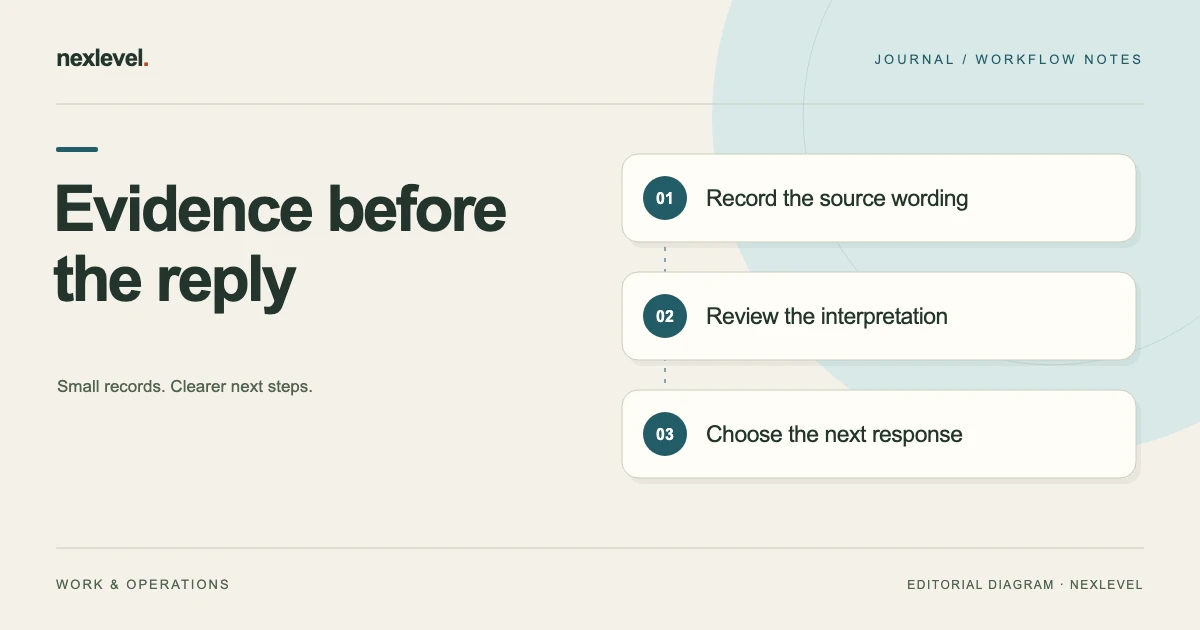
When a client request feels larger than the agreed brief, it is tempting to move straight from the message to a reply. That shortcut can mix three different things: what the source actually says, what you think it means, and what you intend to tell the client.
A review matrix gives each of those things its own place. It helps you check an interpretation before presenting it as a fact, and it keeps a proposed reply from quietly becoming the project record. The useful output is a reviewed decision and a deliberate communication step.
The matrix below is an original working template. Its website-project example is fictional. It supports scope discussions and professional judgment; it does not determine the legal effect of a contract or request. For a narrower wording problem, see the guide to clarifying ambiguous client feedback.
Choose the reference material for this review
Identify the brief or statement of work edition you are comparing with the later request. Record its filename, revision, relevant section, and project context. Avoid comparing a current client message with whichever old draft happens to be easiest to find.
Gather the later request in its original context. That might be an email, screenshot, meeting note, or document. Include enough surrounding material to understand the request without importing unrelated personal information into the working matrix.
State the question you are reviewing. For example: “Does this request add a new language deliverable, or ask us to refine an existing English page?” A focused question prevents the worksheet from becoming an unfocused archive of everything the client has ever said.
Keep an evidence column that contains observations
In the evidence column, record a short accurate excerpt or a clear description of what is visible. Add a source reference that allows you to find the original. Do not put your conclusion into this column and then treat it as if it came from the client.
For a screenshot, note the document or conversation it came from and any visible context that matters. If a date or sender is not visible, say that it is not visible. Do not infer those details from the file’s location or from a filename created later.
For meeting notes, distinguish a direct recorded quotation from your summary. Both can be useful, but they offer different kinds of context. Preserve uncertainty about wording where necessary rather than presenting a reconstructed sentence as an exact quotation.
Put interpretations in a separate column
An interpretation explains what the evidence may imply for the project. Use language that matches your confidence: “appears to add a language version,” “could refer to an existing layout,” or “requires clarification.” This is more informative than forcing every observation into a definite scope-change label.
Reference the relevant baseline section beside the interpretation. A request can be new relative to one brief edition and already included in another. The comparison needs both sides to remain visible, including any assumptions or exclusions written into the reference material.
Record reasonable alternative interpretations when they would lead to different actions. “Premium checkout” could mean a visual refinement, a new purchasing flow, or an informal description of an unrelated page. Choosing one interpretation without checking it can produce an unnecessarily defensive or inaccurate reply.
Use a matrix with practical decision fields
A compact blank structure is: row ID; review question; baseline reference; later source reference; observed wording; interpretation; uncertainty; proposed action; proposed reply; reviewer decision; and final communication reference. Keep the final two fields blank until those events actually occur.
Use one row per meaningful issue rather than one row per entire message. A client email can contain an existing correction, a new deliverable, and a scheduling question. Separating those issues makes it easier to accept one, clarify another, and defer a third without giving a blanket response.
Add dependencies where two rows interact. A new language version may affect the page count and content schedule. Keep those impacts connected, while avoiding double-counting them as unrelated additions merely because they appear in different parts of the worksheet.
Work through a fictional mixed request
Imagine a studio whose reference brief covers five English informational pages. A later client message says: “Please add two French pages and make checkout feel more premium.” The reference brief does not describe a checkout flow. The studio creates two review rows instead of treating the whole message as one obvious addition.
Row R01 records the exact language request and the five-page English baseline reference. Its interpretation is a possible additional language deliverable. The open question is whether the two French pages replace existing pages or are additional versions. The proposed action is to confirm the page relationship and content responsibility before estimating the impact.
Row R02 records the checkout wording. Its interpretation remains uncertain because the baseline contains no checkout and the client’s meaning is unclear. The proposed reply asks which screen or process the client means. The matrix has preserved a likely addition and an ambiguous phrase without pretending that either has already been accepted.
Make proposed replies answer the reviewed issue
Draft a reply that names the request, the relevant reference, and the next useful decision. For R01: “The reference brief lists five English pages. Are the two French pages additional language versions, or replacements for existing pages? Please identify which pages and who will supply the French content.”
That wording asks for information needed to assess the work. It does not announce a price, promise a delivery date, or state that the request is automatically rejected. Those decisions should follow the clarification and the actual project process.
For R02, ask the client to identify the intended screen, example, or workflow. Avoid writing a detailed defense of the original scope before you know what “checkout” refers to. A narrow clarification can prevent a long conversation about the wrong part of the project.
Separate observations from impact estimates
Once the request is clearer, estimate its effect in a different field. Describe the tasks, dependencies, assumptions, and confidence behind the estimate. The fact that a client requested two pages does not, by itself, establish the time needed to produce them.
For the fictional language request, content preparation, layout adaptation, review responsibility, and approval timing could affect the estimate. Record which of those tasks are actually needed instead of adding a generic “translation fee” without understanding who provides the translated text.
Keep provisional estimates visibly provisional. If an estimate depends on receiving finished copy, record that condition and its source. Do not let the draft reply turn a rough internal allowance into a firm commitment before the responsible person has reviewed it.
Use disagreement as a review task
Two colleagues may interpret the same message differently. Preserve the shared evidence and write the disagreement in the interpretation field. Ask what additional source or client answer would distinguish the alternatives. This is more useful than rewriting the evidence to fit the preferred conclusion.
Suppose one colleague reads “two French pages” as additional pages while another thinks the client wants language switching on two existing pages. The matrix can list both possibilities and identify the precise clarification required. Neither interpretation needs to be treated as a personal failure.
After the answer arrives, update the interpretation and link the new source. Keep the earlier uncertainty understandable in the history. A later reviewer should see why the initial reply asked a question and what evidence allowed the team to move forward.
Keep drafts distinct from sent communication
A proposed reply is a working artifact. Label it as a draft and record who should review it. If several alternatives exist, identify the version selected for use instead of leaving the project folder full of equally plausible messages.
Before sending, check names, version references, quoted wording, unresolved questions, and any proposed commitments. Confirm that the final reply reflects the reviewed decision rather than an earlier interpretation that has since changed.
After communication occurs, record the actual sent version and its reference through your normal communication system. Do not mark a message as sent merely because it was copied to the clipboard or exported. Those actions prepare communication; they do not establish that the client received it.
Handle new evidence without erasing the first review
If the client later supplies a screenshot showing that “checkout” meant an existing contact-form confirmation screen, link it to R02. Update the interpretation to reflect that evidence and assess the relevant refinement against the brief.
Preserve the earlier draft and its status if it helps explain the decision trail. Do not leave it looking current after the issue has been resolved. A simple successor reference can show that an earlier clarification draft was replaced by a more specific reply.
Check related rows for impact. The new screenshot might resolve the wording question without changing the language-deliverable row. Close issues independently where appropriate; one helpful answer should not automatically settle every open point in the review.
Audit the matrix for unsupported certainty
Before using the worksheet for a client discussion, scan for words such as “definitely,” “approved,” “required,” or “included” that lack a supporting reference. These words may be correct, but the record should show why. Replace unsupported certainty with a precise observation or an explicit question.
Check that every interpretation can be traced to both a later request and the relevant baseline material. An orphaned interpretation is difficult to evaluate. A reply linked only to an interpretation can carry forward a misunderstanding even when the original evidence would have resolved it.
Then check the action fields. Every unresolved issue should have an owner or a clear next decision. A beautifully organized matrix that never produces a question, comparison, or reviewed response is still unfinished work.
Use the worksheet in a real handoff
When another colleague takes over the review, give them the current baseline reference, the source bundle, and the matrix. Ask them to explain the status of R01 and R02 without your verbal reconstruction. That tests whether the record carries its own context.
The colleague should be able to distinguish a client request from a studio interpretation, a draft reply from a sent message, and an unresolved question from a recorded decision. If those distinctions depend on color alone or an unexplained abbreviation, improve the labels.
Keep the handoff summary brief: issues ready for a decision, questions awaiting a response, and communications prepared or sent. Leave the detailed evidence available behind it. This gives the new owner a useful starting point without asking them to rely on a compressed summary alone.
A compact handoff entry for fictional R01 could read: “Evidence: client email E07 asks for two French pages. Baseline: B03 revision 2 lists five English pages. Interpretation: possible additional language deliverable. Open question: replacements or additional versions? Next action: project lead to obtain the page mapping. Reply status: clarification draft reviewed internally, not sent.” This entry preserves the distinction between the source, interpretation, task, and communication state in one readable block. Use the linked sources to check it before relying on the summary for an estimate or client response.
Choose software that leaves the final reply with you
RevisionFence keeps approved scope separate from later requests and supports evidence-linked findings, human review, and response drafting. Its current listing says the app never sends a client message for you. It also describes local drafting and optional managed drafting using bounded text that you preview and approve.
Use the matrix to retain your own judgment about the source and final wording. Check current features and plan details in the official RevisionFence App Store listing. A useful tool should help make the reasoning inspectable while leaving the actual project decision and communication under your control.