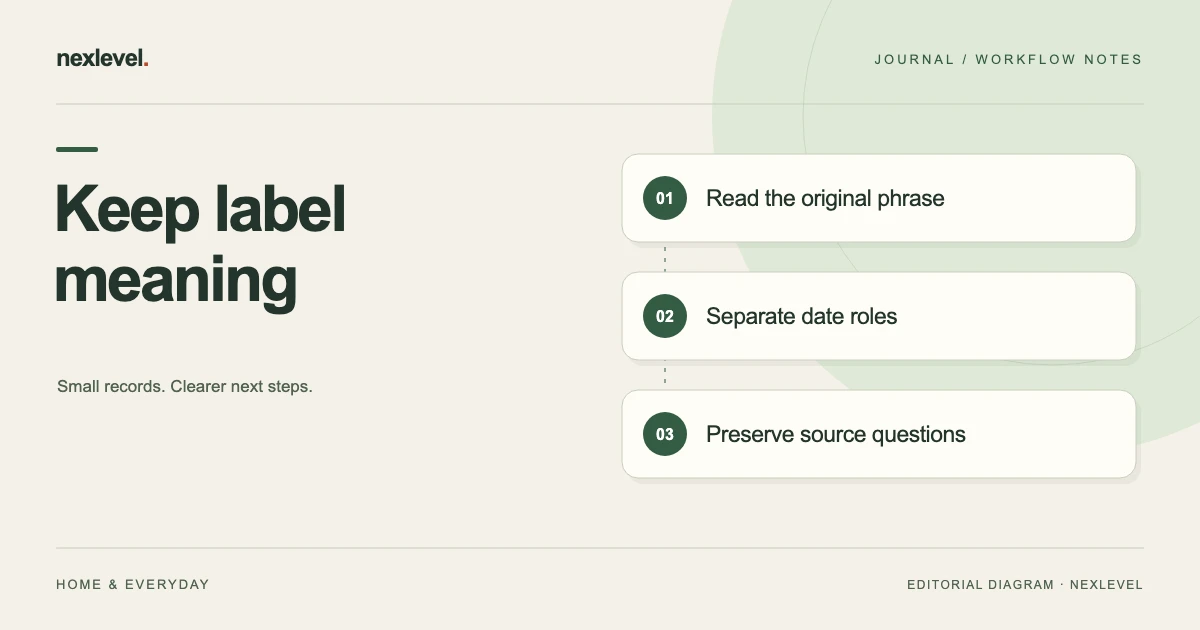
To record a food label date, copy the words around the printed date and identify the package they describe. Keep that source separate from purchase, opening, freezing and reminder dates. If the format or meaning is unclear, record the exact question rather than choosing a plausible interpretation.
Preserve the source before choosing a calendar value
- Read and retain the complete phrase and printed date from the selected package.
- Confirm which physical item the source belongs to.
- Resolve an ambiguous format through the actual product information.
- Enter each known event date in its own role and identify any unknowns.
- Check suggestions and exported explanations against the original wording.
Working fields:
Item | Original phrase/date | Source route | Confirmed format or question | Date role | Entered value/basis | Next reviewer
Useful next steps: Use the complete food date tracker template, Check date roles in a CSV export.
Start with the words around the date
Copy the actual phrase printed with the date. A date taken out of context can lose the distinction between a quality statement, a manufacturer’s instruction, and an identifier that only looks like a date. Preserve the source rather than replacing every phrase with the same informal label.
The FDA’s consumer guidance on food waste and food safety discusses variation in U.S. date-label wording and the quality meaning of “Best if Used By.” That U.S. guidance is not a universal interpretation of every label in every country.
For the actual product, retain its label and applicable instructions. Contact the producer or appropriate local source when the meaning is unclear. An organizational app entry should help you find that source, rather than imply that the app has independently interpreted every packaging rule.
Give each physical item a clear identity
Two packages with the same product name can have different label dates, acquisition histories, or opening states. Do not merge them solely because the names match. Identify the physical package or group that the record actually represents.
An independent worksheet can use a short reference such as K12. Pair it with the product name and enough source context to distinguish the package. These references are proposed review aids, not a claim that the app has a dedicated package-ID feature.
Keep the method proportionate. The purpose is to distinguish the item you are reviewing, not to create an elaborate inventory system that becomes harder to maintain than the kitchen itself.
Separate label, acquired, opened, and frozen dates
The label date comes from the packaging and its wording. An acquired date describes when the item was obtained. An opened date describes a known opening event. A frozen date describes a known freezing event. None should silently replace another.
If only an approximate opening date is known, keep that uncertainty in the independent source note rather than presenting an invented precise date as observed fact. If the source is unknown, say so. Completeness should not be achieved by guessing.
SavorSoon’s current listing describes an expiry field plus optional acquired, opened, and frozen dates. When the label’s meaning needs context beyond a field name, retain the original wording in the appropriate source record. Do not claim the interface automatically classifies every legal or manufacturer phrase.
Use a source-preserving worksheet
Useful fields are item reference, product name, original label wording, printed date as seen, source location, known acquired date, known opened date, known frozen date, current storage location, uncertainty, and next review owner.
Add a separate entry for the organizational date or reminder you choose to use. Explain its source relationship. A reminder is an intended prompt to review a record; it is not a manufacturer statement or an independent judgment about the food.
Where the app does not provide a field for a particular review detail, keep that detail in an appropriate companion record. Do not invent a native label-photo, batch-tracing, or safety-verification feature merely because it would be convenient for this worksheet.
Review a fictional package without changing its meaning
Imagine package K12 in a fictional household. Its label contains a printed date and a phrase the reviewer can read. The household also knows when it acquired the package. A hurried earlier list copied only one date and called it “bought/expiry,” leaving the source relationship unclear.
The reviewer checks the actual package and separates those facts. The original label wording and printed date remain together in the source note. The known acquired date becomes its own event. No date is moved merely to make the two entries agree.
If an opening date is also established, record that separately. If nobody can establish it, leave the question explicit rather than copying the purchase date into the opened field. The act of acquiring a sealed item does not establish when it was opened.
The result is a clearer administrative record, not a conclusion about edibility. The actual product instructions and relevant guidance remain the sources for questions outside the tracker’s organizational role.
Check ambiguous formats at the source
A numeric date can be difficult to interpret when the source’s date order is unclear. Preserve the printed string and context before normalizing it into a calendar value. Do not assume that the reviewing device’s locale establishes the manufacturer’s intended order.
Look for actual label explanations or producer information relevant to that product. If the format remains ambiguous, retain the exact source and a specific question. An invented calendar conversion would make the entry look more precise while reducing its reliability.
Also distinguish a date from a code. A sequence near a label date may identify something else. This worksheet does not decode batch identifiers or establish traceability rules. Use the producer’s actual explanation rather than a plausible-looking pattern match.
Keep storage location separate from date interpretation
SavorSoon supports fridge, freezer, and pantry organization. A location field says where the household is tracking an item. It does not prove every condition the item experienced or establish that all handling instructions were followed.
If a known move is relevant to the independent review, record what is actually known and where that source is kept. Do not rewrite the original package date merely because the location changed.
Likewise, a frozen date should remain an event date. This guide supplies no formula that adds a fixed period to that event or treats it as a universal replacement for a label date. Product-specific and local guidance belong in their own proper role.
Review suggestions before accepting them
The current listing describes practical date suggestions that remain under user control, along with reusable custom expiry presets in Pro. A suggested entry is a convenience for organization. It should not be presented as a source observation if the actual label says something else.
Before saving a suggestion, compare it with the original source and your intended record meaning. If a preset was created for a different product or context, do not assume that its name makes it appropriate for the current package.
After editing a preset or date, inspect the selected item. A template change and a correction to one existing record are different actions. This article does not claim that changing a preset retroactively updates every earlier entry; check the actual supported behavior.
Distinguish two packages with different histories
Suppose a second fictional package, K13, has the same product name as K12. One has a known opened date and the other does not. The reviewer should not copy K12’s event history into K13 just because a search returns both together.
Use the actual package reference and source wording to compare the records. If the two rows represent two physical items, retain that distinction. If the sources establish an accidental duplicate record of one item, correct the record through the actual supported workflow.
Keep the result precise: separate packages retained, duplicate administrative row corrected, or identity still unresolved. Those outcomes describe inventory quality. They do not determine whether either package should be consumed.
Review reminder and history states
A local reminder concerns a chosen notification. A food entry marked used, discarded, or archived describes a recorded history state. A notification appearing does not prove what someone did with the physical item afterward.
When reviewing a shared independent list, distinguish “reminder set” from “item reviewed.” Do not turn an unanswered prompt into an assumption that the item was used or discarded. Ask the responsible person if that relationship matters to the record.
SavorSoon’s listing describes optional reminders and optional estimated values. Keep those organizational and estimation choices explicit. A recorded value is not proof of an actual purchase price, refund, or household saving unless the relevant source establishes it.
Inspect the actual exported copy
Prepare the supported output and open the file the recipient will actually read. Check which item names, dates, locations, and states it contains. Do not assume that every independent source note or package reference automatically appears in a CSV.
If a required explanation remains outside the export, provide an appropriate source route or companion summary through the intended private arrangement. Keep the original label meaning attached to the item when that context is needed.
A portable file is useful for review, but it is not automatically the full editable app or an up-to-date view of every later change. Identify its preparation time and scope when those affect the recipient’s task.
Run a second-reader test
Give the intended recipient the K12 example and ask them to identify the original label date, the known acquired event, and any unresolved opening-date question. They should be able to tell which facts came from the package and which came from household records.
If the reader calls every date an expiry decision, improve the source labels. If they mistake a reminder for a manufacturer instruction, make its organizational role clearer. The test checks interpretation of the record, not food safety.
Ask whether they can locate the original source without reconstructing the writer’s memory. A concise source reference is often more useful than another paragraph of unsupported explanation.
Leave a useful review result
A fictional receipt can state: “K12 checked against its source label. Original phrase and printed date retained together. Acquired, opened, and frozen events separated where known. Ambiguous format or source questions remain explicit. Selected reminder and recipient copy inspected.” Replace each general clause with the actual established result.
For an open question, name the source needed and the responsible reviewer. Do not let an empty field imply either confirmation or a safety verdict. The record is useful when its limits can be read without guessing.
Use repeated problems to improve capture: retain label wording, distinguish packages, or check date roles before saving. A small source-preserving habit can reduce later reconstruction without claiming certainty the household does not have.
Keep label changes traceable between copies
If you discover that an earlier independent list shortened a label incorrectly, correct the explanation using the actual source. Identify which item and copy the correction concerns. Do not imply that every exported file or another person’s retained list has changed automatically.
For K12, a concise correction can retain the original package wording and explain which date role was previously confused. Keep an unresolved format question open if the package still does not establish an answer. The correction improves the record’s meaning; it does not create a new manufacturer instruction or a conclusion that the food is suitable to consume.
Use SavorSoon for clear kitchen organization
SavorSoon organizes foods by dates and storage location, with optional local reminders, history states, and CSV export. Its current listing describes Pro unlimited active foods, custom presets, deeper waste insights, and Family Sharing.
Check the official SavorSoon App Store listing for current features and plan details. Use the tracker to preserve known facts and review prompts while keeping the actual label and appropriate guidance available for questions about the food itself.