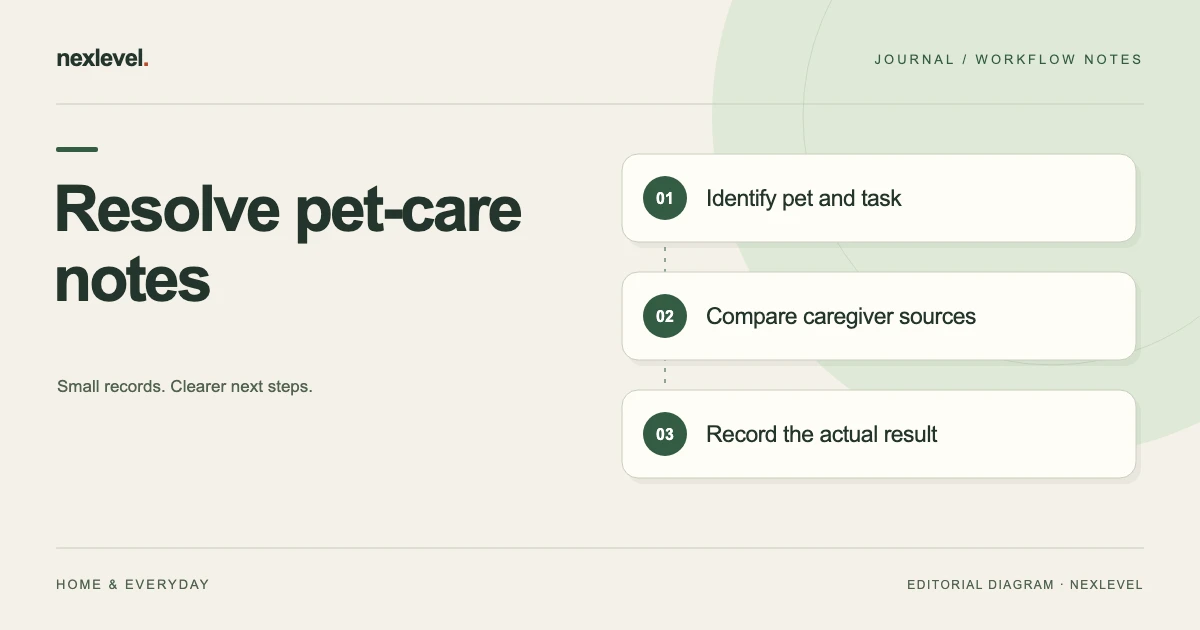
A pet-care handoff can contain conflicting notes even when every person intended to help. One entry may describe a planned task, another a recorded check-in, and a third a correction or delayed update. Treating every line as the same kind of event can create a misleading summary.
Identify the pet, routine task, source action, caregiver context, and current record state. Keep uncertainty visible and use the actual care plan and responsible people for decisions outside the log.
This guide provides an original worksheet and fictional examples. It gives no feeding quantity, medication instruction, veterinary diagnosis, or care schedule. Use the pet-care handoff checklist for the underlying record.
Identify the pet and selected task
Record the actual pet and routine reference. Similar task names can concern different pets, days, or caregiver arrangements.
Keep the source and selected period clear. A retained screenshot can show an earlier state without describing today’s current record.
Use the household’s actual access and privacy arrangement. Do not put unnecessary private information into a general handoff copy.
Separate a plan from a check-in
A reminder or scheduled task describes an intended prompt. A check-in records an action in the actual tool. They should not be summarized interchangeably.
Keep the event’s source time and caregiver context where available. An entry prepared later may have a different relationship to the physical event.
A log cannot independently establish everything that happened outside the recorded workflow. Preserve any source uncertainty.
Use a conflicting-note worksheet
Useful fields include pet ID, task reference, period, source A, source B, recorded action, caregiver context, uncertainty, actual supported correction, next question, and owner.
Keep the proposed explanation separate from the established result. A likely duplicate is still a question until the sources clarify it.
Record what was actually checked and which source remains open. A complete administrative note can honestly retain a limitation.
Review a fictional task pair
Imagine pet P6 and routine task T4. Two caregivers have source notes that appear to describe the same occasion. The reviewer checks the actual event and attribution context.
If the records establish separate occasions, retain that distinction. If they establish a mistaken repeat, use the actual supported undo or removal workflow.
The example supplies no care recommendation. A record discrepancy should be clarified through the actual caregiver process rather than treated as a veterinary conclusion.
Keep duplicate warnings in proportion
PawHandoff’s current listing describes warnings for recent check-ins. A warning is useful source context, not automatic proof that one record is false.
Inspect the pet, task, source time, and caregiver relationship before changing anything. Similar labels can describe different events.
Use the responsible care plan for actual action questions. The worksheet should not translate an uncertain log into an extra care or medication instruction.
Review sharing and current-state context
A local check-in, household synchronization event, and another person’s retained copy can have different states. Inspect the actual supported workflow.
Keep a pending or unavailable source explicit rather than creating a new completed-looking entry in an independent summary.
The current product offers optional household features. Do not assume every plan or copy supplies identical shared access.
Inspect the recipient copy
Open the actual handoff summary or supported output. Check pet and task identity, period, recorded actions, caregiver context, and limitations.
State what the copy includes versus what remains in the working record. A portable file is not automatically the whole editable app.
Share only through the intended arrangement and keep relevant source access appropriate.
Test one source relationship
Ask the recipient to identify which task the note concerns, what action was recorded, and which question remains. They should not need the original writer’s memory.
If they infer completion from a reminder or a warning alone, improve the role and state labels.
This checks administrative usability. It does not independently establish the pet’s condition or prescribe a response.
Work through a complete fictional disagreement
In this fictional household, Rowan and Ellis both help care for pet P6. Their independent handoff worksheet lists routine T4. Rowan retains a morning screenshot containing one check-in. Ellis later sees two similarly labeled entries in the current activity timeline. Neither source alone explains why the count differs.
The reviewer first identifies the selected pet and task in both views. That prevents a common reconstruction error: comparing yesterday’s task for one pet with today’s similarly named task for another. The worksheet records the actual period represented by each source, rather than calling them both “today” after the day has changed.
Next, the reviewer separates the screenshot’s capture time from the check-in time it displays. The capture is a representation of the earlier view. It is not a second care event, and it does not establish that the current timeline must still contain the same number of records.
Suppose the actual timeline and caregivers establish that one person accidentally recorded the same occasion twice. The supported correction can then be made against that mistaken check-in. The independent worksheet says which source established the explanation and which correction was actually completed. It does not merely erase the disagreement from the summary.
Alternatively, the sources may establish two separate occasions. In that branch, the reviewer retains both records and improves the explanatory handoff note. The superficial similarity was the problem; deleting either entry would have made the record less accurate. These are alternative fictional outcomes, not instructions to assume a duplicate whenever two entries look alike.
Handle an attributed event and an unattributed message
A caregiver-attributed timeline entry and a short message such as “done” contain different amounts of context. The message may be useful, but its meaning depends on the actual conversation. Do not silently attach it to whichever task happens to be selected when you open the app.
For P6 and T4, the reviewer can ask which pet and occasion the message concerns. Keep the question in the intended private handoff arrangement. There is no need to copy unrelated conversations or personal contact details into a general-purpose worksheet merely to demonstrate that someone replied.
If the message is established as a comment about the existing check-in, record that relationship in the independent summary. Do not create another completed-looking event to represent the same comment. If it concerns a separate occasion, use the actual supported logging workflow and real source context instead.
If the author cannot yet clarify the message, leave it unresolved. “Message not yet matched to a task” tells the next reviewer exactly what is unknown. “Task completed twice” would turn an interpretation into a claim the evidence does not support.
Distinguish the task definition from its history
A household can rename a routine for clarity. That editing decision does not itself establish that an old check-in concerned a different action. During review, identify the actual relationship between the current task and the retained history rather than relying only on visible label text.
For example, an independent worksheet may refer to T4 by a former short name. Keep the old reference where it helps identify the original note and explain the current naming relationship in the summary. Do not rewrite historical meaning just to make every label look identical.
Similarly, creating a reminder for a task does not add evidence that the task was performed. A reminder’s appearance can prompt a check, but the reviewer still needs the actual recorded action or responsible caregiver clarification. Keep “routine exists,” “reminder scheduled,” and “check-in recorded” as separate statements.
This distinction is especially useful when preparing a sitter handoff. A list of available routines explains what the record is organized around. The activity timeline explains what was recorded. The actual care plan and responsible people determine what should happen next.
Inspect the shared source before changing a copy
The current listing describes local-first check-ins and optional household synchronization. That does not mean every retained screenshot, disconnected device, or exported copy is continuously current. Identify the source being inspected and the actual state visible through the supported workflow.
Suppose Ellis has a retained view while Rowan is reviewing the current household record. The worksheet can identify those two source states without predicting how long any particular update will take. A timing difference is a question to investigate, not automatic proof of a second physical action or a failed caregiver.
Do not repeatedly add the same event merely to force a visual match. Compare the actual timeline, supported status information, and caregiver context first. If the relevant source is unavailable, record the limitation and the next person responsible for checking it.
A handoff summary should make its cutoff visible. “Reviewed against the selected household record at this time” has a narrower and more defensible meaning than “all devices agree.” Only make the latter claim if you actually checked the relevant devices and the statement is necessary for the handoff.
Build a compact discrepancy register
Use one row per question in an independent worksheet. A useful P6 row reads: “T4; earlier screenshot versus current timeline; possible repeated check-in; compare source action and caregiver context; Rowan to clarify; unresolved.” The actual pet name and private source location can stay in the household’s own record.
After review, replace only the question’s state with the established outcome and a short explanation. The register should distinguish “clarified, separate occasions,” “mistaken repeat corrected,” and “source still unavailable.” Those outcomes have different implications for the reliability of the summary.
Keep this register proportionate. It is not a surveillance system or a caregiver scorecard. Its purpose is to stop an ambiguity from being rediscovered and interpreted differently at each handoff.
For medication-related records, use the actual responsible care process for any action question. This worksheet does not calculate a dose, interpret a prescription, or decide whether another administration is appropriate. Resolve record identity without converting the example into treatment guidance.
Close the administrative review
Before sharing the summary, check that every retained discrepancy has an established outcome or an explicit next owner. A blank result field should not look like agreement. Keep unresolved items visible at the place the recipient will actually read.
Then ask the recipient to reconstruct one selected check-in from the summary and identify which source supports it. They should be able to explain why a similar line was retained, corrected, or left open without relying on the original reviewer’s memory.
Finally, inspect the actual shared copy after preparing it. Confirm the pet, task, period, attribution context, and limitations remain readable. Preparing a file and sending it are separate events; neither guarantees that another person has read or understood it.
Correct the summary when the source is already right
Sometimes the conflict exists only in the handoff copy. For P6, the actual timeline may clearly attribute two different occasions, while a shortened summary places both under one heading. Changing the working records would damage accurate history.
Repair the summary’s heading or source relationship instead. Then inspect the revised copy and identify which older copy it replaces through the intended household process. Do not claim that editing your worksheet automatically changes another person’s screenshot.
This distinction gives the review a useful stopping point. Once the underlying source is established and the recipient copy reflects it, there is no need to keep modifying check-ins merely to make every retained document look identical.
Use PawHandoff as a caregiver record
PawHandoff records routine check-ins, caregiver-attributed activity, duplicate warnings, and supported corrections. Its current listing describes optional household synchronization and history-export features through the household plan.
It does not provide veterinary advice or calculate medication doses. Check current capabilities and plan details in the official PawHandoff App Store listing.