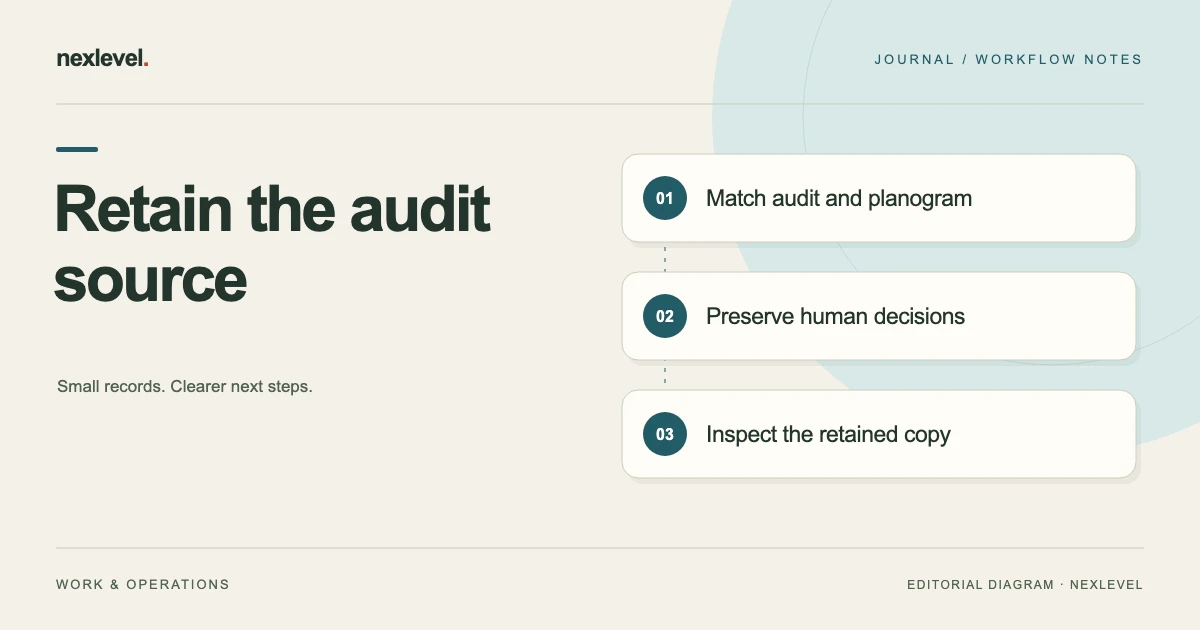
Archive a shelf audit so a later reader can find the planogram and photo evidence behind a selected reviewed finding. Keep the historical source version and photo occasion intact when a new planogram arrives, and identify what the retained report actually contains.
Retain the source used for the historical finding
- Choose the audit cutoff and the finding a future reader must retrieve.
- Index the actual planogram, photo coverage and human decision together.
- Open the retained CSV or supported PDF and list any separate source dependencies.
- Test retrieval using the old source reference after adding a newer planogram.
Working fields:
Audit/cutoff | Planogram version | Photo area/occasion | Finding/decision | Retained output | Separate source route | Open question
Useful next steps: Prepare a source-aware handoff, Resolve a photo/count source mismatch, Inspect the report before retaining it.
Define the archive’s retrieval question
A useful question is “Which planogram and shelf evidence supported this selected reviewed finding?” That is narrower than asking whether every related shelf is currently correct.
Choose the audit scope and source cutoff. A retained copy can accurately represent one selected occasion without claiming to include every later store change.
In this guide, archive means a companion index and intended retained output. PlanoVerity’s current listing does not establish a general-purpose archive service or automatic retailer-version verification.
Identify the source planogram
Open the actual selected PDF and preserve its source context. A filename ending in “approved” is not itself proof that it applies to the selected audit.
The current app description supports importing an approved planogram. The actual organization establishes approval and applicability; the software does not create that external authority merely by accepting a file.
Keep a later planogram version separate. A historical report should not be relabeled as though it used the newest source all along.
Use a source-aware archive index
Suggested fields are audit reference, planogram source and version context, selected area, photo references, source occasion, reviewed finding, human decision, retained output, and open question.
| Archive part | What to preserve |
|---|---|
| Planogram | The selected applicable source |
| Photos | Area and actual occasion represented |
| Findings | Suggested state and human review outcome |
| Output | The actual copy available for retrieval |
The index is an independent practice. It should not become another audit that quietly changes the original finding meanings.
Work through a fictional historical audit
Imagine audit A4 using planogram P8 and photos F2 and F3. Finding R6 has an actual human review decision in that selected context.
Later, planogram P9 arrives. It may share a project name with P8, but the old report still needs to identify which source it reviewed.
The archive can preserve A4/P8/F2/F3/R6 and identify P9 as a separate current review question. Do not automatically extend a historical decision to the newer source or rewrite the earlier source label for convenience.
Keep photo scope and occasion clear
A wide photo and a close-up can show overlapping evidence rather than separate physical items. A later image can show another occasion. Preserve those relationships before using a retained count or finding.
PlanoVerity’s current listing supports up to eight shelf photos per audit and image normalization that strips embedded location and camera metadata. That privacy-related behavior does not establish permission, location, or a complete historical timestamp.
Use the actual authorized source context. The archive should not claim the app independently verified where or when the shelf was photographed.
Preserve the human review outcome
The current description includes accepting, correcting, or rejecting each finding individually, with reviewer notes and timestamps. Keep the actual selected decision beside its source.
A suggestion should not be archived as a human-approved result merely because it appears in a polished view. Likewise, one reviewed item does not automatically establish that every check in the audit was completed.
For source mismatches, use the separate photo-and-count review guide. Preserve its actual result or limitation in the archive explanation.
Keep optional AI drafting in its actual role
PlanoVerity’s listing describes explicitly enabled evidence upload for each optional secure AI draft. Suggestions remain source-linked and advisory until reviewed, and local analysis remains available when managed AI is off or unavailable.
The archive should identify the actual review outcome rather than describe a generated category as independent verification. This guide does not upload retail evidence or authorize use of any external service.
Retain the actual source and decision context appropriate to the task. An archive does not need to invent a new AI step to preserve an earlier human review.
Inspect the actual supported export
The current description allows CSV export after every check has been reviewed and places PDF reports under Pro. Check actual access and the selected output.
Open the prepared file. Verify audit identity, planogram context, relevant finding references, human decisions, and limitations the reader needs.
Do not assume every independent index field or source photo is embedded automatically. A CSV or PDF can be useful without being the full editable workspace or a general restorable backup.
Keep source text distinct from spreadsheet presentation
The listing says formula-like CSV values are neutralized for spreadsheet handoff. Preserve the intended source meaning when inspecting an exported text field.
A presentation difference in a CSV should not automatically become a change to the underlying shelf evidence or reviewer decision. Check the actual field and source relationship before correcting anything.
This guide does not claim every spreadsheet workflow is safe or that the export certifies the audit. It asks the reviewer to inspect the actual intended copy rather than infer contents from the filename.
Correct the index when the report is already right
If the underlying report clearly concerns P8 but the archive index points to P9, repair the index. Do not alter accurate historical decisions to match an ambiguous cover note.
If an actual working-record issue is established, use the supported workflow and inspect its result. The guide does not invent automatic history merging or a universal revision-replacement feature.
Identify the intended current copy through the actual authorized arrangement. A retained file elsewhere does not update merely because the working index changed.
Make later handoffs source-aware
A new reviewer may need the archive to understand a prior decision before inspecting a current shelf. Keep that historical task separate from a new physical audit.
Use the separate shelf-audit handoff guide for the recipient transition. The archive can provide the selected source route and actual open question.
Share only appropriate retail material through the real authorization process. A file’s availability does not independently establish permission to photograph, retain, or distribute every source.
Test one archived finding
Ask an authorized reader to reconstruct A4/P8/R6 and identify F2/F3’s actual source roles. They should distinguish the later P9 question from the historical review.
If they infer that the old decision applies automatically to the new source, improve the version labels. If they cannot locate the selected planogram, improve the private route.
A short archive receipt names sources inspected, actual output checked, retained limitation, and next question. It does not certify retailer compliance or unobserved physical conditions.
Build the fictional archive manifest
The A4 row identifies the selected audit and source cutoff. Keep it distinct from a project title that may appear across several store visits or source revisions. A general campaign or location nickname cannot establish the historical occasion by itself.
The P8 row identifies the actual source planogram and its applicable context. Do not replace it with P9 merely because the newer file is easier to find. The archive should explain what the historical review used.
The F2 and F3 rows describe area and occasion. If the images overlap, preserve that relationship rather than implying two independent physical counts. If one image is later, retain its separate source context.
The R6 row identifies the actual human decision and relevant note. A suggested finding, accepted finding, and corrected finding should remain distinguishable. The current product describes individual review decisions rather than automatic approval from a draft.
The output row names the actual retained CSV, supported PDF, or companion explanation inspected. Do not claim it contains all source images or every independent index field unless the actual file establishes that.
The open-question row should be specific. For example, the recipient may need to identify which selected area F3 covers. A generic “archive incomplete” label leaves the next person to rediscover the source relationship.
These are companion conventions rather than a native manifest format. Keep actual private references and authorization within the responsible retail process. The archive does not create permission to distribute every source.
Test retrieval after P9 arrives
Imagine a new reviewer receives a folder with the later P9 planogram and an older A4 report. The familiar project name may tempt them to assume the report covers the nearby file. The index should expose the P8 relationship before they rely on that assumption.
The next question becomes bounded: which actual review, if any, concerns the new source? It can remain unanswered when the evidence does not establish a result. The older decision does not automatically transfer to P9.
If only the index points to the wrong file, correct the index. If the actual working audit source needs a supported change, inspect that workflow and its result. Do not invent a universal revision merge or rewrite the historical occasion.
Keep the image-normalization behavior in its actual role. Stripped camera or location metadata does not establish where the shelf was, when it was observed, or whether authorization existed. Preserve appropriate external context where the actual task requires it.
For optional AI drafting, retain the human review result. A source-linked suggestion can be useful without being independently verified. The archive should not add a new upload step merely to make a historical packet look more complete.
Now ask the reader to reconstruct A4/P8/R6 and explain F2/F3’s source roles. If they infer a current shelf condition from an old report, improve the occasion labels. If they cannot reach the actual planogram, improve the authorized source route.
A useful receipt can identify the actual sources inspected, retained output checked, historical relationship preserved, and next current-source question. It does not certify the store, guarantee a physical count, or approve an unreviewed later source. That is a practical archive result another person can use without the original reviewer’s memory.
A retained spreadsheet view can also be narrower than the actual CSV source. A filter may hide a finding or a column may be shortened in a preview. Inspect the actual intended copy before declaring an exported decision missing. The archive index should identify the source and selected view separately.
If a formula-like value is neutralized in the supported CSV, preserve its actual intended meaning when explaining the source. Do not make that presentation behavior look like a change to the planogram, shelf photograph, or human decision.
Keep the archive index outside the role of a new approval. Preparing a row that links A4 to P8 does not itself establish a fresh audit or reapprove R6. It records the relationship the actual source supports. If the source is ambiguous, identify that limitation instead of creating a new approved-looking entry.
These distinctions give later retrieval a useful stopping point: the intended reader can find the selected historical source, understand the actual decision, and recognize what remains outside the archive’s scope. They do not have to assume every nearby file or visible spreadsheet row is the whole audit.
Use PlanoVerity for a human-reviewed evidence trail
PlanoVerity connects planogram sources, selected shelf photos, advisory findings, human decisions, and supported reports. Its current Pro description expands projects, PDF output, and optional AI-audit capacity.
Check the official PlanoVerity App Store listing for current features and plan details. Keep the source planogram beside the decision so historical evidence remains understandable when the store changes.