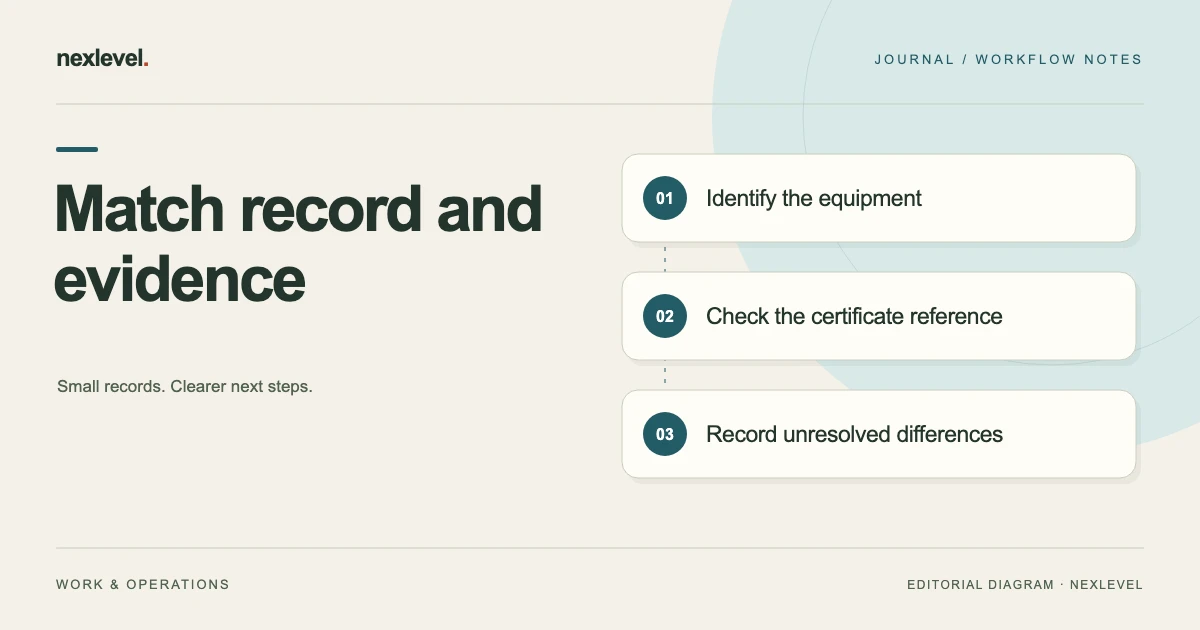
A calibration certificate can be present in the equipment folder and still be linked to the wrong item or service event. Similar models, transposed serial numbers, old attachments, and unclear filenames can make the register look complete while leaving the identity match unresolved.
Check the physical equipment, the register entry, and the certificate as separate sources. Record what matches, what differs, and which question needs clarification. The purpose is to make the evidence connection traceable before someone relies on the record.
This guide provides an original matching worksheet and a fictional example. It does not interpret measurement results, determine equipment suitability, or establish compliance with a calibration standard. Use the equipment calibration register template for the broader record structure.
Identify the equipment record being checked
Start with the internal asset identifier and the register entry. Record the equipment description, manufacturer or model where available, serial number, location, and the service event you intend to review. Do not begin with a certificate filename and assume the folder establishes its identity.
Keep internal and manufacturer identifiers distinct. An asset number assigned by your organization serves a different purpose from a manufacturer’s serial number. A certificate might show one, both, or another identifier that needs to be explained.
Record the scope of this check. You may be matching the latest certificate to one instrument, reconciling a returned batch, or investigating a discrepancy. A clear scope keeps an identity review from being mistaken for a complete technical assessment of the equipment.
Inspect the physical identifier where appropriate
Compare the record with the identifier on the actual equipment using your normal access and handling process. Note what you can read and where the identifier appears. If it is unavailable, damaged, or ambiguous, preserve that limitation.
A location or equipment description can help you find an item, but may not uniquely identify it. Several instruments can share the same model and occupy the same bench. Avoid treating a familiar appearance as a substitute for an unambiguous equipment reference.
If the instrument is away for service, record which dispatch or return documentation supports the identification. Do not mark a physical check as completed when you have only inspected the register or an old photograph.
Read certificate identifiers from the document
Open the certificate and identify its certificate reference, equipment description, model, serial or asset references, relevant service date, and any other information needed to connect it to the intended event. Check the actual document, not just its filename.
Record identifiers accurately, including leading zeros and meaningful suffixes. If the document’s formatting makes a character unclear, note the ambiguity rather than normalizing it into the value you expected to see.
Check whether the certificate is complete enough for the intended record review. Missing pages, unreadable identifiers, or references to an unavailable attachment should remain visible issues. This identity check does not determine whether the technical contents satisfy your quality process.
Keep the service event separate from asset identity
One instrument can have several calibration events and certificates over time. A certificate may belong to the correct equipment but to an earlier event. Record the event relationship as well as the asset match.
Compare the certificate reference and relevant dates with the register’s event entry and supporting service documentation. If the relationship is unclear, identify what needs to be checked. Do not attach an older certificate to a newer event simply to remove a certificate-pending label.
Keep historical certificates distinguishable from current work records under your actual process. The existence of an earlier certificate is useful history, but it does not establish that the latest service event has the required evidence.
Use a certificate matching worksheet
A practical worksheet contains: internal asset ID; physical identifier observed; register serial; certificate serial; model or description; certificate reference; intended service event; supporting dispatch or return reference; discrepancies; checker; next action; and final matching result.
Use outcome labels such as matched, discrepancy found, identity not established, or awaiting clarification. These are proposed working labels, not statements about measurement validity or authorization to use the instrument.
Add a source location for every consequential observation. A reviewer should be able to find the serial field or event reference you checked. Keep the matching result separate from any technical review or equipment-release decision made through the organization’s established process.
Work through a fictional transposed serial number
Imagine asset CAL-014, a fictional bench balance with serial 004127. Its register entry shows the same serial. Certificate C916, stored in its folder, shows serial 004172. Another similar balance, CAL-015, carries that second serial.
The checker records the mismatch and identifies the related equipment entry. They do not silently edit the certificate or swap attachments based only on the apparent pattern. They compare the relevant service records and seek clarification through the responsible service or records process.
Until the relationship is established, CAL-014’s worksheet says “certificate identity unresolved.” A matching filename or similar model does not close the issue. The eventual correction record should explain which document belongs to which asset and service event, with the supporting reference preserved.
Handle missing or unreadable serial information
If the physical serial is unreadable or the certificate omits the expected identifier, record what information is available. An internal asset reference, dispatch record, or other established identification method may help the responsible team investigate.
Do not invent a serial number or copy the register value into the certificate field as if it had been observed there. Keep the source of each value clear. A blank or unresolved field can be more informative than a completed field with an unsupported assumption.
Assign the identification question to someone who can resolve it through the actual equipment and service process. The worksheet should make the next task explicit without pretending that a generic document-matching routine can establish an absent physical identity.
Check for similar equipment and replaced components
Look for equipment descriptions that could refer to several similar items or to a component rather than the full assembly. Identify what the certificate actually names and what the register entry represents.
If a component was replaced or a serial reference changed, keep the relevant service history and ask the responsible person to establish the relationship. Avoid treating a changed identifier as either an obvious error or an obvious match without supporting information.
Keep related records linked where your system permits, but do not collapse distinct items merely because they operate together. The identity check should preserve the level of equipment or component detail used by the actual certificate and your organization’s recordkeeping process.
Use QR labels as navigation aids
A QR label can help open a particular equipment record quickly. Check the physical label and the record it opens against the instrument’s identifiers. A label attached to the wrong item can lead you efficiently to the wrong record.
If scanning is unavailable, use the tool’s supported manual lookup and the same identity checks. The verification should not depend entirely on camera access or on assuming that the label has remained attached correctly.
Record a label discrepancy separately from a certificate discrepancy. The first may concern the link between equipment and register; the second may concern the link between register and evidence. Resolving one does not automatically explain the other.
Correct the record without altering source evidence
When the match is established, use the tool’s actual correction workflow and retain a clear explanation of the change. Identify the affected asset, event, certificate, reason, and supporting source. Do not edit the certificate’s contents to make the identifiers agree.
If the source document itself needs correction, obtain the appropriate corrected document through the responsible process. Keep the relationship between the earlier and corrected evidence understandable under your records arrangements.
Where events are kept as an append-only history, follow that model rather than assuming an earlier event can be silently rewritten. Preserve what happened and make the current interpretation clear through the supported recordkeeping method.
Reconcile a returned batch item by item
For a group returned from service, build one matching row per relevant item and event. Count the physical items and the certificates separately. Equal totals do not prove that each certificate belongs to the correct instrument.
In a fictional batch of four instruments and four certificates, three can match while one remains ambiguous. Record three established matches and one unresolved issue. Avoid marking the whole batch complete merely because every instrument folder contains a PDF.
Use a short exception list for the unmatched items, with owners and next actions. This gives the responsible team a manageable follow-up while preserving the exact state of each record.
Check a portable register or audit packet
If you prepare a register export or packet, open the actual file and inspect the equipment identifiers, event references, certificate references, and unresolved notes. A correct internal record can still be represented by an outdated exported copy.
Check what the output includes. A certificate reference is not necessarily the certificate itself, and a formatted report is not automatically a complete technical evidence package. Include or reference the material required by your own process.
Keep the export’s date and scope identifiable. Someone using it later should know which equipment and events it covered, and whether unresolved identity questions remained at the time it was prepared.
Test retrieval with a second checker
Ask a colleague to start from one asset record and locate the relevant certificate and service event. They should be able to explain why the identifiers match or identify the outstanding discrepancy without relying on your memory.
For fictional CAL-014, a useful reconstruction should identify the 004127 versus 004172 mismatch and the later evidence used to resolve it. A note saying only “certificate fixed” does not provide that connection.
Record any broken links, ambiguous labels, or unclear event relationships found in the test. This is a practical check of record usability, not an assessment of calibration results or a claim that the entire equipment population has been audited.
Keep formatting differences explicit
A register may contain an identifier formatted differently from the certificate. For example, fictional serial AB-0041 might appear as AB0041 in another record. Preserve both observed forms while you establish whether the difference is merely presentation or distinguishes separate identifiers in the relevant source system.
Do not strip every dash, leading zero, or suffix automatically and call the result a match. Nor should you assume that every formatting difference proves a different instrument. Record the raw values, source locations, and the responsible person’s explanation of the relationship.
If a confirmed equivalent form is useful for searching, keep it distinguishable from the identifier actually observed on the equipment or document. The matching record should explain the normalization rather than presenting a cleaned value as a direct observation. Include that explanation in the handoff or index where a later checker would otherwise encounter the same discrepancy. This preserves a practical search aid while keeping the original evidence readable and preventing the same ambiguity from being silently inherited by the next event.
A compact unresolved entry might read: “Asset CAL-014; register and observed serial 004127; certificate C916 serial 004172; intended service event E03. Match not established. Records coordinator to check the return documentation and obtain clarification. No technical suitability decision recorded by this worksheet.” Keep the source references alongside that summary so its uncertainty and next action remain understandable during a later handoff.
Use CalibraDue within its recordkeeping scope
CalibraDue records equipment identity, serial numbers, locations, calibration events, certificate references, and notes. Its current listing describes append-only event history, QR labels with manual lookup, portable CSV export, and Pro formatted PDF packets.
The app does not perform calibration, certify results, or replace a quality system. Check current features and plan details in the official CalibraDue App Store listing. Keep the physical identity, event relationship, source evidence, and any technical decision separately traceable.