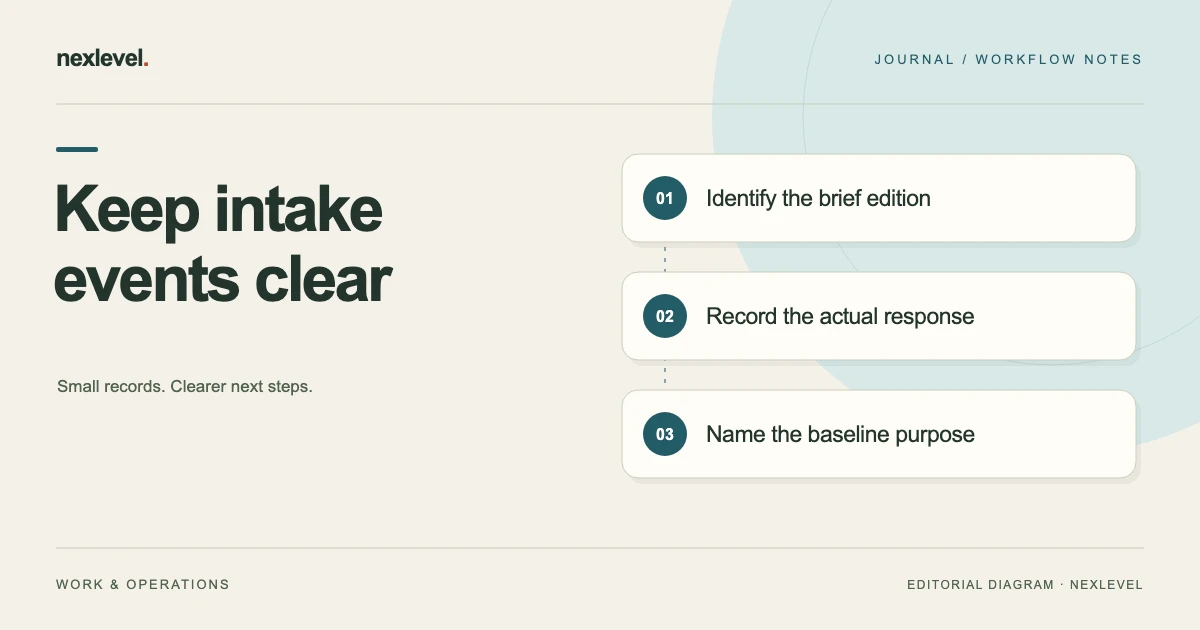
A client can acknowledge receiving a brief without agreeing with every requirement it contains. A team can freeze a brief version without having resolved every open question. Confusing these events creates a project record that looks more settled than the underlying conversation.
Treat acknowledgment, review, and a recorded baseline as separate observations. Then connect them to the exact brief edition and the specific decisions they support. This lets someone understand what was received, what was checked, and which version the team intends to use for its next stage.
This guide concerns intake records and project coordination. It does not establish the legal effect of a message or document. The fictional website example is an original working scenario. If you need the intake structure first, use the client project brief template.
Give each event a plain-language meaning
For this workflow, acknowledgment means a recorded indication that someone received or reviewed a particular item. It might be a message saying “received,” or a response associated with a particular edition. Record what actually happened instead of assigning a broader meaning to a short reply.
Review means someone checked the brief against the questions and evidence relevant to the next stage. That could include checking deliverables, missing answers, dependencies, and unresolved decisions. A review can find gaps; the word itself does not imply that every requirement is settled.
A baseline is the identified version the team records as its reference for a defined purpose. It might support estimation, planning, or a later change comparison. State that purpose and preserve the edition. A baseline label should not silently imply an acknowledgment, authorization, or signature that was never recorded.
Identify the version before interpreting the response
Record the brief identifier, edition, date, project, and intended next use. If a file is called “Website brief final,” but several different files share that name, a response cannot reliably be associated with the right content through the filename alone.
Use a readable edition reference in communication, such as “Website brief B03, revision 2, prepared for estimate.” Keep the actual version in the project record. Where your tool provides version evidence, retain it alongside the readable reference instead of relying on a screenshot of the file list.
Check what the respondent could actually access. A message acknowledging an earlier email may refer to its attachment, not to a later file placed in a shared folder. Avoid associating the reply with the newest edition simply because that is the edition currently open on your device.
Separate collected answers from reviewed requirements
Client answers are input to the brief. They may be incomplete, contradictory, provisional, or written by someone who does not own every project decision. Importing or copying those answers does not resolve their meaning automatically.
Preserve the distinction between the source answer and the team’s interpretation. If a client writes “a few product pages,” keep that wording and ask what quantity and content are intended. Do not silently convert it into a fixed page count because the schedule needs a number.
Mark unresolved questions where they affect estimation or production. A brief can be useful while still containing open decisions, as long as its purpose and limitations are visible. A readiness indicator can help direct attention, but the responsible person still needs to judge what the next stage requires.
Use an event record with explicit fields
A practical record contains: event type; brief identifier and edition; person or role; channel; observed wording or action; date; relevant source reference; and any limitation. Keep the event separate from a status summary so later shorthand does not erase the original observation.
For a baseline event, add the intended purpose, the person recording it, the source version, unresolved items, and the next decision. For an acknowledgment, retain the exact item acknowledged and the actual response. If no response exists, record that absence rather than filling the field with an assumption.
Use concise summaries that preserve the distinctions: “Revision 2 frozen for estimating; gallery quantity unresolved; client acknowledged receipt of revision 1.” This summary is less tidy than “approved brief,” but it tells a project manager what still needs attention.
Work through a fictional website intake
Imagine a studio preparing brief B03 for a fictional museum website. Revision 1 lists five main pages and describes a possible gallery without specifying its size. The client replies, “Thanks, received. I will check with our curator.” The studio records receipt and an outstanding content decision.
A later conversation suggests three additional gallery pages. The studio creates revision 2 and records the change. It freezes revision 2 as the reference for preparing an estimate, while marking image rights, gallery quantity, and curator review as unresolved. Freezing that edition does not transform the earlier receipt message into agreement with the new pages.
The next action is specific: send the relevant revision reference and ask the responsible client contact to confirm the page list and remaining questions. Until the response is recorded, the project summary should distinguish the estimating baseline from the unsettled gallery decisions.
Write acknowledgments that describe the actual action
If you request a receipt acknowledgment, say what that request means in the workflow. For example: “Please confirm that you can open brief B03 revision 2. The gallery questions remain open and are listed in section 4.” This makes the immediate purpose easier to understand.
If you need a decision about a particular requirement, ask for that decision separately. “Can you confirm whether the gallery contains three additional pages?” is more precise than “Please approve the brief” when one narrow answer is missing.
Keep later responses attached to their context. A reply of “yes” can be ambiguous when an email contains several questions. Record the question it answers, or ask for clarification. Do not let a short acknowledgment carry a wider meaning merely because that interpretation would allow production to start.
Make the baseline useful without overstating it
Record why the baseline exists. An estimating baseline can contain assumptions that must be resolved before delivery work. A production reference may require a different set of decisions. The label is useful only if the team knows which stage it supports.
List open items beside the baseline, with owners and the effect on the next step. In the fictional museum project, the team might prepare a provisional estimate using five main pages while showing gallery work separately. That is an estimating choice to document, not evidence that the client has selected the smaller scope.
Preserve the version as it existed at the baseline event. If the working brief changes later, create a distinguishable successor. An earlier record that points to a continually edited document cannot explain which content the team actually used for its original estimate.
Handle changes after the version is frozen
When new information arrives, compare it with the identified baseline and record the difference. A correction to a contact name is different from adding three pages, but both should be understandable in the version history. Use the impact to decide which questions and downstream records need review.
Do not rewrite the earlier baseline to make the new answer appear to have been known all along. Keep the earlier edition and identify what the successor changes. This helps explain why an estimate, schedule, or deliverable list may need another discussion.
Connect the new request to its source. If it arrived in a meeting, keep the relevant note; if it arrived through a client form, retain the response reference. The source does not make the request automatically acceptable, but it gives the team something concrete to review.
Keep different people and responsibilities visible
A client contact may collect information from several colleagues. Distinguish the person who submitted an answer from the person responsible for the underlying decision. A photographer, curator, and project sponsor may each own different parts of the museum brief.
Record responsibility at the question level where that distinction matters. For example: “Curator to confirm gallery page list; studio to identify the estimate impact.” Avoid making the intake contact appear to have decided an issue they explicitly said they would refer onward.
Use your actual project arrangements to determine who can make which decisions. The intake record should describe those arrangements rather than invent authority through a software field or an enthusiastic message. Where responsibility is uncertain, make that a question to resolve before relying on the answer.
Keep version evidence in proportion
A recorded version can help a team keep a stable reference. It does not explain every aspect of the surrounding conversation by itself. The version, the response, the responsible person, and the intended use still need to be connected in the project record.
If a tool provides a version identifier or other evidence, use it to distinguish editions. Do not describe that feature as an electronic-signature service unless the product actually provides one. A technical record of a version should not be promoted into a claim about an individual’s intent or decision authority.
When communicating outside the team, prefer readable edition references alongside any technical evidence. A client needs to know which questions remain open and what response you need. A long identifier without a plain-language explanation may make the record look precise while leaving the workflow unclear.
Audit a project summary before handing it over
Read the summary as someone joining the project for the first time. Can they identify the current working version, the reference version used for the estimate, the latest actual client response, and the unresolved decisions? Those items may differ, and the handoff should make the differences legible.
Look for shorthand such as “signed off,” “approved,” or “confirmed” that lacks a linked event and scope. Replace ambiguous wording with a precise observation. If the team needs a broader decision, assign an action to obtain it through the appropriate project process.
Test the museum example by asking which version the client received. If the record shows only a receipt for revision 1, the handoff must not say the client acknowledged revision 2. Correcting that summary is worthwhile even if the actual brief text is already accurate.
Check a late reply before attaching it to the current edition
A reply can arrive after the working brief has changed. Read the message thread, attachment reference, and question being answered before assigning the event to a version. The reply’s arrival date tells you when it arrived; it does not establish which edition the person was reviewing.
In the fictional museum project, suppose the curator replies to the revision 1 email after revision 2 has been created. The message confirms the five main pages but says nothing about the three proposed gallery pages. Record the confirmed part and preserve the thread reference. Do not attach the response to the whole of revision 2 or treat the gallery question as settled.
The useful follow-up is a focused clarification naming the newer edition and the unanswered question. This lets the team keep genuine progress without overstating it. An answer can resolve one requirement while leaving other requirements open; the record should support that partial result instead of forcing every response into an all-or-nothing approval label.
Use intake software with clear non-signature language
Brievra supports local brief creation and editing, gap review, and a version timeline. Its current listing describes optional encrypted client links and response import, as well as frozen canonical versions and Markdown export through its Pro workflow. The listing explicitly distinguishes version evidence from an electronic-signature service.
Check current features and plan details in the official Brievra App Store listing. Keep the useful distinctions intact: receiving information, reviewing requirements, recording a reference version, and obtaining a specific project decision are related events with different meanings.