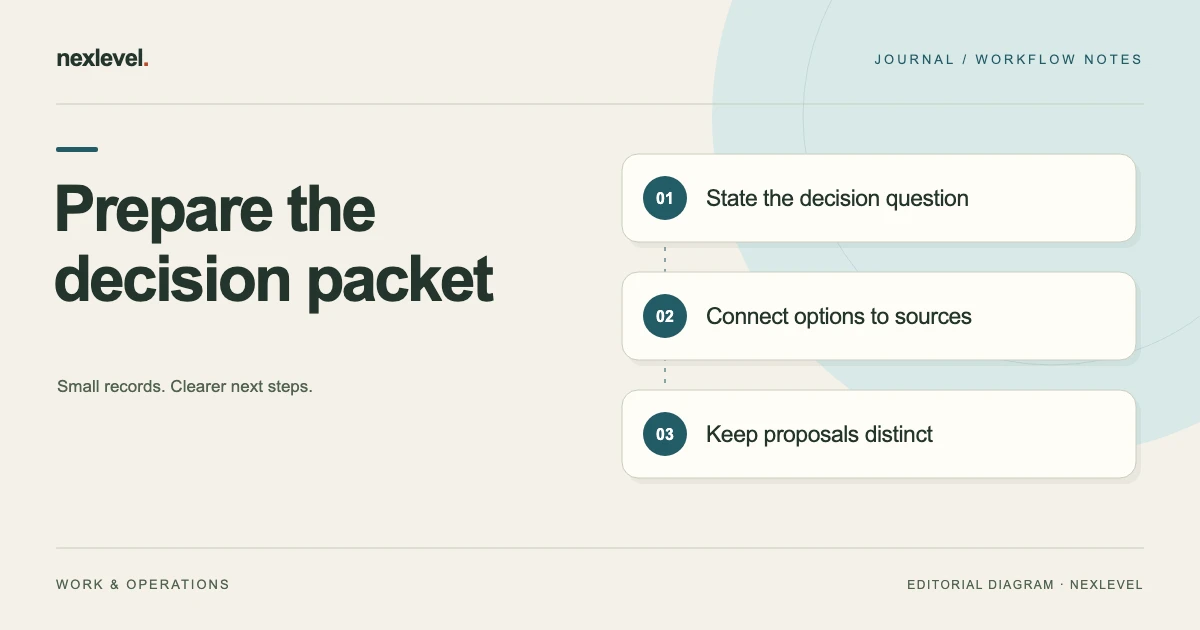
A committee decision packet should help members understand what they are being asked to decide, which evidence matters, and what happens after the decision. A large folder of attachments can contain all the relevant material and still leave those questions unanswered.
Build the packet around the decision, then connect the agenda, proposed wording, options, evidence, and follow-up. Label proposals as proposals. Keep private preparation notes separate from the material intended for circulation, and use the committee’s established procedures for notice, participation, and decision authority.
This guide offers an original preparation workflow and a fictional community-group example. It does not determine whether a meeting or motion satisfies any legal or organizational requirement. For the record created during the meeting, see the meeting decision log template.
Write the decision question before collecting attachments
Start with one sentence describing the choice. “Storage update” names a topic; “Should the group repair the current cabinet, replace it within an agreed budget, or defer the work?” identifies a decision. Members can then judge whether the packet provides enough information to consider those alternatives.
Name the person responsible for presenting the item and the person responsible for preparing its material. Those may be different people. If a key source is missing, the preparer needs someone who can obtain it before circulation rather than an anonymous note saying “details to follow.”
Record what the committee can decide at this meeting and what requires another process. A recommendation, a request for further information, and permission to carry out work are different outcomes. Avoid giving proposed wording a wider scope simply because the topic has reached the agenda.
Choose a packet structure people can navigate
A compact structure is: cover and edition details; agenda; decision summary for each substantive item; proposed wording; options and consequences; supporting evidence; and action or follow-up fields. Add other material only when it serves a clear purpose in the meeting.
Use consistent item identifiers across the agenda and attachments. If the cabinet decision is item D04, label its proposal and evidence references accordingly. A member should be able to move from the agenda to the relevant quote without guessing which similarly named attachment contains the current figures.
Keep a readable summary at the front of each item. Link or reference the full evidence behind it. Summaries help members prepare, but should not conceal limitations, contradictory information, or a condition that materially changes the proposed choice.
Draft proposed wording with visible boundaries
Write a proposal that identifies the intended action, responsible person or role, relevant limit, and any condition that must be met. Use the committee’s own conventions for formal wording. Keep the text clearly marked as proposed until the meeting establishes the actual wording considered.
Separate explanation from the motion or decision text. Members may agree with a practical action without adopting every sentence in its background note. Keeping the parts distinct makes it easier to record the wording that was actually discussed or amended.
Do not prefill an adopted outcome, vote count, or acknowledgment before the meeting. Preparation records what is proposed and what information is available. The meeting record should later capture what happened, including changes to the wording and the outcome supplied by the responsible participants.
Present alternatives using the same questions
For each option, explain the action, known cost basis, operational consequence, main uncertainty, and next step. Compare like with like. A replacement quote that includes delivery is not directly comparable with a repair estimate that excludes the cost of moving the cabinet.
Include a realistic defer or no-change option when it is relevant to the actual decision. Describe its consequences without using it as an obviously inferior placeholder. Members need to understand what postponement would mean for the group’s work and what information might improve a later decision.
Identify estimates and assumptions. If a quote has not been obtained, say so. Do not present an internally suggested amount as an external price, or turn an unconfirmed delivery date into a promised completion date merely to make the options table look complete.
Build a fictional cabinet decision summary
Imagine a volunteer gardening group reviewing a worn storage cabinet. Its preparer gathers a fictional repair estimate of $120 and a replacement quote of $450. The replacement quote includes delivery but not assembly. The repair estimate covers one damaged door and does not assess the rest of the cabinet.
The summary presents three options: seek the repair after confirming the condition, replace the cabinet after checking assembly arrangements, or defer while obtaining a fuller assessment. The proposed wording asks the committee to consider replacement with a spending limit of $500, naming the equipment coordinator as the follow-up owner. It remains a proposal, not an authorization.
The packet flags two open questions: whether the available space fits the replacement dimensions and who would assemble it. Those questions may affect the proposal or lead members to request more information. The summary does not hide them behind a recommendation that sounds more certain than the evidence supports.
Attach sources that let members check the summary
Include the current quote or estimate with its supplier reference, issue date if available, scope, exclusions, and any stated validity period. Identify the source behind each important number in the summary. If information came from an informal conversation, describe that limitation accurately.
For the fictional cabinet, attach the replacement quote and repair estimate separately, with matching references in the options comparison. Add the measured available space if someone has checked it. Do not write that the new cabinet fits until the relevant measurements have actually been compared.
Keep supplementary photographs or reports close to the item they support. A photo can show an observed condition, but it may not establish cause, structural suitability, or repair requirements. Describe what the material shows and leave conclusions that require additional expertise visibly unresolved.
Make uncertainty actionable before circulation
Use a short open-questions list with an owner and a latest useful response time. Distinguish questions that can be answered before circulation from questions members must consider during the meeting. This helps the chair decide whether the item is ready for a decision or needs a narrower purpose.
For example: “Equipment coordinator to compare cabinet dimensions with the available area before the packet closes.” If the answer arrives, update the relevant summary and source reference. If it does not, keep the uncertainty visible rather than deleting the question to make the packet appear finished.
A late response should be handled through a clear revision or supplement. Record which pages or item it changes, and tell recipients how to identify the current material through the committee’s normal circulation route. Do not silently replace an attachment while leaving the cover sheet at the same edition.
Plan agenda time around the work required
Allocate time for presenting the question, checking information, considering alternatives, and recording the outcome. A packet that supplies clear background may reduce repeated explanation, but it does not establish how much discussion the committee will need.
A fictional forty-minute meeting might allow five minutes for opening matters, ten for a project update, fifteen for the cabinet decision, five for follow-up actions, and five for closing matters. Those allocations total forty minutes. They are planning assumptions, not limits that override the committee’s procedures or participants’ needs.
If an item cannot be meaningfully considered in its proposed slot, adjust the agenda or narrow the intended outcome. Asking members to identify missing information is a legitimate preparation step when a decision is premature. Label that purpose clearly instead of framing every substantive item as ready for approval.
Keep circulation and private preparation separate
Before distributing the packet, inspect the files that recipients will actually receive. Remove working annotations, unrelated contact details, draft comments, and private notes that are not intended for circulation. Keep the necessary source evidence available without assuming every internal document belongs in the shared packet.
Confirm the intended recipient group and the committee’s usual access arrangements. A readable PDF can be useful, but the choice of format should consider how the actual members read and prepare. Check page orientation, text size, document order, and whether attachments can be opened.
Use the established circulation method and record what was sent, to whom, and which edition it represented. A recipient’s receipt or acknowledgment indicates something about that particular interaction; it should not be treated as proof that the proposal has been adopted.
Run a preparation check from a member’s perspective
Give a colleague the packet without your verbal explanation. Ask them to identify the decision question, the proposed wording, the alternatives, the main evidence, and the unresolved issues. If those are difficult to find, improve the structure before adding more attachments.
For the cabinet example, the colleague should notice that assembly is excluded from the replacement quote and that the spending proposal has not yet been adopted. If the packet makes the $500 limit look like an established budget rather than proposed wording, correct that distinction.
Check internal references after any layout change. Item numbers, attachment labels, and page references can drift when a new document is inserted. A small navigation error can send members to an obsolete quote even when the correct quote is present elsewhere in the packet.
Prepare the record fields without inventing the outcome
Set up spaces for the wording considered, amendments, participation, recorded vote information where relevant, outcome, rationale or notes appropriate to the committee, and assigned actions. Use the categories established by the committee rather than inventing a voting rule in the software.
Keep proposed wording beside the eventual record so changes can be checked. If the motion changes during discussion, make sure the recorded vote or outcome corresponds to the wording actually considered. A pre-meeting draft should not remain attached to a decision that was made on a different text.
After the meeting, prepare the minutes as a separate identified edition. Connect actions to the recorded outcome and their owners. Preserve the packet as background evidence, while keeping it distinguishable from the later record of what happened.
Prepare for a material change after the packet closes
Decide how late information will be identified before it arrives. A short supplement can name the affected item, state what changed, identify its source, and show whether the proposed wording also changes. Keep the original packet edition available so members can understand the sequence.
Suppose the fictional cabinet supplier updates the delivery terms on the morning of the meeting. The preparer should identify the changed quote and its effect on the comparison. Members who printed the earlier packet need a clear way to recognize the update; a silently replaced attachment will not update their paper copies.
The chair or responsible meeting organizer can then address the item’s purpose under the committee’s normal process. The preparer’s task is to make the change visible and preserve accurate references, rather than assuming that a small-looking alteration has no effect on the decision. Record which material was actually considered so the later minutes can be understood alongside the packet and supplement.
Use meeting software as a recordkeeping aid
DecisionSession supports agenda preparation, motion wording and amendments, participation records, actions, and versioned minutes. Its current listing describes separate participation categories and explicit confirmation of recorded outcomes. These capabilities can support a committee secretary’s workflow without deciding whether a motion was lawfully adopted.
Local drafts and readable PDF sharing are part of the described workflow; optional attendee links acknowledge a specific edition or request a correction. Check current features and plan limits in the official DecisionSession App Store listing. Keep preparation, deliberation, and the published record visibly connected while preserving their different purposes.