The right system for alteration orders should help you find the garment, understand the agreed work, and carry the record through fitting and pickup. Paper, a spreadsheet, and a specialist app can each support part of that workflow. The useful comparison is what happens when a ticket changes or somebody else needs its context.
Start with your actual work rather than a long software feature list. Follow a few representative orders from intake to collection, noting where information is created, checked, and handed over. Then compare the effort required to keep the garment and record connected.
This guide provides an original evaluation worksheet and a fictional small-studio example. It does not rank unnamed products or claim measured time savings. Use the alteration ticket template to define the information you need before choosing where to keep it.
Map the record from intake to pickup
List the events your studio needs to record: customer and garment identification, alteration instructions, measurements, fitting notes, changes, payments, inspection, and collection. Identify where each event currently leaves a record and who updates it.
Include the physical link. A detailed digital ticket is difficult to use if the garment tag has a different reference. A paper slip is also weak if it becomes detached from the garment. Use the same stable identifier across the chosen system and the physical work area.
Mark where you repeatedly ask someone to reconstruct context. Perhaps fitting notes remain in a notebook while pickup information lives on a wall calendar. Those gaps are more useful selection criteria than a general desire to become more digital.
Consider when paper is sufficient
Paper can be workable when the queue is small, one person owns each record, and the ticket stays with the garment. A consistent form can make essential fields visible without requiring a device at the fitting area or sewing station.
Check how you handle corrections. Cross out superseded instructions clearly, identify the current instruction, and keep the relevant history understandable under your own process. Avoid writing several competing measurements in the same space without explaining which one should guide the work.
Consider retrieval and loss. If the only ticket disappears, what information remains? If a customer asks about an earlier fitting, can you locate the right record? Paper may remain adequate when those tasks are simple, but the decision should include them rather than considering intake alone.
Consider what a spreadsheet adds
A spreadsheet can provide a compact queue of order references, stages, dates, owners, and payment figures. Sorting and filtering may help you review several orders at once. The exact capabilities depend on the software and how the sheet is designed.
The sheet still needs a method for detailed garment notes and supporting files. A row saying “see photos” is not useful unless someone can identify the correct photographs and the instruction they support. Decide how links, filenames, and revisions will remain connected.
Test editing discipline. If several people can change the sheet, establish who maintains the current record and how changes are checked. Do not assume that a shared file automatically prevents conflicting instructions, accidental overwrites, or an unclear handoff.
Consider the value of a specialist app
A specialist app may connect stages that would otherwise occupy separate forms or files. Evaluate the actual supported workflow: garment identity, visual notes, measurements, fittings, payments, versioned decisions, and collection records. Confirm each relevant capability in the current product description and hands-on use.
Check how the app behaves when you need an older detail or a portable record. An attractive intake screen is only one part of the decision. You also need to know how to retrieve, read, and deliberately share the information required by your studio.
Keep team access separate from individual convenience. A local app can suit an owner-operated workflow, but you should not assume it provides simultaneous shared editing or automatic synchronization unless those capabilities are explicitly supported.
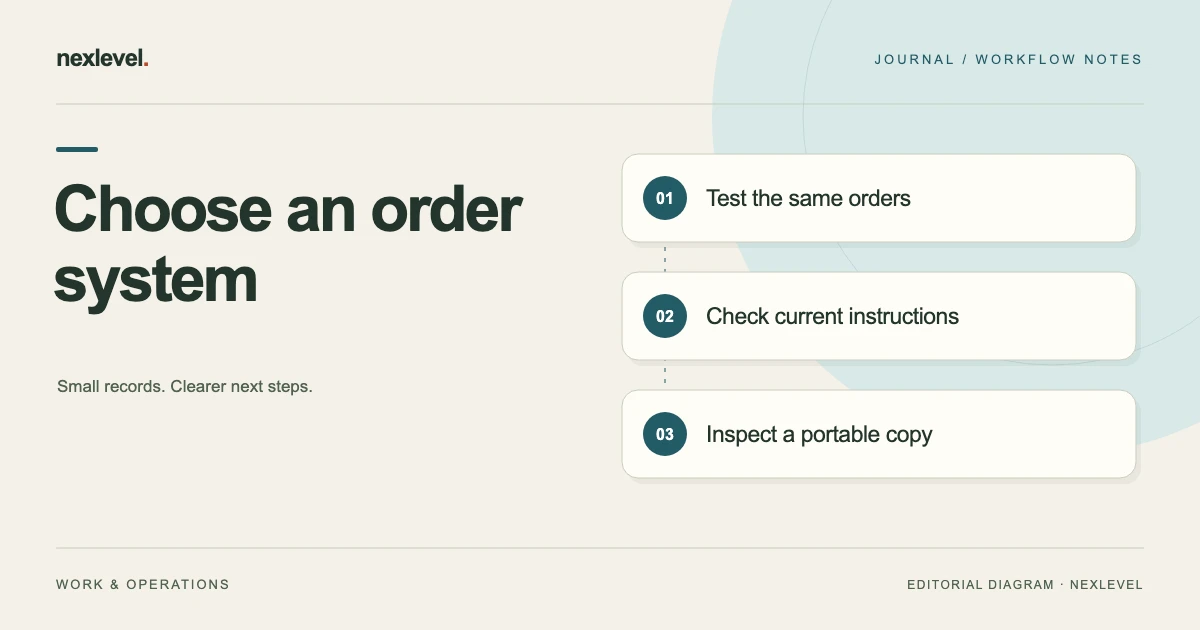
Use the same test orders for every option
Choose a routine order, an order with a second fitting, and an order with a changed instruction. Use fictional or appropriately prepared test information so the comparison does not scatter real customer details across experimental files and services.
For each option, record the same events in the same order. Find the current instruction after a change, retrieve an earlier fitting note, identify the remaining balance, and prepare the collection record. This gives you concrete observations rather than impressions based on a single screen.
Write down where the test needed an extra notebook, folder, or explanation. An extra step is not automatically a reason to reject a system. It is a maintenance obligation to account for when deciding whether the workflow will remain reliable during a busy week.
Work through a fictional studio comparison
Imagine a solo alteration studio handling three active test orders: a trouser hem, a jacket with two fittings, and a dress whose collection arrangement changes. The studio uses one reference per ticket and attaches that reference to the corresponding garment.
In the paper trial, intake is straightforward, but the second fitting requires a clear added page. In the spreadsheet trial, the queue is easy to scan, while detailed fitting notes need a linked document. In the app trial, the owner checks whether fitting history and pickup details remain connected to the ticket.
These are fictional test observations, not findings about every studio or product. The owner chooses based on which extra steps they can consistently maintain. A larger multi-person studio would need a separate test of access, ownership, and handoff rather than assuming the solo result applies.
Build a practical evaluation worksheet
Use one row per task and one column per option. Suggested tasks are: create a ticket; locate the garment; find the current instruction; record another fitting; inspect a change; find a payment figure; prepare collection; retrieve an older record; and create a usable export or copy.
Record observations in plain language: completed directly, needed a separate file, unclear without explanation, or not supported in the tested configuration. Add the person who tested the task and any condition that affected the result.
Avoid invented weighted scores unless the weights represent your actual priorities. If pickup reconciliation is a recurring problem, give it explicit attention. If a feature is irrelevant to your studio, a high score for that feature should not outweigh a weakness in a task you perform every day.
Check access where the work happens
Try the record in the fitting area, at the workstation, and during collection. Consider whether the relevant person can comfortably read and update it in those places. A system that works well at a desk may need a different arrangement near the garment rail.
Test locally supported workflows without relying on a network connection where that matters to your business. Distinguish core record access from optional online services. The available behavior depends on the chosen software, device, and storage arrangement, so check it directly.
Consider what happens when the usual device or record owner is unavailable. Write a realistic fallback for finding essential order information. A fallback should use a deliberate current copy or established access method, rather than several unofficial duplicate records.
Compare payment handling with a simple check
Use one fictional order with an agreed price of 80 units of currency and a recorded deposit of 25. The remaining amount is 55. Check whether the chosen record makes the original figures, later payments, and current balance understandable.
In a spreadsheet, inspect the formula and which cells can be changed. On paper, inspect the arithmetic and how corrections are recorded. In an app, inspect the actual payment workflow and the meaning of its displayed balance. The comparison should concern the tested record, not assumptions about all tools in a category.
Keep bookkeeping responsibilities within your actual business process. A ticket balance can support customer collection work without replacing whatever separate financial records your business requires.
Plan migration around active work
Moving every historical order is not always the best first step. Begin with a small, clearly defined group and decide which system is the current record for those orders. Keep older records retrievable while you learn whether the new arrangement works.
Transfer important context, not just customer names and due dates. Include the current instruction, unresolved questions, garment identity, payments, and next event. Check at least one record against the physical garment before relying on the imported or copied information.
Record the transition date and who maintains the queue. Avoid running two active systems indefinitely unless there is a clear reason and reconciliation method. Otherwise, a change recorded in one place may never reach the person using the other.
Test retrieval and export before committing
Choose one completed test order and ask someone to retrieve its final instruction, fitting history, and pickup record. Then prepare the portable record your studio would actually need. Open it outside the original working view where the tool permits that.
Check whether an export is a readable record, a structured data file, or something that can be imported elsewhere. Those are different capabilities. Do not assume that a PDF receipt recreates a complete editable ticket or that a spreadsheet export contains every attached image.
Keep a note of plan limits and device requirements that affect your decision. Use current product information rather than an old screenshot or a remembered trial offer. Recheck those details before purchasing or changing a business-critical workflow.
Review the choice after a real work cycle
After a manageable trial, review which tasks became clearer and which new maintenance steps appeared. Look at actual retrieval, fitting, and collection events. Avoid claiming a time-saving result unless you recorded a meaningful comparison for your own work.
Ask whether people can tell which instruction is current and who owns the next step. A system that creates more polished records can still leave those questions unresolved. Improve the process or reconsider the tool based on the observed problem.
Keep the evaluation worksheet. It explains why you selected the arrangement and which limitations you accepted. If the studio later adds staff or services, repeat the relevant tests instead of assuming the original decision remains appropriate for a changed workflow.
Try a handoff without explaining the record aloud
Give a colleague one test order and ask them to identify the garment, the current instruction, the next fitting or pickup event, and anything that must be clarified before work continues. Do this using the record itself, without reconstructing the conversation for them.
Include one deliberately superseded instruction in the test. For example, the first fitting note may have been replaced by a later agreed note. Check whether the colleague can identify the current instruction and still understand why the earlier one remains in the history. This tests a practical distinction that a blank form or product demonstration cannot establish.
Write down exactly what caused confusion. The fix might be a clearer paper heading, a better-linked spreadsheet note, or learning the app’s actual version workflow. Recheck the same task after the change. This makes your choice depend on a record someone can use, including during cover or collection, instead of the original owner’s ability to explain every detail from memory.
Evaluate AlterationTicket against your actual needs
AlterationTicket connects customer and garment details, visual alteration notes, measurements, fitting history, payments, approval snapshots, and pickup records. Its current listing describes a local-first workspace without a required account. These are specific capabilities you can compare with the tasks above.
Check the current free and Pro limits in the official AlterationTicket App Store listing. Use a few representative orders to establish whether the workflow fits your studio, and keep the physical garment reference consistent throughout the trial.