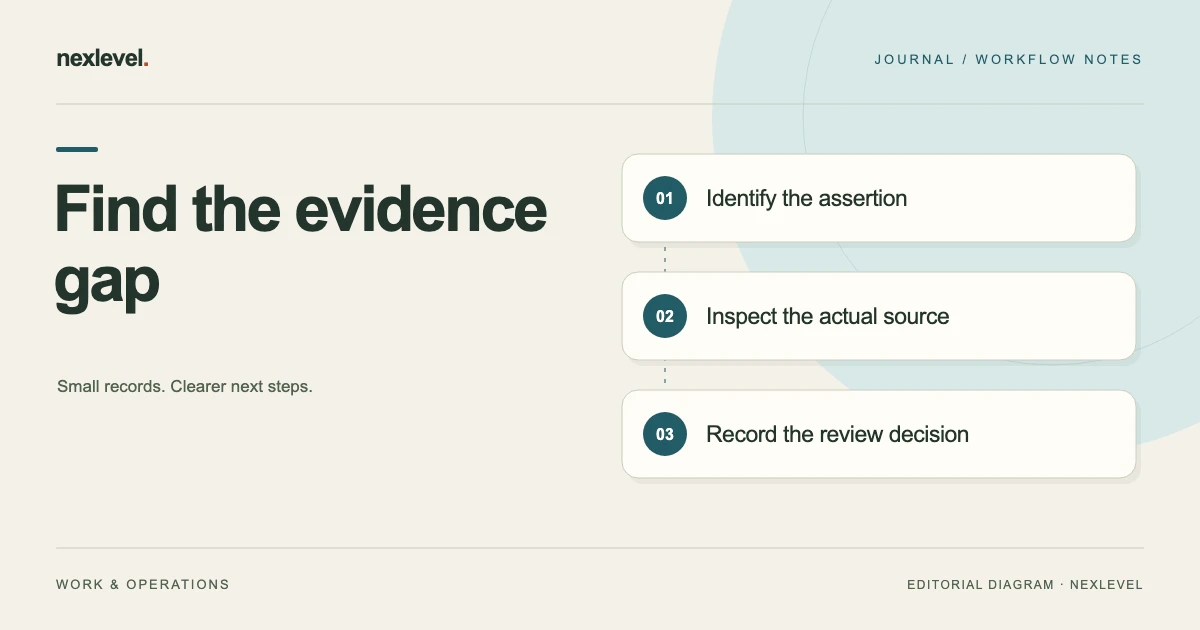
A manual can sound confident while containing instructions that its source material does not support. The weak point may be an absolute word, an assumed product variant, or a step inferred from a screenshot. Correct spelling and a polished layout do not resolve those evidence gaps.
Review the draft as a collection of claims that need an identifiable basis. Ask what each statement asserts, which source supports it, and whether that source applies to the product and situation described. Keep missing evidence visible until a responsible reviewer makes a grounded decision.
This guide provides an original review worksheet and a fictional label-printer example. It is a document-review method, not validation of any real product instruction. If your sources first need organizing, use the product manual source register.
Define the product and source boundary
Record the product identifier, version or configuration, intended reader, and manual purpose. A source about one configuration may not support an instruction for another. Reviewers need that boundary before deciding whether a statement belongs in the draft.
List the source documents actually available, including their editions and relevant locations. Distinguish approved product material from informal notes, earlier drafts, or third-party descriptions. The source’s role should be clear even when all the files sit in the same folder.
Identify who can resolve questions about applicability or missing material. The person editing the manual may not have the authority or knowledge to establish a product capability. A useful review creates a route to the missing answer instead of filling the gap with plausible prose.
Break paragraphs into checkable assertions
Look for statements about controls, compatibility, included items, operating conditions, sequence, outputs, limitations, and expected behavior. A single paragraph may contain several assertions that rely on different sources. Give meaningful claims separate review rows.
Keep the units of review practical. “Select Templates, choose a layout, and print” may contain three steps that need checking. An introductory phrase such as “To get started” generally does not need its own evidence task unless it makes a substantive promise.
Assign stable claim identifiers and preserve the draft location. This lets the reviewer track the same assertion when the layout changes. A page number alone can become misleading after another paragraph or illustration is inserted.
Watch words that expand the evidence
Words such as all, any, always, automatic, complete, and guaranteed can broaden a statement beyond its source. Check whether the evidence actually supports that scope. A list of two compatible formats does not establish support for every format.
Also inspect implied promises. “Your settings are saved” asserts a result even without an absolute word. The draft should identify what settings are covered and the circumstances supported by the source, rather than assuming that a familiar interface behaves as expected.
Do not remove every strong word mechanically. A precise source may support a broad statement. The review question is whether the current wording and its scope are justified, not whether the sentence sounds cautious enough to avoid examination.
Separate an observation from an inferred instruction
A screenshot can show a control label, a selected setting, or a displayed result. It may not establish the complete sequence required to reach that result. Record what is visible before deciding what instruction the image supports.
For example, a screenshot showing a “Next” button does not by itself prove that pressing it completes the entire setup. The draft may need a source covering the subsequent state. Keep the inferred step unresolved until the relevant behavior is established.
Use a worksheet field for the observation and another for the proposed claim. That separation makes it easier for another reviewer to identify where interpretation entered the draft. It also prevents a rewritten summary from being mistaken for a direct source statement.
Build a claim evidence worksheet
Use these fields: claim ID; draft wording; draft location; product scope; source identifier and edition; source location; relevant excerpt or observation; evidence gap; review owner; proposed action; and current decision. Add dependencies when one source issue affects several claims.
Useful action labels include retain after review, narrow the wording, obtain evidence, correct the source reference, remove the assertion, and escalate for specialist review. Treat the labels as workflow aids. They do not establish that the underlying instruction is correct.
Keep the current decision separate from the initial proposed action. A writer may suggest narrowing a statement, while the reviewer finds that the whole assertion lacks support. The record should preserve what was considered and what was actually decided.
Inspect a fictional four-claim draft
Imagine a manual for the fictional LabelDock M3 printer. Claim C01 says “Select Templates,” matching the visible control named in guide A, page 4. C02 says the printer accepts any label width, while the available specification lists only two widths. C03 says a desktop stand is included, while the packing list calls it optional.
C04 says pressing Next finishes setup, but its only source is a screenshot showing the button. The reviewer records different issues: C01 has a relevant source to inspect; C02 overstates the available scope; C03 conflicts with the packing list; and C04 infers an outcome not shown by the screenshot.
The examples are invented to illustrate review categories. They are not instructions for a real printer. The useful result is a distinct next task for each claim, rather than a blanket “manual checked” label that hides four different evidence situations.
Check the source location and surrounding conditions
Open the cited location and read enough surrounding material to understand qualifications. An isolated excerpt may omit a model note, a condition, or an exception that changes the meaning of the proposed instruction.
Check tables, headings, footnotes, and captions that define scope. A row can be accurate in its own context while being unsuitable for a different product variant. Record the relevant limitation in the claim review rather than relying on the reviewer to remember it later.
If the source location is wrong but the assertion appears elsewhere, correct the reference and inspect the actual support. A broken citation is a retrieval problem; finding another location still requires checking that it supports the draft’s exact meaning.
Handle low-quality extraction as an evidence issue
Text extracted from an image or PDF can be incomplete or ambiguous. Compare uncertain wording with the original source, especially where a symbol, negative word, model identifier, or unit affects the claim. Do not treat extraction confidence as a measure of whether the product statement is true.
Preserve the original location so a reviewer can inspect it. If the material is unreadable, obtain a clearer source or leave the claim unresolved. Guessing a missing character can change the meaning of an instruction while leaving the sentence superficially fluent.
Record what was checked and what remains unclear. A note such as “model suffix unreadable in source image” gives the next reviewer a concrete problem. “OCR looks fine” offers little help when the relevant character was never actually verified.
Distinguish absent evidence from a contradiction
A claim without a supporting source is not automatically proven false. It is unsupported within the reviewed source set. A claim that conflicts with an applicable source presents a different issue and may require correction or further investigation.
In the fictional example, C04 lacks evidence for the stated outcome, while C03 conflicts with the packing list. Preserve that distinction. The next task for C04 may be obtaining an authoritative procedure; the next task for C03 may be establishing the intended package configuration and correcting the draft.
Avoid rewriting an unsupported claim into vague language merely to make the evidence gap less visible. “Usually included” still makes an assertion. If the source does not establish inclusion, the review needs an actual decision about the content.
Choose a justified revision for each issue
When narrowing wording, identify the scope that the source actually supports. For C02, a reviewed statement might name the supported widths if the current applicable specification establishes them. Do not substitute a different guessed limitation simply because it sounds more careful.
When removing a claim, check whether later steps, diagrams, or troubleshooting notes depend on it. Deleting one unsupported sentence may leave an instruction that still assumes the same unsupported behavior elsewhere.
For safety-sensitive or otherwise consequential instructions, route the question to the appropriate responsible reviewer and source. A generic writing worksheet cannot supply missing technical judgment. Keep the unresolved state visible in the publishing workflow.
Trace the effect across the draft
Search for repeated forms of the same assertion, including captions, summaries, contents entries, and alternative procedures. A broad compatibility claim may appear in the introduction even after its detailed specification paragraph has been corrected.
Record the affected locations under a common issue identifier. This helps the reviewer see whether the correction is complete. It also avoids treating every repeated sentence as an unrelated discovery that can be closed independently.
Check related source references after the edit. A revised sentence may now require a different citation or a narrower excerpt. The draft text and evidence link should continue to describe the same assertion rather than drifting apart during cleanup.
Ask a second reviewer to reconstruct one decision
Choose a resolved claim and ask someone to find the original assertion, the applicable source, the observed gap, and the reason for the current wording. They should be able to do so without the writer’s verbal explanation.
For C03, the reviewer should locate the packing list, identify the optional-item statement, and see how the current draft handles that fact. If the record contains only “fixed,” improve the rationale or source reference before considering the trail usable.
This retrieval check is limited evidence about the review record. It does not establish that every other instruction is correct. Use it to find navigation and reasoning gaps, while maintaining the actual claim-by-claim decisions required by your process.
Inspect the exported review package
Open the output that another person will receive. Check the product identity, draft or final status, claim wording, citations, and visible unresolved items. A correct internal worksheet does not guarantee that an older export has been replaced.
Keep the exported edition identifiable and connect it to the review record. If an unresolved issue remains, ensure the output is used only in the manner permitted by the actual workflow. Do not remove review markings to make an incomplete package look finished.
Record the final review outcome with the relevant edition. Where the tool derives export readiness from current claims and citations, satisfy those actual rules. An earlier approval, a cleaner layout, or a purchase should not be treated as evidence that a new gap has been resolved.
A compact worksheet entry for fictional C02 could read: “Draft assertion: any label width. Source checked: specification A, supported-widths table. Observation: the source lists two widths and does not state universal support. Gap: draft scope exceeds the available evidence. Next action: responsible reviewer to establish the correct applicable wording. Decision: unresolved pending that review.” If the reviewer later authorizes a narrower supported statement, record the new wording and source reference explicitly. This entry preserves the actual evidence boundary without pretending that absence of universal support proves every other width impossible. It also makes the next task clear enough for another person to take over.
Use a source-linked manual review workspace
VeriManual connects source locations and excerpts with proposed claims and human decisions. Its current listing describes explicit missing-evidence states and review-derived final-export readiness. Optional assisted tasks use a bounded source excerpt and task only after user approval.
For changes between editions, use the manual revision impact worksheet. Check current features and plan details in the official VeriManual App Store listing, and keep each instruction’s actual support inspectable.