
Review an AI Shelf Audit Draft Against Its Local Sources
Check an optional AI shelf-audit draft against the selected planogram and photos, preserving explicit upload choices, advisory suggestions and human decisions.
Oct 16, 2026 · 9 min read
Review shelf photos against approved planograms. Keep source-linked findings, human decisions, and CSV or Pro PDF reports in one retail-audit workspace.
iPhone · iPad · Watch

PlanoVerity helps a retail reviewer compare an approved planogram with selected shelf photos and document each finding’s disposition. Local analysis is the default; an optional AI draft uses the evidence package you approve. Review the finding rather than treating a generated suggestion as a completed audit.
Start with a practical guide: Retail shelf audit template, Review photo and count mismatches, Hand off a shelf audit with item references.
Import an approved planogram PDF and add up to eight shelf photos per audit. Compare Planogram, Reality, and Overlay views while reviewing seven shelf-check categories and their supporting evidence.
Accept, correct, or reject findings individually and retain reviewer notes and timestamps. CSV export becomes available after every check has been reviewed; Pro adds polished PDF reports. Purchasing access does not replace review.
Local analysis remains available by default. An optional secure AI audit uploads only the minimized evidence package you approve for that audit through the first-party gateway to a paid model route. Its suggestions remain advisory until reviewed.
Free includes one protected local project, the review workflow, CSV export, and one secure AI audit per month. Pro adds unlimited projects, PDF reporting, and eight secure AI audits per month. No app account is required; photographing retail material still needs appropriate authorization.
The App Store listing shows current compatibility, pricing and any optional purchases.
Check an optional AI shelf-audit draft against the selected planogram and photos, preserving explicit upload choices, advisory suggestions and human decisions.

Check shelf-audit identity, evidence links, individual human decisions, whole-audit review completion and the actual CSV or PDF before relying on a report.
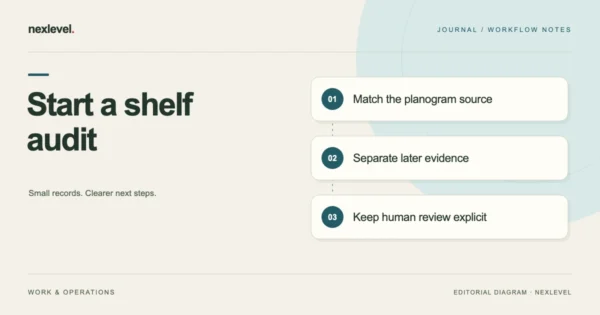
Prepare a shelf-audit record by matching the planogram to its project, recording source scope and keeping future photos and findings distinct from reviewed results.

Review campaign PDFs, images, and text against versioned brand rules. Inspect source-linked findings and record human decisions in a local brand-review workspace.

Keep room photo records and photo-pinned punch items together, with direction labels you assign and reviewable notes for the selected view.

Compare before-and-after PDFs and images locally. Inspect changed regions, a heatmap, comparison thresholds and source-bound witness records.