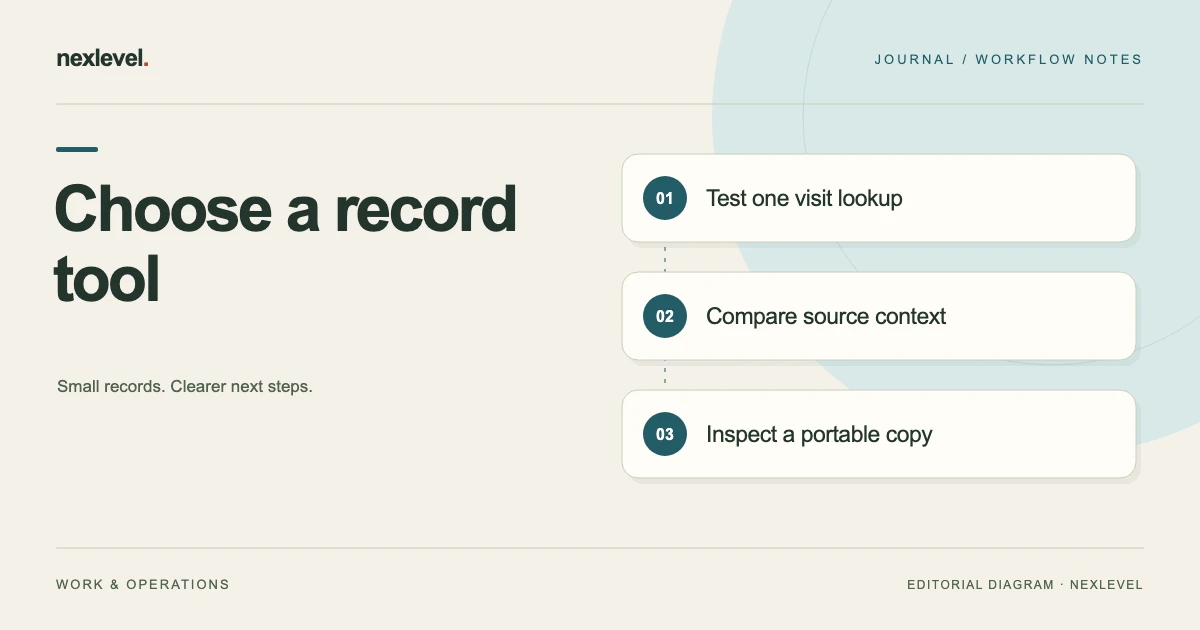
Choose a hair color record system by testing whether you can retrieve the right visit, read its formula by zone and distinguish its result from a proposed adjustment. Use the same fictional history in paper, spreadsheet and app options, then inspect the copy you would actually retain or share.
Compare the same history in each option
- Define one retrieval task and prepare fictional client and visit references.
- Record zone/component relationships, units, results and future notes using each method’s structure.
- Check how photos remain linked to visits and their permission context.
- Open the intended report or export and document manual indexing, correction and recovery dependencies.
Working fields:
Method | Visit found | Zone/unit context | Result versus proposal | Photo/permission link | Output inspected | Manual upkeep | Limitation
Useful next steps: Define the core visit fields, Plan a readable visit archive.
Define a retrieval task before choosing software
Write one question that your current system makes difficult. For example: “Find the selected client’s previous visit, identify the recorded formula by zone, and distinguish the result note from the proposed adjustment for next time.”
That question tests relationships. A system can contain every word somewhere and still make the answer hard to reconstruct. The review should consider whether the record remains clear when you return after forgetting the original appointment.
Use an actual representative task with appropriately handled private information, or a fictional sample while experimenting. Do not distribute real client records to several unrelated tools merely to see which screen looks best.
Build a comparison worksheet around the record
Suggested rows include client identity, visit dates, service context, formulas by zone, source units, recorded results, next-visit notes, photos and consent, search, portable copies, recovery, device access, and ongoing maintenance.
For each candidate, record what you actually tested and the limitation you found. Avoid an unsupported yes/no score where the real result depends on a manual convention. “Available if I maintain the index” means something different from a demonstrated search feature.
Keep purchase price separate from setup and maintenance effort. A free tool may need more manual structure; a paid tool may include functions you do not need. This worksheet does not assume a universal winner or invent a quantified productivity saving.
Test paper as a physical record system
Paper can provide a straightforward place to capture a visit without configuring software. Its usefulness depends on legible entries, a consistent client and visit structure, and a reliable way to locate the right record later.
Test a retrieval task using your actual filing arrangement. Can you find the selected visit without relying on memory? Can another authorized reader distinguish an observation from a proposed future adjustment? Do separate sheets preserve the client’s identity?
Inspect the physical handoff and recovery plan as well. A photograph of a page is a copy with its own quality and access limitations. Do not assume it creates a searchable archive or a complete restorable system.
Test a spreadsheet as a structured table
A spreadsheet can make sorting and filtering useful when you define consistent columns. Consider how you will represent one client with several visits and several formula components within each zone. A single large notes cell may lose much of the structure you intended to gain.
Use the fictional retrieval task to test the model. If a row represents a component, how does it point to the visit and zone? If a row represents a visit, where do several components and their source units remain readable?
Review how formulas, calculations, and entered observations are labeled. A calculated cell should not masquerade as a directly recorded source. Inspect the actual exported copy rather than assuming the workbook’s interactive layout survives in every format.
Test a dedicated app against its current capabilities
A dedicated tool may organize clients, visits, formulas, and photographs in related views. Verify that organization in the actual current product rather than assuming every salon app has the same capabilities.
ColorFolio’s current listing describes client profiles and visit timelines, formulas by zone with multiple components, ratios, batch sizes and source units, and recorded results and adjustments. It also describes search, pinned visits, templates, and plan-dependent portable outputs.
These are recordkeeping functions. An interface that can scale recorded formulas does not replace product instructions or professional judgment. Your comparison should test whether the entered history remains clear, not whether the software can decide the next service for you.
Run a fictional client-history exercise
Imagine a fictional client reference C18 with visits V1 and V2. V1 contains recorded zone-specific formula information and a result note. V2 has a separate observation and a proposed next-visit adjustment. No actual chemical quantities or processing instructions are needed for this exercise.
Ask each candidate system to preserve those relationships. The reader should be able to tell which formula belongs to which visit and which note is a proposal. A copied template should not silently make an earlier observation look newly recorded.
Then search for V1 using the method the tool actually supports. On paper, that may be an index. In a spreadsheet, it may be a filter. In an app, test the specific available search behavior. Record the steps and ambiguity rather than declaring a generic speed advantage.
Review photos and consent as separate requirements
A photograph being present does not establish the scope of permission to use or share it. Keep the actual consent record and intended use clear through your professional process. This guide does not provide a legal consent form or interpret local privacy requirements.
ColorFolio’s listing describes before-and-after photos with an explicit consent record. When comparing another system, check how the photo, client, visit, and source consent remain related. A loose image folder may require an independent convention.
Also inspect the recipient copy. A photo in a working record does not mean it should be included in every export. Share only what is appropriate for the actual task and authorization.
Distinguish a reusable template from a client’s history
A template captures a reusable starting structure. A visit record establishes what was recorded for a particular client and occasion. Copying one into another should not erase that difference.
In the C18 example, a template can help structure a future entry without importing C18’s identity or treating a prior result as newly observed. ColorFolio’s current description specifically distinguishes reusable formula templates from copied client information.
For paper or spreadsheets, test the same boundary in your own convention. If an old result note follows every copied sheet, a later reader may mistake it for a fresh observation. Clean up the template structure without rewriting accurate visit history.
Check portable outputs before a larger move
A readable report, a structured data export, and a restorable backup serve different purposes. Do not assume that one substitutes for the others. A PDF may be useful for reading while a backup may be intended for recovery through a particular supported workflow.
ColorFolio’s listing describes PDF and CSV outputs and encrypted backups, with feature access varying by plan. Check the current plan and inspect actual output. The listing’s free offer includes a limited client allowance and one PDF export; broader exports and backup features are described under Pro.
In the comparison worksheet, say which output you tested and what it retained. Do not claim complete restoration merely because a file exists. Use the actual supported recovery process when evaluating that requirement.
Separate offline work, synchronization, and backup
These are related but different questions. Can the working record be used locally? Can chosen devices synchronize? Can you recover from a particular loss through an established process? An answer to one does not automatically answer the others.
The current ColorFolio listing describes no separate ColorFolio account, private device storage, optional private iCloud synchronization, and plan-dependent encrypted backup. Do not turn that into a promise about every device configuration or synchronization timing.
For a paper or spreadsheet system, document the actual corresponding process. A second copy may be useful without being current, protected, or tested for the recovery situation you have in mind.
Plan a small transition instead of a blind import
Choose a representative sample of records and preserve the originals. Establish a mapping between the old client and visit references and the new working structure. The first goal is readable continuity, not a maximum number of rows transferred.
Do not assume an app imports every existing spreadsheet. ColorFolio’s described export and backup features do not establish a general-purpose import of arbitrary legacy files. Check actual supported capabilities before designing the transition around them.
After entering the sample, repeat the C18-style retrieval exercise. If the destination loses zone, visit, unit, result, or photo context, resolve that problem before expanding the move.
Review access and private handling in practice
A tool’s privacy features help only within the actual device and working arrangement. Consider who can open the record, how a portable copy is handled, and which information belongs in the recipient’s task.
ColorFolio’s current listing describes Face ID protection as a Pro feature. Do not assume that a reader of an exported file automatically inherits the app’s access controls. Inspect how you actually store and share that file.
Keep the comparison focused on your requirements. A local record can be useful without a separate service account, while optional synchronization remains a distinct choice. Avoid copying unnecessary client information just to fill every possible field.
Make the choice from demonstrated tradeoffs
A paper system may suit a workflow whose retrieval and continuity needs it can reliably meet. A spreadsheet may suit a maintained table structure. A dedicated app may be valuable when its related views, search, and outputs match the tasks you actually tested.
Write your decision with its assumptions: selected record scope, tested retrieval task, available plan, portable-copy result, and unresolved limitation. That gives you a basis for revisiting the choice when the practice changes.
There is no need to declare a permanent winner. The useful outcome is a record system you can maintain and explain, with a clear source route when a previous visit matters.
Decide which record is the working source in a hybrid setup
You may choose paper for capture and a digital tool for retrieval, or a spreadsheet index pointing to retained visit records. A hybrid arrangement needs a clear rule about which source establishes the current visit history.
For fictional C18, suppose the original visit note is on paper and a digital summary is prepared later. Identify that relationship. If the digital copy abbreviates a zone or result note, the recipient should know where to find the fuller source instead of assuming the shorter copy is complete.
Choose how corrections will be reflected in the copies you actually use. Do not assume an edit in one place changes every other representation. A lightweight correction reference can be more reliable than maintaining several independent versions as though all were continuously current.
Test this arrangement before committing to it. Ask the reader to find V1, identify its source, and explain which copy should be used after a correction. If that task is confusing, simplify the source rule before adding more clients. A hybrid system is useful only when its extra relationships remain maintainable.
Evaluate ColorFolio with a representative record
ColorFolio is designed around professional client color histories, zone-specific formulas, results, notes, and optional photos. Its Pro description includes expanded client capacity, templates, search, voice notes, exports, private sync, and backup features.
Check the official ColorFolio App Store listing for current capabilities and plan details. Use a representative record to test the relationships that matter to your work, while leaving service decisions to product instructions and professional judgment.