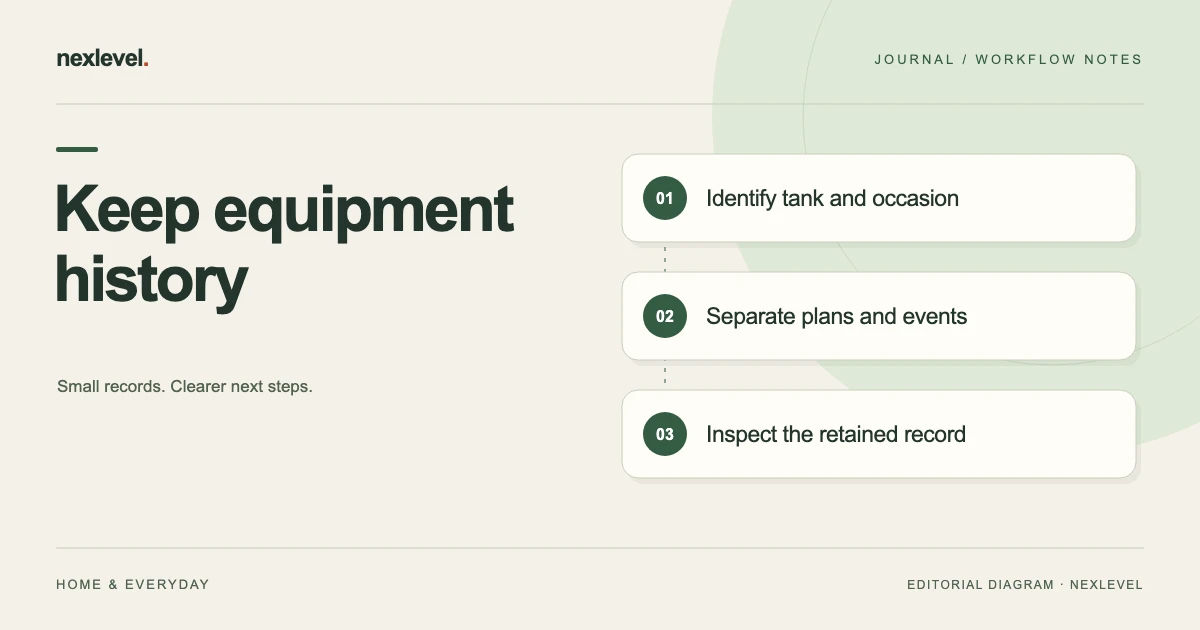
Archive aquarium equipment records by linking each selected event to the correct tank, source occasion and supporting note or photo. Keep recurring tasks, purchase references and water readings in separate roles so a later reader can retrieve the event without assuming completion or causation.
Preserve the equipment event and its actual source
- Choose the tank, period and equipment-event retrieval question.
- Index the event, source note and photo relationship.
- Keep planned work, purchase dates and separate readings labeled for what they establish.
- Open the retained output and retrieve the event after introducing a similar equipment name or later note.
Working fields:
Tank/period | Equipment/event | Source occasion | Photo role | Planned task | External purchase source | Output/cutoff | Open question
Useful next steps: Check tank and reading identity, Hand off the current equipment question.
Define the archive question
A useful question is “Can I find the selected equipment event for this tank and understand what the source establishes?” That is narrower than asking the archive to prove equipment performance or explain every later reading.
Choose the aquarium, selected period, and event scope. A retained copy can be useful without representing every tank or all later changes.
In this guide, archive means an independent index and intended retained output. TankLedger’s current listing does not advertise a general archive button or a dedicated equipment-inventory transfer service.
Keep aquarium identity attached to equipment notes
A similar equipment label can appear in more than one setup. Use the actual aquarium reference and source context rather than selecting a tank from appearance alone.
TankLedger’s current description supports separate aquarium timelines, equipment events, notes, and photos. It does not independently identify physical devices or verify their performance.
An independent label such as T15 can make the worksheet readable without claiming a native permanent-ID field. Keep private household details appropriate to the actual retrieval task.
Use an equipment-history index
Suggested fields are aquarium reference, equipment description, event reference, actual event role, source date, relevant photo or note, planned task context, retained output, and open question.
| Record role | Question to preserve |
|---|---|
| Equipment event | What action or observation was actually recorded? |
| Recurring task | What future or due work was entered? |
| Photo | Which item and occasion does the image represent? |
| Water reading | Which separate observation source is relevant? |
The index is a companion practice. It should not become a second timeline that quietly contradicts the working record.
Work through a fictional equipment record
Imagine aquarium T15, equipment note E4, and source photo P3. The selected record describes an equipment-related occasion. A recurring task R1 appears nearby in the timeline.
The reviewer matches E4 and P3 to T15 and the actual source occasion. R1 remains a planning or due-work record unless a source establishes a separate action.
Do not use a nearby reminder as proof that equipment was installed, replaced, or inspected. If E4’s actual meaning is unclear, retain the specific source question. The example supplies no technical equipment procedure or recommendation.
Separate a plan from a recorded equipment event
A recurring task describes entered organization. An event note describes what was recorded for an occasion. A later review of the note is another administrative action.
Keep these meanings explicit when preparing a retained summary. “Checked” can otherwise refer to a task being done, a record being read, or a reminder being configured.
The current listing includes recurring maintenance tasks and due or overdue work. Those states organize the log; they do not independently establish every physical action outside it.
Use photos as source context
Open the actual image before citing it. A filename or familiar background is not enough to establish that it belongs to T15 or E4.
Preserve the photo’s actual occasion where known. An image added later can be useful without documenting the earlier state. Do not infer an unseen condition, serial identity, or performance result solely from appearance.
TankLedger advertises photos and notes in a chronological timeline. It does not describe automatic equipment recognition or a sensor-based inspection service. The archive should keep that boundary clear.
Keep readings separate from causal explanations
A water observation near E4 can be relevant context. Its position in the timeline does not by itself establish that the equipment event caused the reading.
Preserve the observation’s actual parameter, value, unit, and source time. For tank matching, use the separate aquarium reading identity guide.
This article supplies no target bands or treatment interpretation. The current app description identifies bands as keeper-defined and leaves species research and qualified advice in their proper role.
Distinguish similar equipment occasions
A later item with the same product name is not automatically the same physical device or event. Keep the actual source relationship rather than merging history from a familiar label.
If a note was copied from an earlier occasion, review which parts are reusable structure and which are actual newly established facts. Do not give an old observation a fresh date merely because it was pasted into the current summary.
The guide does not claim that TankLedger has a device-serial registry or automatic replacement detector. An independent source index can preserve the distinction without inventing app features.
Inspect the supported portable record
TankLedger’s current listing includes local CSV export and Pro PDF reports. Check actual access and open the intended output.
Verify aquarium identity, selected period, relevant event notes, source dates, and limitations. Do not assume every independent index field or external source is embedded automatically.
A portable copy is a representation. It is not automatically a restorable app backup or the complete editable workspace. The current description does not establish general import of arbitrary archive files.
Keep optional synchronization separate from retention
The current Pro description includes private iCloud synchronization. That is a different capability from preparing a selected static CSV or PDF.
Identify which source the archive index uses. A retained output has its own preparation occasion, while a working device view can change later.
Do not promise automatic household collaboration or a particular synchronization delay. If the intended source is unavailable, preserve the next retrieval question rather than re-entering an event to force copies to match.
Correct the appropriate layer
If E4 is accurate but the independent index points to the wrong aquarium, repair the index. Do not alter good working history merely to match a copied label.
If an actual record issue is established, use the supported workflow and inspect the result. Keep a later correction distinguishable from the original event context.
Do not assume a changed working note updates every retained file elsewhere. Identify the intended current copy through the actual private arrangement, with only the relevant source details.
Test later retrieval
Ask an intended reader to reconstruct T15/E4/P3 and distinguish R1’s actual role. They should find the selected source without relying on the original keeper’s memory.
If they infer completion from a reminder or causation from chronological proximity, improve the role labels. If they cannot distinguish similar equipment names, improve identity context.
A short archive receipt identifies the actual source inspected, output checked, retained limitation, and next question. It does not certify equipment condition or diagnose animals.
Prepare the fictional equipment-history rows
The T15 row can identify the actual selected aquarium and period. A retained label such as “main tank” may be useful to the keeper and ambiguous to another reader. The independent index should preserve enough source context to distinguish the selected setup without exposing unrelated household information.
The E4 row identifies the equipment description and actual recorded event. If the source establishes only a planning note, retain that role. If it establishes an entered equipment action, identify that occasion without adding an unsupported claim about performance or condition.
The P3 row records the image’s relationship to T15 and E4. Open the actual source rather than selecting it from a familiar background. A later photograph can be relevant without showing the earlier occasion.
The R1 row remains separate. It may describe a recurring task or due-work context. Its appearance near E4 does not automatically establish that the equipment action happened or that every maintenance requirement was satisfied.
A water-reading row, if relevant to the retrieval task, should retain its own parameter, unit, and source time. Keep that observation beside the event as context rather than rewriting it as proof of causation.
The retained-output row identifies the actual CSV, supported PDF, or companion summary inspected. Do not assume a file contains the full interactive timeline, every image, or all independent index notes.
The final row names any unresolved question and next source check. A bounded index can be useful while one event’s meaning remains uncertain. It should not invent a technical conclusion to make every row look complete.
Test the archive after a similar equipment entry appears
Imagine a later equipment note E5 with a similar product description. First establish whether it refers to the same physical item, a replacement, another tank, or a copied planning note. The archive should not choose the answer from the product name alone.
If the source establishes a separate occasion, retain the distinction. If the independent summary accidentally repeats E4 under a new heading, correct the summary’s representation rather than inventing another equipment event.
Keep any later clarification attached to its actual review occasion. A new source can explain an older record without making it appear that the original note already contained that information.
Now ask the reader to retrieve the selected E4 source using the index. They should identify T15, P3’s actual role, and R1’s planning context. If they select a different tank from a familiar image, improve the identity route.
Also test the retained file’s period. A selected export may omit E5 because it was prepared earlier or covers another scope. That is different from proving E5 was never recorded in the working history.
The archive arrangement does not need a technical diagnosis to pass this test. It needs a clear source relationship and an honest limitation. Actual equipment choice, installation, maintenance, and animal-care decisions remain with appropriate instructions and qualified guidance.
A useful closing receipt names the selected aquarium and period, event sources inspected, actual output checked, and unresolved question. It does not claim the app monitored hardware, verified water conditions, or determined why a reading changed. That narrower result is what lets the record remain interpretable later.
A purchase source and an equipment-event note can concern different occasions. A receipt may establish that an item was acquired without establishing when it was installed, removed, inspected, or used with T15. Keep the actual source roles separate in the independent index.
This guide does not claim that TankLedger has a native receipt or warranty vault. If the archive task needs an external purchase reference, retain an appropriate private route and explain what it actually supports. Do not copy the purchase date into an equipment-event field merely to fill a blank.
The same distinction matters when a familiar device is moved between setups. A product name alone does not establish the tank relationship or event occasion. The selected actual source must explain it. If that source is unavailable, retain the question and next review rather than choosing the tank whose recent image looks most plausible. The archive is useful when it preserves identity and uncertainty without turning an administrative locator into a technical conclusion.
Use TankLedger for the working aquarium timeline
TankLedger connects aquarium readings, event notes, photos, recurring tasks, and portable data. Its current Pro description expands aquariums, panels, trends, reports, widgets, and optional private sync.
Check the official TankLedger App Store listing for current features and plan details. Use a clear retained index to preserve equipment-event context while keeping actual care and technical decisions with their appropriate sources.