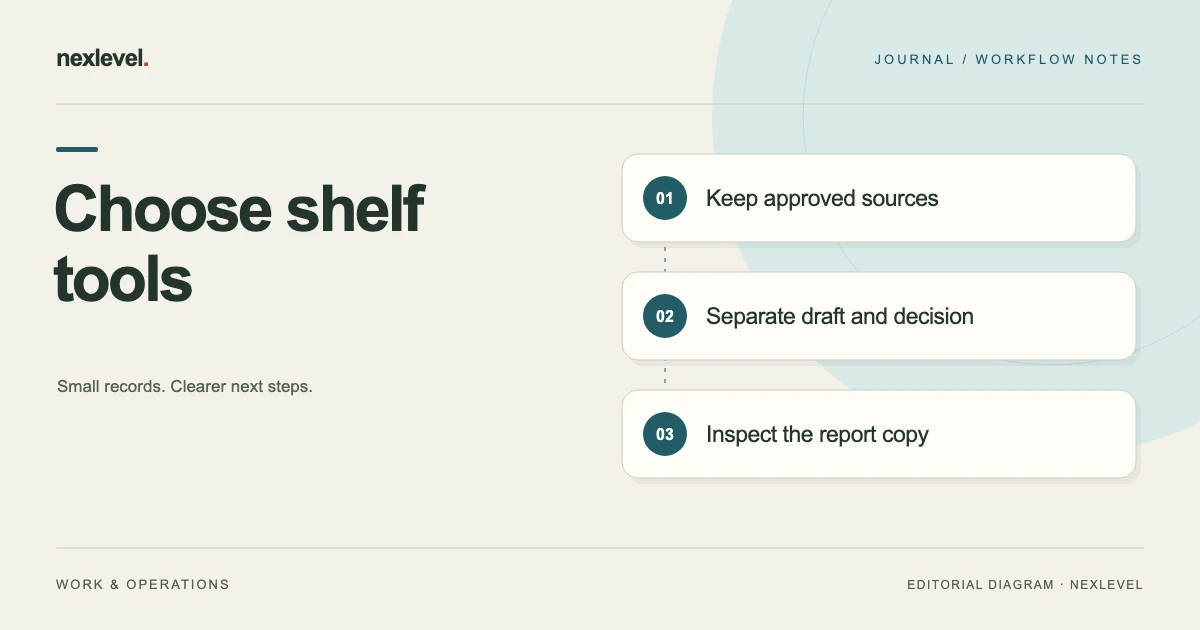
Choose a shelf-audit workspace by following the same fictional audit through a folder, spreadsheet and specialist app. The useful comparison is whether another reviewer can trace the selected source, distinguish draft findings from human decisions and interpret the actual report.
Compare the source-to-decision path in each option
- Define the audit scope, intended reviewer, source references and output needed.
- Use one fictional source/photo/finding/decision packet in each candidate.
- Inspect the shared output and any linked-file or manual-index dependencies.
- Ask a second reader to reconstruct the decision, then record demonstrated strengths and open questions.
Working fields:
Candidate | Source version | Photo context | Draft/decision distinction | Output inspected | Manual dependency | Open question
Useful next steps: Define the audit record you need, Check historical source retrieval, Prepare a reviewer handoff.
Define the actual evidence task
A source library, a finding-review queue, and a completed variance report serve different purposes. State which tasks matter before comparing visual overlays or the number of available categories.
Write the selected store/audit scope, approved-source version, photo arrangement, reviewer context, intended reader, and portable output. A method that suits a small image list may need additional structure for reviewed findings.
Use fictional references during evaluation. Real retail photographs and approved materials require the actual appropriate authorization; the trial does not need private store evidence.
Use a common comparison worksheet
Record demonstrated behavior, manual convention, actual output, and next question for every candidate. Apply the same prompts without assuming identical controls or storage mechanisms.
| Task | What to demonstrate |
|---|---|
| Source | Identify the selected approved planogram version |
| Photo | Keep actual shelf and source-occasion context |
| Draft | Distinguish a suggestion from a reviewed finding |
| Decide | Preserve the human decision and its source relationship |
| Complete | Keep unresolved checks visible |
| Retrieve | Interpret the selected portable report |
These are independent evaluation prompts rather than a named comparison module inside PlanoVerity.
Set up a fictional audit packet
Imagine audit A21, approved planogram reference P3, shelf-photo reference F4, draft finding D2, and reviewer decision R6. Retained report C8 represents the selected source cutoff.
The trial asks each candidate to preserve those relationships. A similar product label should not be enough to assign F4 to another shelf or make D2 appear approved.
No real store, product position, facing count, variance, sales effect, or reviewer outcome is supplied. The references evaluate administrative documentation without inventing retail evidence.
Test a photo-folder method
A controlled folder can use an approved-source index, photo references, finding notes, and a clear decision log. Demonstrate A21/P3/F4 without relying on the original writer’s memory.
Keep a proposed finding and the actual reviewer decision distinguishable. A renamed image called final should not silently become evidence that every relevant check was reviewed.
Open the intended shared copy. If it loses source version, shelf identity, or decision context, repair that representation. Its limitation belongs to the actual arrangement rather than every possible folder workflow.
Test the spreadsheet’s row meaning
Decide whether a row represents an audit, source image, finding, reviewer decision, or output. Repeated F4 references may describe several finding relationships rather than duplicate photos to delete.
Sort and filter the fictional table, then open C8. The reader should still identify which source supports D2 and what R6 actually records. A reviewed column needs a defined administrative meaning.
Linked images and documents are dependencies. A filename in a cell does not automatically embed the source or grant the intended reader access. Inspect the actual handoff arrangement.
Evaluate PlanoVerity against its current listing
The verified current PlanoVerity description includes approved planogram PDF intake, selected shelf photos, normalized images with embedded location/camera metadata stripped, and local protected project files.
It describes Planogram, Reality, and Overlay views; practical shelf-check categories; individual accept, correct, or reject decisions; reviewer notes; timestamps; and source-linked findings.
Check actual Free and Pro access, including bounded project and optional secure-AI allowances and Pro PDF reports. The tool’s documentation workflow should not be described as independent verification of a real shelf condition.
Separate local review from optional managed AI
The current app describes local analysis by default and an optional secure AI draft enabled explicitly for each audit. Prepared evidence is minimized on device before the chosen upload route.
The listing identifies a first-party gateway and an OpenRouter paid multimodal route for that optional feature. Do not describe an AI-assisted audit as though no network or external processing is involved.
Local review remains available when managed AI is off or unavailable. A comparison should identify which workflow was actually demonstrated rather than treating an optional online step as mandatory.
Keep suggestions advisory until reviewed
A draft category or proposed finding is not the same record as a human decision. For D2/R6, preserve which source supports the suggestion and what the reviewer actually recorded.
Use the photo-and-count mismatch guide for a narrower source conflict. Retain its actual result or precise limitation.
A polished overlay or confident draft should not make an unsupported relationship appear established. The comparison should reward traceability of the actual decision, not merely the absence of visible questions.
Preserve approved-source version context
A later planogram may be current for another task while P3 remains the source for the selected historical audit. The candidate should preserve that source occasion rather than silently substituting the newest file.
For F4, identify the actual relationship to A21/P3. A similarly named source should not be assigned simply because it appears first in a recent-items list.
Use the source-planogram archive guide when preparing a historical packet. Its cutoff and retrieval purpose differ from evaluating a tool.
Keep evidence authorization and minimization visible
Image normalization can remove embedded metadata without itself establishing permission to photograph, use, or share the material. The actual store arrangement remains relevant.
The fictional trial needs no real evidence upload. If an optional online feature is evaluated through a supported test, record the actual chosen boundary and observed result rather than inventing a completed transfer.
For folder and spreadsheet methods, inspect the actual shared material too. A tidy report should not hide unrelated source content or an access dependency the intended reader cannot use.
Inspect the actual report output
PlanoVerity currently describes CSV export after checks are reviewed and Pro PDF reports. It also describes neutralizing formula-like CSV values for spreadsheet handoff.
Open the selected representation and inspect audit identity, approved-source version, photo relationship, finding, human decision, notes, and source cutoff. A companion explanation may be needed where an actual output omits context.
The public description does not establish arbitrary spreadsheet import, universal full-project restoration, or automatic multiuser audit merging. Keep the output comparison within actual supported capabilities.
Run a second-reader exception test
Give a reader C8 and ask them to identify A21/P3/F4/D2/R6. They should distinguish approved source, photo evidence, draft suggestion, and recorded human decision.
Introduce another fictional photo F5 with a similar shelf label. The reader should use actual references rather than assign D2 by the closest-looking name.
Then introduce later reviewer context. It should retain its own occasion without making C8 appear to have contained it from the start. A current working project and older report can differ legitimately.
Choose from demonstrated maintenance
A controlled folder may fit a bounded packet with a maintained source and decision index. A spreadsheet may fit flexible rows where someone maintains findings, evidence routes, and review context. PlanoVerity may fit repeated source-linked local review and report tasks.
These are conditional documentation comparisons, not measured sales or productivity claims. Choose from the actual task, authorized source arrangement, intended output, and maintenance observed in the trial.
A decision note should name demonstrated relationships, actual output inspected, manual dependencies, and next question. Tool selection should not make a source conflict disappear.
Separate selection from a reviewer handoff
Another reviewer taking over the audit needs source access, current decision context, and responsibility for the next authorized check. Use the shelf-audit handoff guide for that task.
A retained file does not itself grant permission to use retail materials or establish that another person reviewed the findings. Keep those roles in the actual arrangement.
The fictional references are teaching inputs. Reuse the comparison structure with authorized sources rather than copying invented findings into genuine audit history.
Complete the source-to-decision trial sheet
The C8 comparison can use separate rows for approved source, photo, draft, reviewer decision, and report. This is more informative than asking whether a candidate displays a polished overlay.
| Reference | Meaning to preserve | Question if unclear |
|---|---|---|
| A21 and P3 | The audit and selected approved-source version | Which source occasion does the review use? |
| F4 | The selected photo relationship | Which actual shelf and occasion does it represent? |
| D2 | An advisory draft finding | What source supports the proposed category? |
| R6 | The recorded human decision | What was accepted, corrected, or rejected? |
| C8 | The selected report representation | Which cutoff and contents were inspected? |
For a folder, record the actual source and decision-index references. For the spreadsheet, record maintained rows and linked files. For PlanoVerity, inspect the supported selected local or optional online workflow and its actual output. Do not describe an unperformed upload or review as successful.
Write a decision with its evidence boundary
A practical choice may prioritize tracing R6 back to P3/F4 over adding another summary chart. State the actual task, selected candidate, demonstrated relationships, manual dependencies, and next question.
Suppose one candidate preserves source identity but its selected copy loses the distinction between D2 and R6. Repair that representation. Suppose another keeps decisions clear but the actual F4 source route remains unavailable to the intended reader. Retain that access limitation separately.
Then remove the original comparison conversation. Ask the reader to identify A21/P3/F4/D2/R6 from C8. They should distinguish a suggestion from a recorded human decision without inventing a shelf variance.
Introduce a later approved-source version. The reader should preserve its own occasion and determine which new review question it raises, without silently substituting it for P3 in the historical report.
Include the optional upload boundary in the decision where relevant. Local review and managed AI assistance have different operational steps. Record the actual chosen arrangement and observed result rather than inferring it from the availability of an AI button.
Keep important source and cutoff explanations inside the decision note too. A renamed file should not lose the distinction between original evidence, normalized image, advisory finding, and reviewed report.
A useful choice can remain conditional on a repaired output or maintained index. It does not need a claim about sales increased, errors eliminated, or a universally best workflow to support the bounded documentation decision.
The fictional references remain teaching inputs. Reuse the trial structure with actual authorized retail materials while preserving store permissions, source versions, and human-review boundaries.
For a final practical check, give the reader only the selected report and decision note. Ask them to identify the approved source version, photo relationship, advisory draft, human decision, and cutoff. Then ask whether the evaluation used local review or an explicitly chosen online task. The answer should come from the actual trial record rather than an assumption about a feature’s availability. If the source cannot establish F4’s relationship, keep that question visible even when the report looks polished. Record any manual explanation the reader needed. This makes the selected method’s maintenance visible and gives another reviewer a bounded continuation task. It does not require a real shelf variance, an upload, a sales result, or a claim that every finding is correct. Keep the conclusion limited to the documentation relationships actually demonstrated.
Use PlanoVerity for source-linked human review
PlanoVerity connects approved planogram context, selected shelf evidence, advisory findings, human decisions, and supported outputs with local analysis available by default.
Check the official PlanoVerity App Store listing for current capabilities and optional AI access. Preserve what was actually reviewed without inventing a physical variance or a commercial result.