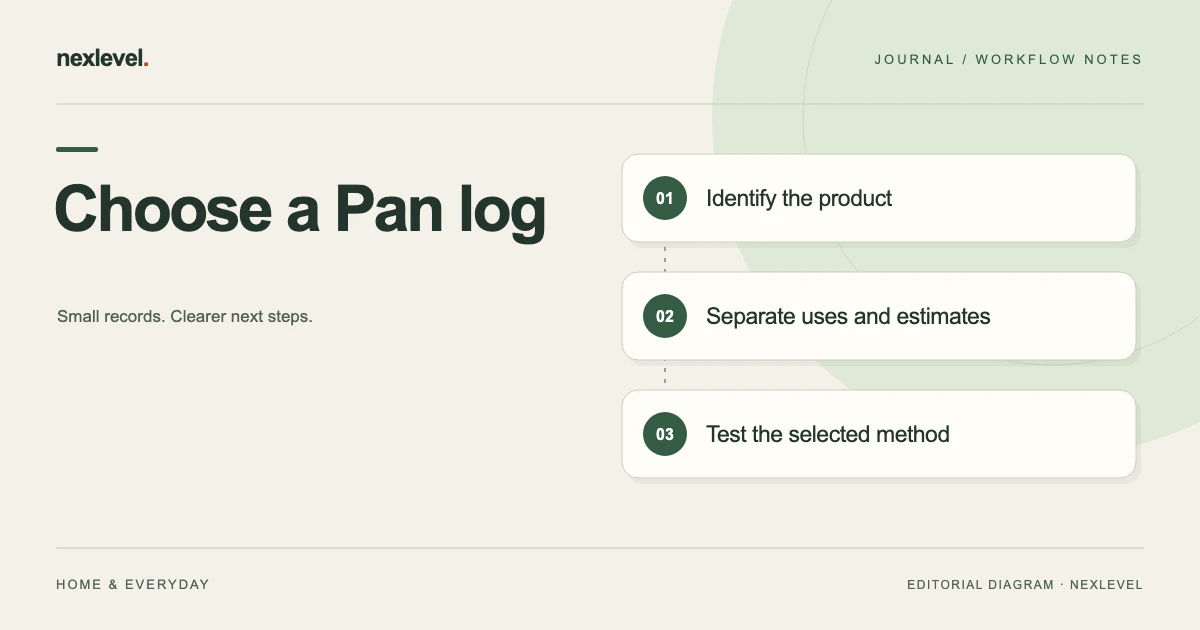
Choose a Project Pan tracker by testing whether it preserves product identity, actual recorded uses, target context and the basis of remaining-amount estimates. Compare paper, spreadsheets and Panmoire with one fictional project, then assess the maintenance and output each method requires.
Test the same project in each tracking method
- Define the product, project period and retrieval question you need to answer.
- Use the same fictional item, two use events and one separate estimate in each candidate.
- Check a correction and distinguish leaving a project from marking a product empty.
- Inspect the intended copy and record plan, privacy and maintenance dependencies.
Working fields:
Candidate | Item/use retrieval | Goal/estimate distinction | Correction effort | Output/plan | Maintenance limit
Useful next steps: Define the inventory and project record, Test a weekly project review, Test duplicate-looking item reconciliation.
Define the project task
A useful question is “Can I find the selected product’s actual recorded uses and distinguish them from the project target?” That is narrower than asking a tracker to decide how much someone should use.
Choose the actual project and source period. A collection-wide total and a selected project view can answer different questions.
Use fictional data while evaluating tools. There is no need to spread private collection history across several systems merely to compare their appearance.
Use one comparison worksheet
Suggested rows are product identity, project membership, recorded uses, target context, remaining-amount basis, review dates, privacy, portable copy, and correction convention.
| Task | What to demonstrate |
|---|---|
| Identify | Find the actual physical product record |
| Log | Distinguish a recorded use from a plan |
| Review | Preserve an estimate’s source basis |
| Retrieve | Understand the selected project and period |
Record demonstrated behavior and manual assumptions separately. A maintained sheet convention is a real dependency, not a native feature of every tool.
Test a paper project log
Paper can provide a flexible place to record products and use events. Test whether the selected item remains distinguishable when similar names or several sizes appear.
Keep a goal, a use mark, and a remaining-amount note in different roles. A blank week should not automatically become a claim that the product was never used outside the record.
Also test a retained photo of the page. It is a static representation and may lose a heading or period if cropped. A readable original does not guarantee every copy preserves the same context.
Test a spreadsheet’s row model
Decide whether one row represents a product, use event, estimate, or project membership. Mixing those roles can make totals difficult to interpret.
If several sheets are used, test their actual references. A repeated product name does not establish one physical item or one event. Preserve the selected period before comparing counts.
Keep entered estimates distinct from calculated values. A precise-looking cell cannot make an uncertain remaining amount more certain than its source.
Test Panmoire against the current listing
Panmoire’s current description supports product identity, opened dates, label guidance, price, remaining amount, photos, one-tap uses, and Project Pan goals.
It also describes active, empty, and decluttered states, a review calendar, and plan-dependent insights and exports. Use the actual supported workflow to evaluate the selected task rather than assuming every tracker has identical capabilities.
The listing treats period-after-opening dates as organizational guidance, not an authoritative safety verdict. Keep actual labels and appropriate professional advice in their proper role.
Run a fictional project exercise
Imagine project J7 with product P31, recorded uses U1 and U2, and remaining-amount estimate E1. A similar product P32 exists elsewhere in the collection.
Ask each candidate method to preserve the distinction between P31 and P32. Then identify U1/U2 as recorded events and E1 as an estimate, not another use.
The exercise supplies no product-use recommendation. It tests whether the selected source remains clear when similar names and different record roles coexist.
Complete the fictional Project Pan comparison
For J7, begin with P31’s actual product identity in the fictional worksheet. Keep P32 separate even if its name is similar. The task is not to decide which cosmetic someone should use; it is to test whether the chosen record arrangement can preserve the selected physical item’s context.
In a paper candidate, ask the reader to locate U1 and U2 and identify the project period. A use mark without a heading may be easy for the writer to remember and unclear to a later reader. Record the actual limitation rather than assigning an unexplained low score.
In a spreadsheet candidate, check whether a row represents a product or an event. If one product appears across several project sheets, identify the relationship before summing counts. A repeated representation does not automatically establish another product or another recorded use.
For Panmoire, evaluate the current advertised product, project, and use workflow on the intended device. The official listing is a capability source, not evidence that the person has demonstrated every specific requirement they wrote in the comparison worksheet.
Keep E1 as a remaining-amount estimate. It should not be counted as U3 or relabeled as a new observation merely because it was copied into a current review. If the actual source basis is uncertain, retain that question rather than inventing a precise percentage.
Next, inspect project membership. Removing P31 from a selected project is not automatically the same thing as recording an empty or decluttered collection state. Use the actual supported workflow and inspect what changed in the intended record.
The comparison result should describe demonstrated behavior: identity clear, use events distinguishable, estimate basis retained, selected period readable, and any actual output limitation. It does not need a perfect score or a claim of improved consumption to be useful.
Choose the smallest arrangement that answers the question
List the actual requirements in priority order. A personal use log may need quick entry more than a broad collection report. Another task may need the selected project’s history or a portable copy. Those are different needs, so the same feature list should not produce an automatic winner for everyone.
Check plan dependencies explicitly. The current Panmoire description places expanded products and projects, deeper insights, widgets, and CSV export under Pro. A comparison should identify which actual plan and output were demonstrated rather than borrowing capabilities from another plan’s description.
Keep privacy and local use visible. The current app stores collection information on device and does not advertise automatic household collaboration. A static export can support a bounded discussion without becoming a continuously synchronized shared shelf.
Now repeat the test after an established correction. If the working product record is right but a companion sheet swaps P31 and P32, repair the sheet. If an actual entry needs a supported change, inspect the resulting record. Correcting the wrong layer can create a new discrepancy.
Inspect a retained copy too. A file prepared before the correction can remain older history rather than an automatically updated view. Identify the intended current copy through the actual arrangement and preserve the relevant source relationship where needed.
Keep review dates and label guidance in their own roles throughout the comparison. A convenient calendar prompt is not an authoritative expiry or safety verdict. The guide recommends no application frequency or disposal period and does not evaluate a real product’s condition.
A useful final choice can therefore name the selected method, product and project scope, estimate convention, correction process, portable-copy requirement, and unresolved limitation. Revisit the choice when those needs change instead of treating the initial selection as permanent.
Ask the intended reader to reconstruct J7/P31/U1/U2/E1 using only that arrangement. If they can identify the record roles and limits without the writer’s memory, the narrow organizational test has a concrete result. It does not prove savings, safety, or a personal progress outcome beyond the entered record.
Keep a skipped review explicit rather than reconstructing observations to fill a calendar. The chosen tool should let the user distinguish what was actually recorded from what remains unknown. A continuous-looking history is not a substitute for a source-aware personal log.
Keep project membership separate from product status
A product can leave a project without necessarily being empty or decluttered. Record the actual source role rather than changing collection state to make a project list shorter.
The current app description supports focused projects and collection states, but this guide does not invent an automatic relationship between every membership decision and status change.
Inspect the actual intended record after a supported action. A companion worksheet edit does not automatically change the working app.
Review estimates without inventing history
A remaining amount may be approximate. Preserve the basis and occasion where they matter rather than giving an old estimate a fresh date that implies a new observation.
If a new source establishes another estimate, retain its actual role through the supported workflow. Do not reconstruct smooth past values merely to make a progress chart look continuous.
Use the separate weekly Project Pan review for that task. Tool choice and one selected record review have different scopes.
Keep photos and label dates in their roles
A product photo can help identify an item at an occasion. It does not automatically establish remaining quantity, purchase price, or safety.
A review date is an organizational prompt, while an opened date describes a recorded event. Do not flatten them into a universal safe-until statement.
This guide does not interpret a product label or diagnose a reaction. The comparison should test whether source meaning remains visible, not whether a tool can supply a safety decision.
Check the actual plan and output
Panmoire’s current plan description includes a bounded product allowance and one project in Free, with expanded capacity, insights, widgets, and CSV export under Pro.
Open the actual intended portable copy and check product identity, project scope, selected period, and relevant limitations. Do not assume every independent worksheet field appears automatically.
A static file is a prepared representation, not the whole editable app or a continuously current collection view. The listing does not establish arbitrary spreadsheet import or automatic household collaboration.
Compare correction and maintenance effort
A tool needs to remain understandable after an established entry mistake, not just at initial setup. Test which source should change and how the result is inspected.
For duplicate identities, use the separate beauty-record reconciliation guide. A similar name should not by itself decide whether records are merged or retained.
Choose the smallest arrangement the actual user can maintain. More fields or more metrics are useful only when they support the selected task.
Make a conditional choice
Paper may suit an immediate use log when identity and retrieval remain clear. A spreadsheet may suit a maintained table model. A dedicated app may help when its product, project, and history structure matches the demonstrated needs.
Write the choice with its assumptions: product scope, project count, estimate convention, output need, and unresolved limitation. Revisit it when those requirements change.
The useful conclusion is an organizational fit, not a guarantee of savings, progress, or safe product use.
Test the result with one selected project
Ask an intended reader to reconstruct J7/P31/U1/U2/E1. They should distinguish product identity, use events, and estimate context without the original writer’s memory.
If they count E1 as a use or mistake a project exit for an empty product, improve the labels.
A short comparison receipt identifies the fictional task, actual capabilities demonstrated, intended copy inspected, and remaining question. It does not need an invented perfect score to be useful.
Evaluate Panmoire for a clear personal project
Panmoire connects collection identity, opened dates, label context, uses, remaining amounts, and Project Pan goals. Its current Pro description expands records, projects, insights, widgets, and CSV output.
Check the official Panmoire App Store listing for current features and plan details. Choose the tool from the record tasks you actually need while preserving estimates and limits honestly.