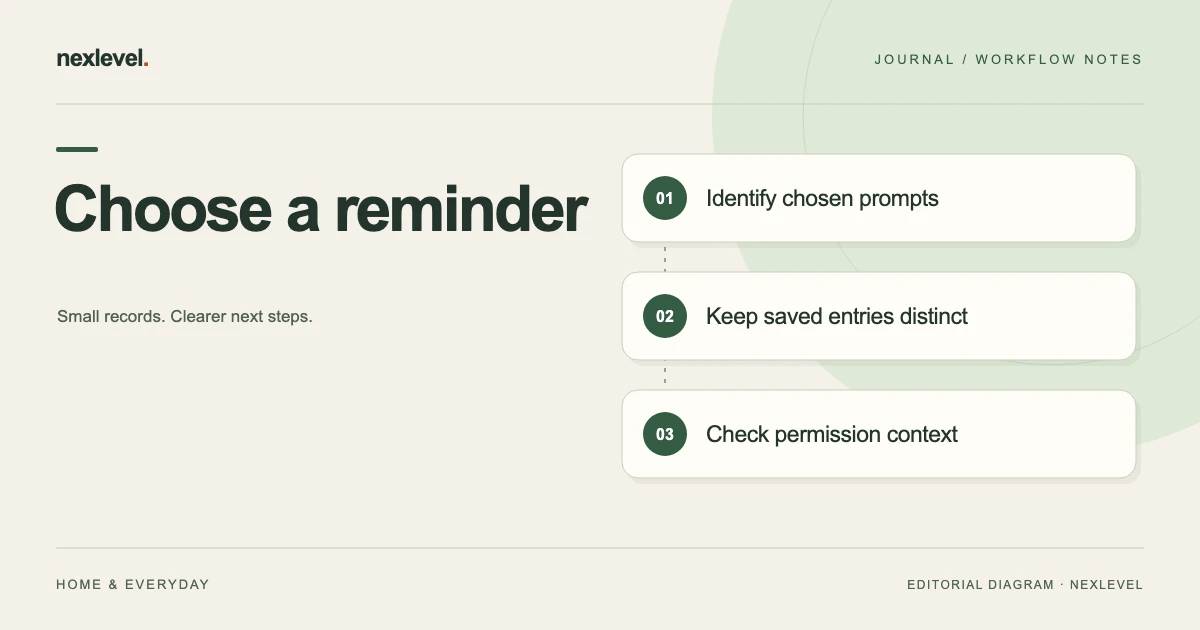
Choose a drink-reminder system by testing whether it keeps chosen prompts, notification context and saved drink entries understandable. Use the same fictional schedule and entries in paper, a spreadsheet or an app. Judge the recordkeeping tasks and maintenance you need, without turning the comparison into a health-target decision.
Compare the reminder and record tasks you need
- Prioritize reminders, entry recording, correction and retrieval tasks.
- Use separate fictional prompt and saved-entry references in each option.
- Test an incorrect summary period and check that the accurate working entry stays intact.
- Inspect the intended copy and record available history, output access and manual conventions.
Working fields:
Method | Prompt/log distinction | Permission context | Correction route | Period/unit retained | Output | Maintenance
Useful next steps: Define the reminder schedule fields, Test prompts versus saved entries, Check historical retrieval needs.
Choose the task before choosing the tool
A person maintaining a written routine may need a readable prompt list. Another person may need device notifications or a portable record of selected saved entries. List the actual needs in priority order rather than assuming every tracker should do everything.
Keep selected reminder times, permission context, saved amounts, units, and source occasions distinguishable. The comparison should test the record roles the person actually needs, not invent a universal schedule or target.
Use fictional information during evaluation. There is no need to distribute actual personal routines across several tools merely to compare layouts. The same bounded test case makes differences in retrieval and maintenance easier to explain.
Use one comparison worksheet
For each method, record demonstrated behavior, manual convention, limitation, and next question. A maintained table convention is a real dependency, not a feature every spreadsheet automatically supplies.
| Task | What to demonstrate |
|---|---|
| Plan | Identify the selected reminder prompts |
| Distinguish | Separate a prompt from a saved drink entry |
| Check | Understand notification permission where applicable |
| Correct | Handle an established record or summary mistake |
| Retrieve | Explain the selected source period and units |
| Export | Inspect the intended copy’s actual contents |
The worksheet is independent. It does not establish that every candidate provides these as named controls or that a successful record test demonstrates a health benefit.
Set up a fictional prompt-and-log case
Imagine reminder references R1 and R2 and saved entries L1 and L2. For arithmetic only, L1 records 100 milliliters and L2 records 150 milliliters. Their stated total is 250 milliliters. These invented values are not suggested amounts or a daily target.
R1 and R2 are prompts, not additional drink entries. The candidate method should keep that distinction readable without requiring the original writer to explain it from memory. Counting four records as four drinks would mix different roles.
A companion summary incorrectly says L2 belongs to another selected period. The working source remains accurate. The evaluation asks whether the method makes the source relationship and appropriate correction clear, rather than changing good data to match a mistaken summary.
Test a paper reminder list and log
Paper can provide a flexible prompt list and a separate event area. Demonstrate how the reader identifies R1/R2 and distinguishes them from L1/L2. A written checkbox needs an explicit convention; its meaning should not depend on the writer remembering what the mark represented.
A blank area can indicate no entry in the selected source, rather than proof that no physical drink occurred. Keep that limitation visible. The record should not reconstruct missing observations to produce a continuous-looking routine.
Inspect a retained photo or copy of the page. If it loses the unit or source-period heading, it may answer a different question from the original. Record that actual output limitation rather than assigning an unexplained poor score to paper as a whole.
Test the spreadsheet’s row model
Decide whether a row represents a reminder, saved entry, unit setting, or review note. Mixing those roles can make filters and totals difficult to interpret. A reminder row should not become another amount merely because it sits in the same table.
For the fictional case, demonstrate that only L1 and L2 contribute to the stated 250-milliliter total. Keep the selected period and units attached to the calculation. Correct arithmetic cannot establish that the entries represent every physical drink.
Then sort or filter the table and inspect a retained copy. The reader should still identify the event role and source period. A spreadsheet can be useful while depending on someone maintaining references and preserving the meaning of copied summaries.
Test QuenchPop against the current description
QuenchPop currently supports common and custom pour logging, personal settings, selected local reminder times, recent logs, a visual trend, and a streak. These are organizational capabilities to evaluate, not independently validated measurements of a person’s needs.
The current Free description includes core logging, three reminder times, seven-day history, light/dark themes, and Watch quick logging. Pro adds expanded reminder patterns, thirty-day history, visual treatments, and CSV export. Check actual plan access before promising a particular view or output.
The app requires no separate NexLevel account and schedules reminders locally through iOS. Its listing makes no medical claim. Keep the selected record task separate from any health interpretation or recommendation about how much someone should drink.
Check saved schedule and permission separately
QuenchPop’s current description says the reminder schedule can remain saved when notification permission is off, with a route to iOS Settings when permission is denied. A stored schedule and actual notification availability are therefore different questions.
The comparison should inspect the actual selected state. Do not infer that a prompt was delivered merely because a time is entered, and do not erase an accurately saved schedule to make a shortened summary agree with a permission limitation.
For a changed routine, use the reminder review guide. This tool comparison supplies no preferred notification time or drinking frequency.
Keep saved entries separate from visual feedback
The current app’s glass animation responds to a saved pour. Its visual role should not be described as a physical sensor or independent confirmation that a person consumed a particular amount. The record is based on the entered action.
A streak or trend also represents selected saved information under the actual workflow. It does not establish medical adequacy or prove the complete absence of unrecorded events. Keep the source basis visible when preparing a summary.
Use the reminder-versus-recorded-drink guide for that narrower distinction. The comparison can retain its result without turning a prompt into another saved observation.
Run the correction test on the right layer
In the fictional case, the source correctly identifies L2’s period while the cover summary does not. Repair the summary. Changing the accurate working entry would create a new discrepancy rather than resolve the original one.
Ask each candidate method to make the correction understandable. The reader should identify which copy changed and which source established the correct relationship. A current-looking total is not enough if its event scope remains unclear.
If an actual entry mistake is established in real work, use the method’s supported controls and inspect the result. This guide does not invent a universal in-app correction or import feature for every candidate.
Inspect a portable copy
QuenchPop currently places CSV export under Pro. Check actual access and open the intended output. A portable representation should be evaluated for entry identity, amounts, units, source period, and the limitations relevant to the selected task.
Do not assume every independent worksheet field appears automatically. Reminder permission context or a companion correction note may need a separate explanation. A file’s existence does not prove that those relationships survived into the recipient copy.
A static CSV is not the complete editable app or a live synchronized record. The public description does not establish arbitrary spreadsheet import or automatic household collaboration. Keep the proposed arrangement within the actual supported capabilities.
Make a conditional choice
Paper may fit a small, consistently maintained local convention. A spreadsheet may fit an explicit table model and retrieval task. QuenchPop may fit when its logging, reminder settings, permission context, and plan-dependent history match the demonstrated needs.
Write the decision with its assumptions: selected prompts, event scope, actual plan, manual convention, desired output, and unresolved question. More reminder slots or visual treatments are useful when they serve the person’s chosen organizational task.
The useful result is a method the person can explain and maintain. It is not a claim of improved health, a recommended target, or guaranteed adherence to a routine.
Test the method after a routine interruption
Give a reader the fictional packet without its original conversation. Ask them to find R1/R2, identify L1/L2 as the saved entries, reproduce the stated total, and name the summary correction. They should not count the prompts as drinks.
Then ask which source period is represented and what the record cannot establish. A clear packet can preserve two saved entries while not representing a whole day or measuring physical consumption independently.
A short comparison receipt identifies the task, actual demonstrated capability, manual assumptions, intended copy inspected, and next question. It should not need an invented perfect score to support a conditional choice.
Complete the fictional method test
The first test line names R1/R2 as selected prompts and L1/L2 as saved entries. A candidate method should preserve all four references without turning them into four drinks. The reader needs role labels, not merely a row count or a completed-looking checklist.
The second line names the amount basis for L1 and L2: 100 and 150 milliliters within the fictional exercise. Their total is 250 on that stated basis. The calculation does not establish an entire day’s record, physical consumption, or an appropriate personal target.
The third line identifies the selected source period and the mistaken cover summary. If L2’s working relationship is accurate, repair the cover summary rather than moving the entry to satisfy the mistake. Keep the source and correction route readable for a later reviewer.
The fourth line concerns permission context for an app-based reminder. The schedule can be saved while notification permission is off according to QuenchPop’s listing. The evaluation should describe those two states separately rather than saying that every saved prompt was delivered.
For paper or a spreadsheet, identify the actual reminder arrangement demonstrated. A written time or a table cell is not automatically a device notification. Do not invent an integration or scheduled-delivery feature simply to make the candidates appear equivalent.
The fifth line identifies the intended portable copy and its actual plan access. If a candidate does not demonstrate a requested output, retain that limitation. A conditional choice can still be useful when it explains the tradeoff instead of hiding an untested capability.
Now ask a reader to reconstruct the selected prompts, saved entries, units, source period, and correction using only that arrangement. A useful result is that the roles remain clear. It does not require a claim about adherence, hydration, or an expected health improvement.
Keep the evaluation as a reusable method rather than a set of real personal events. Replace its references only with actual authorized information when doing real work. The invented values demonstrate record arithmetic and should not be copied as recommended amounts or routine settings.
Keep the milliliter heading with the fictional 250 total when copying it. A bare number in a generic amount column can lose its meaning. The source period and unit should travel together so a later reader can reproduce the stated record calculation.
Use QuenchPop for clear personal organization
QuenchPop connects saved pour entries, chosen local prompts, permission context, and a personal history in a native Apple-device workspace. Keep the actual logging source distinguishable from reminders and visual feedback.
Check the official QuenchPop App Store listing for current features and Pro access. Choose from the record tasks you actually need while leaving health questions and individual recommendations with appropriate qualified sources.