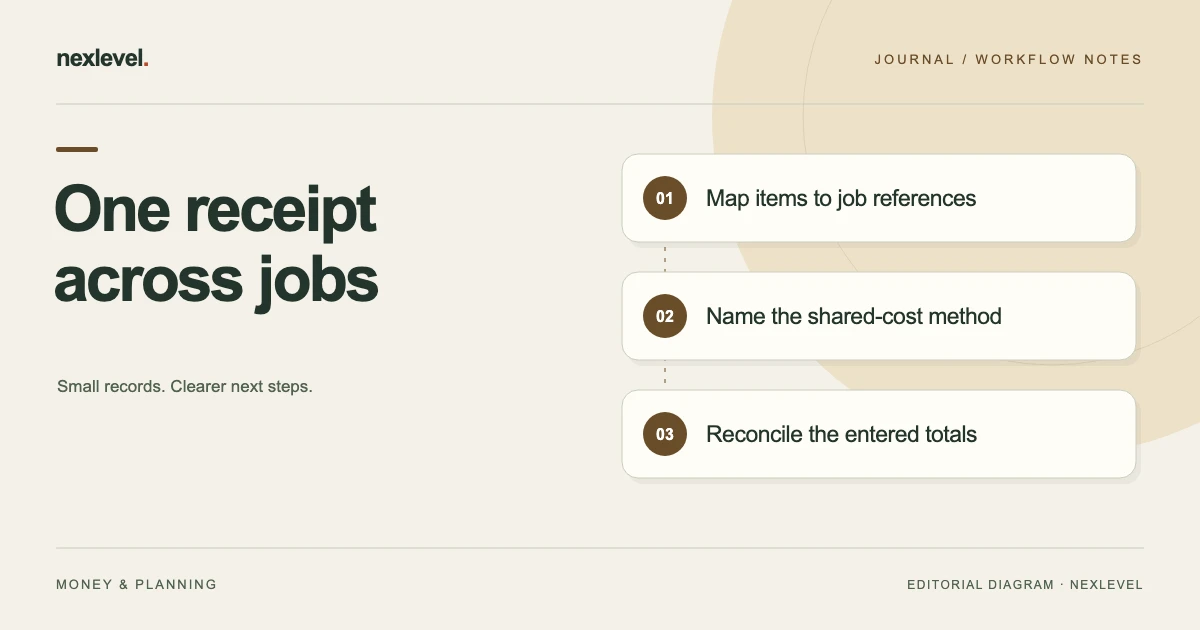
To split one supplier receipt across jobs, map its item lines to job references, allocate shared charges on a stated basis and reconcile the combined entries to the source total. Reusing an attachment is different from entering its full cost repeatedly. Keep stock, unknown allocations and later credits distinguishable.
Reconcile the source total before reviewing job margins
- Record the original receipt identity, date, total and source location once.
- Map each relevant line or quantity to a stable job reference; leave stock and uncertain usage separately labeled.
- Declare how delivery, discounts and any rounding remainder are divided under the selected method.
- Check that job allocations plus explicitly separate amounts reconcile to the chosen source boundary.
- Inspect the actual job cost fields after entry or correction, rather than relying on the attachment alone.
Working fields:
Receipt/reference | Source line/quantity | Job | Direct allocation | Shared-charge basis/portion | Job entry | Separate amount | Reconciled total | Open question
Useful next steps: Connect allocations to the full job cost record, Keep actual expenses separate from quote revisions, Preserve the allocation context in an archive.
Identify the original source once
Record the supplier, receipt or invoice reference, relevant date, source total, and location of the actual document. Keep a corrected source or later credit distinguishable from the original purchase event.
Do not treat several copies of the receipt image as several purchases. A job attachment can be a reference to shared evidence without representing an additional cost.
Keep the source’s actual labels. A receipt total, an invoice amount, and a payment observation can serve different roles. Use the business’s appropriate process to establish the source basis relevant to your management record.
Map item lines to the relevant jobs
Identify which line belongs to which job using a stable job reference and enough item context to reproduce the decision. Similar materials can be used on different jobs, so the product name alone may not establish the mapping.
Keep unassigned lines visible rather than forcing them into the nearest active job. A purchase for general stock or another purpose should have an explicitly recorded role under your actual method.
If the source quantity spans jobs, record the quantity split and its basis. Do not copy the full line amount to every related job simply because each one used some of the material.
Separate direct lines from shared charges
Item lines can often be mapped directly, while delivery, discounts, or other source amounts may require a declared allocation method. Keep those decisions distinguishable.
Use the organization’s actual management or accounting process where it governs the treatment. This worksheet illustrates how to make an entered allocation traceable, not which method every business must use.
Do not assume an app that accepts receipt attachments also automatically splits all charges across jobs. Inspect the actual fields and workflow before relying on a calculated job total.
Build a receipt-to-job worksheet
Useful fields are source reference, source line, quantity, amount, job reference, allocation basis, shared-charge portion, job entry reference, unresolved question, and reconciliation result.
Keep the receipt total and total allocated amount visible together. Add any amount deliberately kept outside the selected jobs with its stated role. A balanced sheet should explain the whole selected source boundary.
Preserve the original source location behind the rows. A clean total without the line mapping can be difficult to investigate when a job margin later looks unexpected.
Work through a fictional three-job receipt
Imagine receipt R71 with direct item amounts of 60 for job J1,40 for J2, and 50 for J3. The item subtotal is 150. A shared delivery charge of 30 brings the source total to 180 currency units.
For this fictional management worksheet, the chosen delivery allocation is proportional to those item amounts. The shares are 12,8, and 10 because 60,40, and 50 represent 40 percent, about 26.67 percent, and about 33.33 percent of 150.
The resulting job entries are 72,48, and 60, which total 180. These invented amounts demonstrate a declared method; they do not establish the required treatment for an actual business or source document.
Keep the allocation method visible
Record why a shared charge was divided by item value, quantity, another declared basis, or kept separate under your actual process. Different methods can produce different job-level results while reconciling to the same source total.
Do not describe a manually allocated delivery amount as if the supplier provided that exact job split. Preserve the source amount and your allocation as separate information.
If the method changes later, retain the earlier version and explanation where required by your records process. A new interpretation should not silently rewrite the basis of a completed comparison.
Check against full-total duplication
Entering the full fictional 180 on each of three jobs produces 540 in combined job entries. That does not match the one 180 source boundary. Attaching the same document three times is different from charging it three times.
Inspect both the evidence links and the actual cost fields. A correct attachment reference does not prove the entered job amount is correct.
Use a reconciliation row before reviewing job results. It should explain the allocated total and any deliberately separate amount, rather than relying on a visual scan of three apparently complete job records.
Handle an item quantity shared between jobs
If one source line covers several jobs, record the relevant quantity basis before dividing its amount. Identify how the actual job usage or allocation was established.
For a fictional line of ten units costing 50, a declared split of six units to one job and four to another assigns 30 and 20 under that simple example basis.
Keep stock, unused units, or uncertain usage separate when relevant. A cost worksheet should not invent a precise job-consumption history simply to distribute every unit across the active list.
Apply a source discount on a stated basis
If a source discount needs allocation, identify its amount and scope before changing the job rows. It may relate to a specific line or a broader source boundary under the actual document.
In a fictional variation of R71, an item-level discount of 15 is allocated proportionally as 6,4, and 5. The net item rows become 54,36, and 45. With the original delivery shares 12,8, and 10, job entries total 66,44, and 55, or 165 combined.
Keep this variation distinct from the original 180 example. Do not mix one view’s discounted item rows with another view’s headline source total and call the result reconciled.
Record credits as separate source events
A later credit or return can affect the relevant management record without erasing the original receipt. Identify the source, amount, affected job or quantity, and actual treatment under your process.
For an independent fictional variation, a 20 credit concerning J2 would reduce that example job amount from 48 to 28 if the selected method applies it there. The combined original view would become 160.
The arithmetic does not establish eligibility for a credit or an accounting rule. Keep the source and decision visible, and avoid applying the same credit in full to every job that references the original receipt.
Reconcile rounding explicitly
A shared amount can create fractional cents when divided. Use the actual supported method and a declared repeatable rule for any manual remainder allocation.
A fictional 1.00 charge divided equally across three rows can be recorded as 0.34,0.33, and 0.33, totaling 1.00. This is an illustration, not a claim about an app’s internal tie-breaking order.
Check the sum after rounding, not only each displayed row. Keep the result connected to the source amount so an unexplained missing or extra cent does not drift into later summaries.
Keep estimates and actual costs distinct
A supplier receipt is later information relative to a frozen job estimate. Record its actual role rather than editing the earlier estimate until it matches what was purchased.
Compare categories on the same boundary. If the estimate excluded delivery or used another allocation basis, explain that difference before interpreting the job result.
Use the comparison to identify a specific improvement for the next estimate. One shared receipt does not establish a universal rate or method for every future job.
Inspect the actual job entries
After recording the allocation, open each relevant job and check its amount, category, date, source reference, and evidence attachment. A correct worksheet alone does not prove the values entered into another tool match it.
For R71, the three original job entries should reproduce 72,48, and 60 under the declared example method. Any variation should have a distinguishable source and explanation.
Check the combined view as well as each row. A plausible individual amount can still be part of a duplicated or incomplete overall allocation.
Prepare a portable reconciliation copy
If you export a job or portfolio report, inspect the actual file. Check what amounts, categories, receipt references, and notes are included versus held separately.
Share only the information needed by the intended recipient under the business’s privacy arrangements. One supplier document may include lines for other jobs that do not belong in a narrow external report.
Do not assume a report recreates the full working app or every attachment. State its scope and maintain the relevant source records in their appropriate location.
Keep an allocation index beside the source
A short index can connect one supplier document to several job entries without making its copies look like separate purchases. Include the source reference, selected allocation edition, relevant jobs, amounts, and where the original document is retained.
For fictional R71, an index can state: “Source total 180; direct rows 60,40,50; shared delivery 30 allocated 12,8,10; job entries J1=72, J2=48, J3=60; allocated total 180; no unassigned source amount in this example.” Use readable labels and the actual references in your working record.
Keep the detailed basis behind the summary. If a recipient only sees a receipt image attached to J1, the index can explain why its 180 total differs from that job’s 72 entry. It should not imply that the supplier itself issued three separate job invoices.
Keep unassigned stock outside invented job usage
Some source quantities may remain outside the selected jobs. In an independent fictional line example, ten units cost 50, but only six are assigned to J1 under the declared method. The job portion is 30, while four units and 20 remain outside that selected job view.
Record the remaining role according to the actual business process instead of distributing the 20 across active jobs just to make every source amount look assigned. A complete reconciliation can include a clearly identified unallocated or separate amount.
Do not label a quantity as consumed by a job unless the records establish that basis. A purchase allocation, stock movement, and observed usage can be different management views. Keep the chosen boundary visible so later job results do not inherit unsupported precision.
Check the result after correcting an entry
If a job was entered with the wrong amount or reference, use the tool’s actual correction workflow and preserve the explanation required by your records process. Inspect the resulting values rather than assuming a second entry automatically repairs the first.
For example, adding a new 72 row does not remove an earlier incorrect 180 row from the combined view. Check whether the original record was corrected through the supported method and whether the current total now matches the declared allocation.
Keep this operational check separate from accounting or tax treatment. The worksheet helps establish that the job data says what you intend it to say. Use the responsible business process for decisions about source corrections, credits, and the wider financial records.
Use JobMargin Pocket for explicit job costs
JobMargin Pocket records direct costs and receipt images or PDFs alongside jobs, with Pro estimate snapshots and reports. Its current listing describes management estimates, not accounting or tax determinations.
The allocation worksheet above is a separate method for entering traceable job amounts; it does not claim automatic shared-receipt splitting. Check current capabilities and plan details in the official JobMargin Pocket App Store listing.