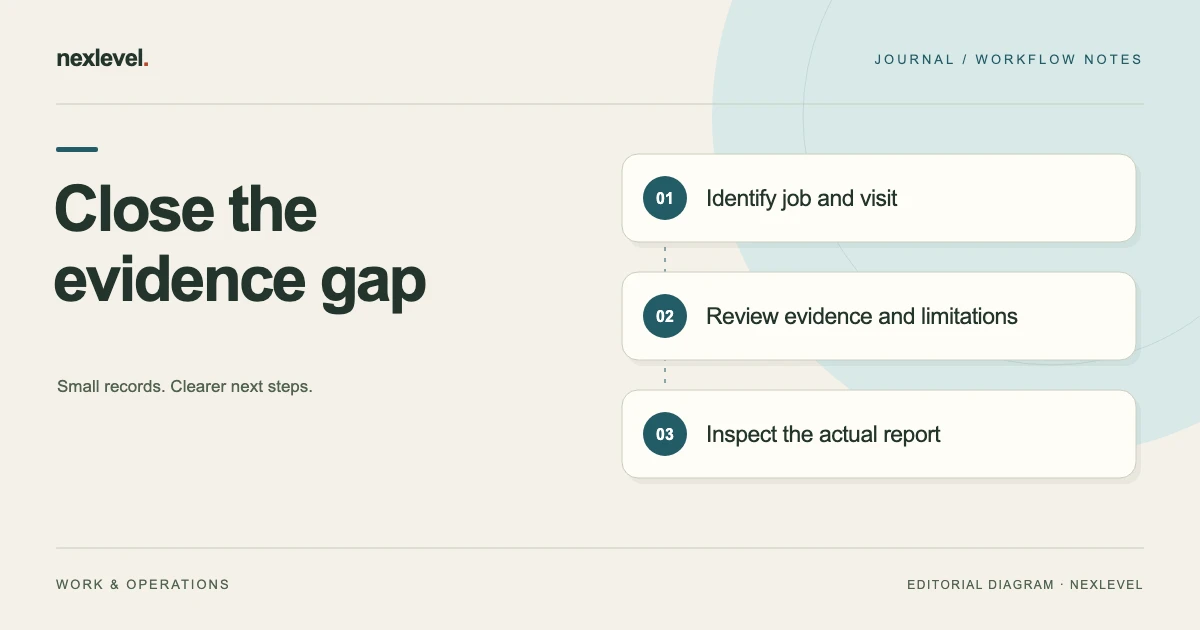
Close out the documentation by checking whether the selected visit's work, photos, materials and exceptions can be understood from the intended report. Classify each gap: missing source, unclear identity or omitted output. Assign the source question to the right person instead of filling a blank with an unsupported completion statement.
Turn each evidence gap into a specific next action
- Confirm the job, site, actual visit and report version under review.
- Trace recorded actions and selected photos to the same work items and occasions.
- Keep incomplete work, proposed follow-up and acknowledgment in their actual roles.
- Inspect the recipient copy and list each remaining gap with the source needed and next owner.
Working fields:
Visit/item | Gap type | Available source | Needed clarification | Output affected | Owner | Next check
Useful next steps: Use the completion report structure, Repair unclear photo labels, Audit unsupported completion wording.
Define the closeout scope
Identify the actual customer, site, job, and visit occasion. A report covering one selected service visit should not silently become a claim about every related task or the whole property.
Write the question the review will answer: “Does the intended report clearly identify the evidence and limitations for this visit?” That is different from deciding whether the underlying technical work meets a standard.
ProofLedger’s current listing describes scheduled or ad hoc jobs, labeled before-and-after evidence, completed-work records, materials, exceptions, recommendations, acknowledgment, and versioned PDF reports. Use those actual capabilities without assuming automatic inspection or defect detection.
Use a practical closeout checklist
The following is a proposed review aid. The actual job requirements and supported workflow determine which sources are needed.
| Review item | Source question |
|---|---|
| Job identity | Does this copy identify the selected site and visit? |
| Recorded work | Which actions were actually entered as completed? |
| Photos | Which item and occasion does each image represent? |
| Materials | What source supports the selected entries? |
| Exceptions | Which limitations remain explicit? |
| Recommendations | What future action is proposed? |
| Acknowledgment | What review event does the actual record establish? |
| Report copy | Does the intended recipient output preserve the context? |
Do not turn every blank into a completed-looking statement. An explicit source limitation can be the accurate administrative result.
Work through a fictional two-item visit
Imagine job J5 and visit V12. Work item W1 has an actual completion note and selected images B1 and A1. Item W2 has a proposed follow-up but no established completion source in the selected packet.
The closeout reviewer should preserve those different states. W1 can be described according to its actual entered record. W2’s future recommendation should not be summarized as completed work merely because it appears beside W1.
The packet can honestly identify the open W2 question and next responsibility. This example supplies no repair technique or acceptance criterion. It tests whether documentation distinguishes recorded actions from proposed work.
Check photos for identity and occasion
Open the actual selected images. Confirm which item and visit they concern and whether the report’s description matches what is actually visible.
A before-and-after pair can support an appearance comparison at identified occasions. It does not independently establish every hidden aspect of the work, the cause of a condition, or a technical measurement. Do not supply those conclusions from the image alone.
Use the separate service-photo labeling guide for the identity task. The closeout checklist should preserve the result rather than cite an unexplained filename.
Distinguish missing evidence from a missing action
If an image or source note is unavailable, the report may have a documentation gap. That gap does not automatically prove the physical work was never performed.
Keep the question specific: which source is needed, which selected item it concerns, and who can clarify it. Do not invent a completed result or instruct someone to repeat technical work from a record discrepancy alone.
For J5/V12, the reviewer can preserve W1’s established documentation while leaving W2’s actual state explicit. A bounded record is more useful than making both rows look identical for presentation.
Review completed-work wording against sources
A concise report should describe what the selected record establishes. Avoid broad phrases that extend a limited observation into a complete inspection or certification.
If the working sources are accurate but a cover summary overstates them, repair the summary. There is no reason to alter good evidence merely to make it fit an unsupported sentence.
For that claim-review task, see how to audit unsupported completion statements. The current closeout checklist focuses on identifying gaps before the intended report is handed over.
Keep materials, exceptions, and recommendations separate
A material entry records selected information about the visit. It is not automatically an invoice, purchase receipt, or proof that every listed quantity was independently verified.
An exception explains a departure or limitation. A recommendation proposes future action. Do not hide an exception inside a normal-completion phrase or make a recommendation look like work already carried out.
ProofLedger’s current listing supports these note roles in the report workflow. Use the actual source and responsible technical process for their content. This guide does not provide a repair recommendation for a real job.
Review acknowledgment for its actual meaning
The current product description includes a typed name and drawn customer acknowledgment. It explicitly presents that record as review of the shown service information, rather than a qualified electronic signature.
Keep that meaning intact in the closeout explanation. Do not describe acknowledgment as independent certification of workmanship, a payment event, or a legal conclusion the app does not establish.
If the acknowledgment source is unavailable or unclear, retain the actual state and use the supported workflow. Do not fabricate a name, drawing, or completion event to make the report appear finished.
Preview the actual report
Open the intended versioned report preview. Trace J5/V12, W1, selected images, and the W2 limitation through the copy the recipient will actually see.
Check page content and relevant labels rather than assuming every working field or independent checklist note appears automatically. A generated PDF can still omit context the handoff requires.
The current listing describes a bounded monthly free report allowance with watermarked output and expanded professional reports under Pro. Check actual access and the selected file. A watermark or its absence does not independently establish the quality of the underlying work.
Keep report preparation separate from delivery
Preparing a PDF, opening a share interface, and a recipient receiving the file are different events. Record only the communication source that the actual process establishes.
This guide does not send messages or contact a customer. It explains how the responsible person can keep the record accurate when choosing their actual sharing arrangement.
ProofLedger’s description includes a local archive of draft and completed jobs and core offline use. A local copy should not be presented as an automatically shared customer portal, dispatch service, or external payment record.
Resolve a gap at the appropriate source
For each selected missing item, identify whether the issue belongs in the working job, source evidence, independent summary, or intended export. Correcting the wrong layer can create a second discrepancy.
If the working job already explains W2 clearly but the PDF cover note does not, repair the explanation through the supported workflow and inspect the intended replacement. Do not claim every retained copy elsewhere updates automatically.
Keep the scope proportionate. One unclear photo reference does not require distributing unrelated customer jobs. The recipient needs a usable source route and the limitation relevant to the selected visit.
Assign the remaining documentation question
A useful next check names the source needed: identify the actual occasion of A1, clarify W2’s recorded state, or inspect whether the intended report retains the exception note.
“Finish paperwork” is too broad to preserve the reasoning. Write the selected item, actual source question, and next responsible person through the real organizational arrangement.
A closeout review can end with a precise unresolved question. It should not manufacture certainty merely to remove a draft label or produce a cleaner-looking packet.
Run a recipient reconstruction test
Ask an authorized reader to reconstruct J5/V12 from the intended copy. They should identify W1’s recorded completion, B1/A1 source relationship, W2’s actual limitation, and the acknowledgment’s stated role.
If they infer a technical guarantee from a photo or legal certification from an acknowledgment, improve the explanation. If they cannot find the source, improve the appropriate private reference.
A short review receipt can identify the selected visit, evidence inspected, actual report copy, established gaps, and next owner. Replace generic template language with the actual result.
Triage the fictional evidence gaps before export
For J5/V12, classify each selected question by what the source actually establishes. An image can be absent from this packet, unavailable to the current reviewer, or not identified as required for the selected documentation task. Those are different explanations and should not all be shortened to “missing photo.”
Start with B1 and A1. If both actual images are available and match W1, retain that established relationship. If one was not included in the prepared report, the next check concerns the output. If the source itself cannot be found, the next check concerns evidence availability.
Do not recreate a supposed earlier condition from a later photo. A later image can have its own useful occasion without becoming a before-image for work it does not establish. Keep the actual source time and item relationship readable.
For W2, inspect whether the source describes a recommendation, an exception, a recorded action, or an unresolved question. The report should preserve the actual role. A future proposal should not become completed work just because the closeout copy needs a concise paragraph.
Next, identify the source needed for any acknowledgment statement. The current product presents acknowledgment as review of shown service information. The worksheet should not transform a typed name or drawing into a qualified-signature claim, a payment record, or a technical acceptance certificate.
The report date also needs its own role. Preparing a PDF later does not make every photo or work note a new observation at that moment. If the reader needs the distinction, preserve the actual visit occasion and relevant source dates in the intended explanation.
Now open the recipient copy and trace one item end to end. Can the reader find J5/V12, identify W1’s recorded work, match B1/A1, and recognize W2’s remaining limitation? A larger photo count is not the objective; a readable evidence relationship is.
If the source is accurate but the summary says too much, correct the summary. If the actual working record needs a supported change, inspect that result. Keep any intended replacement copy clear through the actual sharing arrangement rather than assuming old files elsewhere update automatically.
A useful final gap list contains the selected item, actual limitation, needed source, and next responsible review. It can be short. The closeout is administratively useful when the reader can see what was established and what remains open, without an invented statement that all work or all evidence was independently verified.
Keep a scheduled-job date and a report-preparation date distinguishable where the recipient needs both. An ad hoc visit may have another source context. Neither arrangement should cause a later generated file to be described as a fresh physical observation.
For V12, the closeout note can state which actual visit and source evidence the selected copy represents. If the date context is uncertain, identify that question rather than assigning the report’s generation date to every photo and action. A precise source occasion helps another technician understand the documentation without making an unsupported claim about when the work or inspection occurred.
Use ProofLedger for a clear service record
ProofLedger connects customer and site context, labeled evidence, recorded work, materials, exceptions, recommendations, acknowledgment, and PDF reports. Its current Pro description expands professional report capacity and removes the watermark.
Check the official ProofLedger App Store listing for current features and plan details. Use the checklist to make missing evidence visible while keeping technical conclusions and external actions with their actual responsible sources.