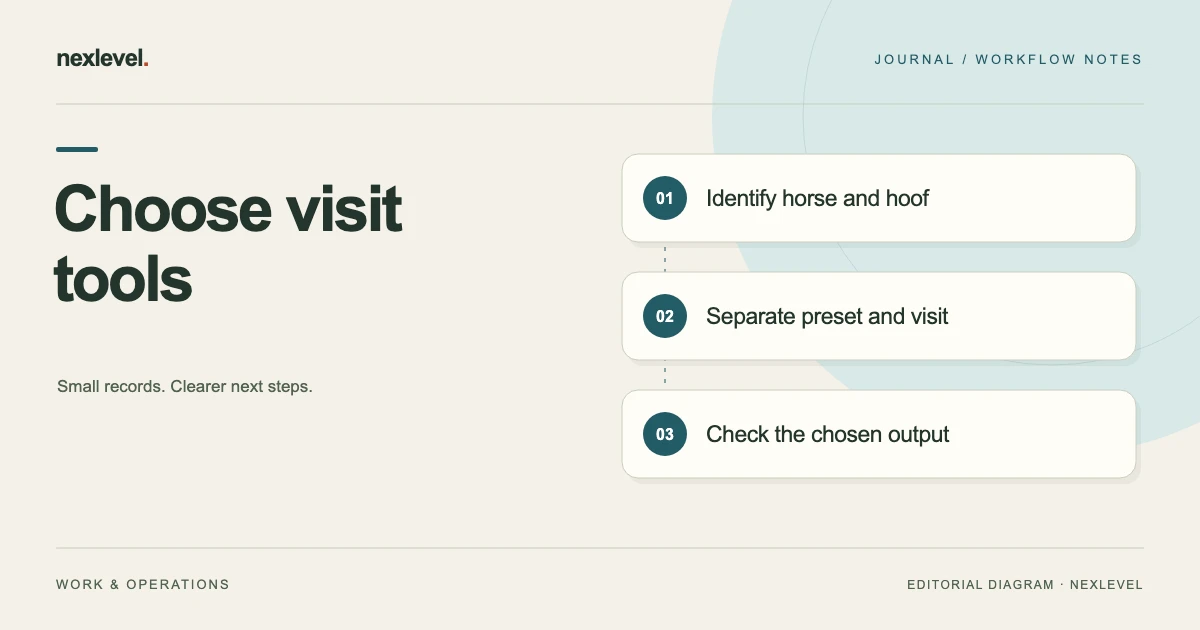
Choose a farrier record system by following the same fictional horse and visit through each method. Test whether another reader can identify the horse, interpret each hoof entry, distinguish a preset from completed work and retrieve the intended portable copy.
Compare how each method preserves one complete visit
- Define the visit detail, scheduling task, recipient and output you need.
- Enter one fictional horse, visit, hoof note and reusable preset in each candidate.
- Inspect the actual owner or portable copy and any manual transfer steps.
- Ask another reader to retrieve the source and record the maintenance needed.
Working fields:
Candidate | Horse/visit identity | Hoof detail | Preset/history distinction | Output inspected | Manual step | Open question
Useful next steps: Define the visit fields before choosing a system, Test preset and visit separation, Check historical retrieval.
Define the record task
A short appointment list, a hoof-by-hoof service history, and an owner-ready summary serve different purposes. Write the actual requirements before comparing visual design or the number of available features.
Identify the horse scope, selected visit, work-record detail, source arrangement, reminder task, and intended reader. A name alone may not distinguish two horses or connect a retained photo to the right occasion.
Use fictional records for evaluation. There is no need to import a whole real client history into several tools just to test whether a selected visit can be retrieved and interpreted correctly.
Use a common comparison worksheet
Ask each candidate to demonstrate the same bounded tasks. Record actual behavior, manual convention, intended output, and unresolved question rather than assuming that every implementation works alike.
| Task | What to demonstrate |
|---|---|
| Identify | Distinguish the selected horse and visit |
| Record | Keep each hoof’s entered work understandable |
| Reuse | Separate a preset from completed work |
| Plan | Distinguish the next occasion from visit history |
| Share | Inspect the intended owner or portable copy |
| Retrieve | Find the source after the original conversation |
These are independent worksheet prompts. They do not establish identical fields, storage mechanisms, or import features across paper, a spreadsheet, and FarrierForge.
Set up a fictional horse and visit
Imagine horse H16 and recorded visit V3. An entered note N2 concerns one selected hoof, while preset P4 describes a reusable setup. Summary S7 is prepared for a bounded sharing purpose.
The test asks each method to connect H16/V3/N2 without treating P4 as proof of completed work. A later planned occasion remains separate from the selected visit history.
No real animal, physical condition, procedure, charge, date, or interval is supplied. The fictional identifiers demonstrate record relationships and should remain outside genuine service history.
Test a paper visit book
Paper can use a horse heading, dated visit rows, a clear hoof map, and a source-note index. Demonstrate that another reader can identify which hoof N2 concerns without relying on an informal shorthand remembered only by the writer.
Keep the reusable preset on its own identified source page or under another clear convention. A copied setup should not silently become a record that every listed action occurred during V3.
Inspect the actual retained scan or owner copy. If its crop loses the horse reference or map orientation, repair the selected representation. That limitation belongs to the actual copy rather than every possible paper system.
Test the spreadsheet’s row model
Decide whether a row represents a horse, visit, hoof entry, preset, or source note. Repeated H16 references may identify different parts of one visit rather than duplicate horses to remove.
Sort and filter the fictional records, then open a retained output. Horse identity, selected visit, and hoof-specific context should remain connected. A total or status column cannot explain a lost source relationship.
The actual sheet’s formulas and linked files need maintenance. Do not assume that every spreadsheet automatically preserves service history, shares images, or distinguishes planned and completed work merely because those structures could be built.
Evaluate FarrierForge against its current listing
The verified current FarrierForge description includes individual hoof records, work categories, and shoe context where relevant. It also describes a selected per-horse service cycle and a countdown to the next visit.
The app records farriery work performed. It is a business and scheduling record rather than veterinary advice. Evaluate how the entered information remains understandable without treating it as a diagnosis or recommendation.
Free starts with five active horses, visit records, local reminders, and CSV export. The current listing also describes an optional rewarded-video slot for additional roster capacity when available. Pro separately adds unlimited active horses and sharing individual owner summaries; check current access in the app.
Keep a preset separate from the visit record
A preset can describe a reusable setup. The selected visit needs its own actual record of what was entered for that occasion. Applying a template and performing physical work are different events.
For H16/V3, ask the reader which source establishes N2 and which role P4 serves. If they infer completed work solely from the preset, improve the explanation or actual recording convention.
Use the preset-versus-visit guide for that narrower review. The comparison should carry its actual result or precise open question.
Preserve hoof-specific meaning
A general note that a visit occurred may not explain the selected hoof entry. Keep the map orientation and source reference readable in the retained copy so the reader can identify the actual record.
The current app describes tracking each hoof separately, including work category and relevant shoe details. This article supplies no actual shoe configuration, size, material recommendation, or technical procedure.
If a source note lacks the relationship needed for the administrative task, state that limitation. Do not infer physical work from a neighboring hoof entry or fill the gap with a plausible setup.
Separate planning from completed history
A next-due countdown concerns the entered scheduling context. It does not independently establish an appropriate clinical or service interval or prove that the next visit has taken place.
The current listing describes per-horse service cycles and local reminders. This comparison recommends no interval. The actual responsible professional and applicable source context govern operational choices outside the recordkeeping exercise.
For each candidate, demonstrate which representation describes V3 and which describes a later plan. A reminder or ticked calendar cell should not silently create another completed visit.
Evaluate the actual Watch save boundary
FarrierForge’s current description says Watch actions queue until the iPhone confirms they were saved. A queued action and a confirmed saved record are distinguishable states.
When evaluating that workflow, inspect the actual confirmation instead of assuming that a wrist interaction immediately appears in every retained output. The selected comparison needs the stored visit context that its intended reader will use.
Paper and spreadsheets have their own transfer boundaries, such as copying a yard note into the main register. Record that manual step with the same care rather than treating it as invisible maintenance.
Inspect the portable and owner-ready outputs
The current FarrierForge listing advertises CSV export of records and Pro sharing of individual owner summaries. Open the actual selected output and inspect horse identity, visit context, relevant notes, and source cutoff.
A CSV and an owner-facing summary can serve different purposes. A companion index may need to explain a relationship that the selected representation does not contain automatically.
The description does not establish arbitrary CSV import, an automatic shared stable database, or a universal full-system restoration workflow. Keep the comparison within the actual supported capabilities.
Keep photo context tied to its occasion
The current listing describes before-and-after photos kept close to the working record. A retained image needs the horse, selected visit, and actual source occasion that give it administrative meaning.
This guide supplies no visual assessment or interpretation of hoof condition. A before-and-after label should not independently establish a treatment result, diagnosis, or quality claim.
For the fictional test, identify which source would connect an image to H16/V3. If that source remains unavailable, retain the limitation rather than assigning the image by a similar filename.
Run a retrieval test for each candidate
Ask an authorized reader to start with S7 and identify H16/V3, the relevant hoof note, and P4’s role. Then start with N2 and locate the selected visit representation.
Record whether the reader distinguishes the entered work, a reusable setup, a later plan, and a prepared summary. A clean display should not conceal a source question the method still cannot resolve.
For a responsibility transfer, use the new-farrier records guide. A tool comparison does not itself transfer professional responsibility or authorize access to another person’s records.
Choose a method from demonstrated maintenance
Paper may fit a bounded practice with a maintained horse-and-visit index. A spreadsheet may fit flexible tabular work where someone maintains hoof, source, and output relationships. FarrierForge may fit repeated hoof-map, visit-history, and plan-dependent sharing tasks.
These are conditional workflow comparisons, not measured productivity or clinical claims. Choose from the actual record task, intended output, access arrangement, and maintenance effort observed in the fictional test.
For a retained historical packet, use the farrier archive guide. Selecting a tool and making one old visit understandable are related but distinct jobs.
Complete the same bounded trial in each method
The H16/V3 exercise is easier to compare when each candidate receives the same fictional tasks. Record what was actually demonstrated rather than awarding a general pass because the overview looks tidy.
| Trial item | Expected explanation | Repair if missing |
|---|---|---|
| H16 | The selected horse is distinguishable from a similar name | Retain the actual identity reference |
| V3 | The selected visit has its own source occasion | Separate the event from the next plan |
| N2 | The note keeps its hoof and visit relationship | Restore the missing map context |
| P4 | The reusable setup is distinct from recorded work | Label its planning role |
| S7 | The intended reader understands the selected output | Add a source index where needed |
For paper, note the actual map and cross-reference conventions. For the spreadsheet, note the maintained rows and linked materials. For FarrierForge, inspect the selected supported workflow and actual output. Treat a feature description as the basis for evaluation rather than proof that every desired trial result occurred.
Write a choice with its maintenance dependencies
A decision note can identify the record task, selected candidate, demonstrated relationships, manual steps, and next question. For example, retaining hoof-specific context in the owner’s chosen copy may matter more for this task than another overview filter.
If one candidate preserves the visit well but the portable copy loses map orientation, repair that selected representation. If another requires a maintained note index, record who actually maintains it under the intended arrangement. Those are different dependencies and should remain visible.
Include transfer boundaries where relevant. A paper yard note may need transcription, a sheet may depend on a linked file, and a queued Watch action needs the actual saved-record confirmation described by the current app. None of those boundaries should disappear from the comparison merely because the final register looks complete.
Then remove the original conversation and ask a reader to explain H16/V3/N2/P4 from S7. They should identify the entered visit context while recognizing what remains a preset, a plan, or a source question.
A useful choice can be conditional on a repaired output or a maintained index. It does not need an unsupported claim about speed, clinical benefit, professional suitability, or universal superiority. The result is a bounded administrative fit for the task actually demonstrated.
Keep the fictional references out of genuine animal and client history. Reuse the evaluation structure with actual authorized records while leaving professional care decisions with their appropriate sources.
Retain the decision note beside the selected trial output. A later reader should be able to identify what was demonstrated and what still needs maintenance, rather than inferring the choice from a general preference for paper, tables, or an app.
Use FarrierForge for clear entered visit records
FarrierForge organizes horse-specific and hoof-specific visit history in a local workspace that works without a signal or an account.
Check the official FarrierForge App Store listing for current capabilities and Pro access. Keep recordkeeping, scheduling, sharing, and actual professional assessment in their appropriate source roles.