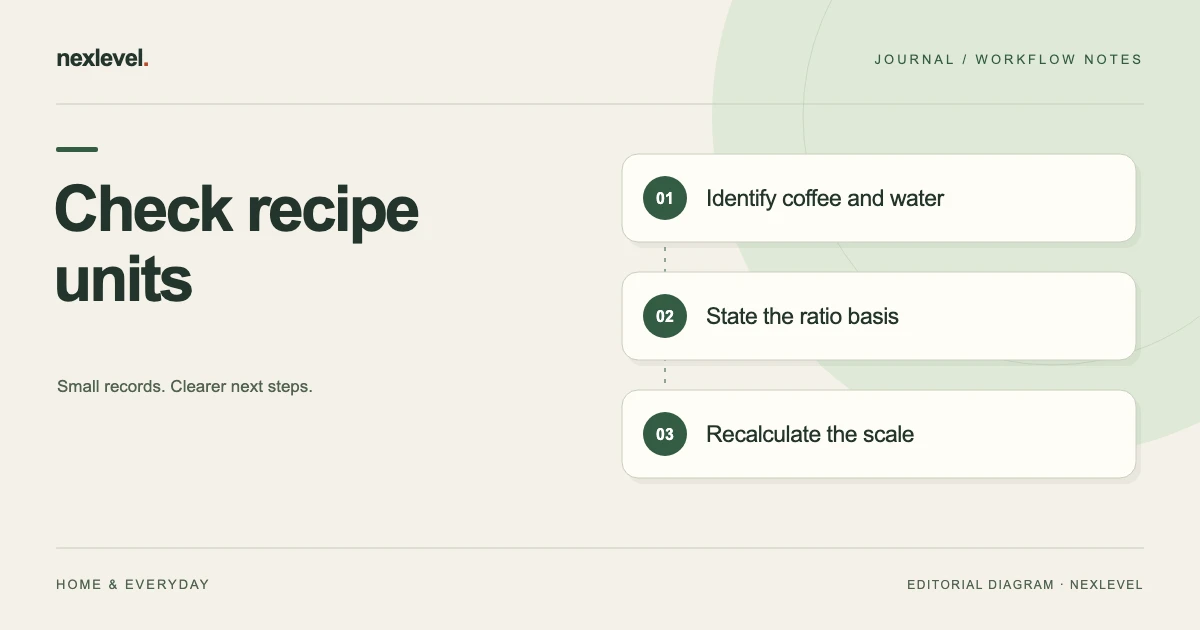
Before scaling, confirm what each number measures, its unit and the ratio convention. For a mass-based coffee-to-input-water ratio of 1:r, water equals coffee multiplied by r and coffee equals water divided by r. Keep input water, beverage output and phase totals separately labeled.
Check meaning first, then calculate
- Trace the coffee and water values to their source and retain each unit.
- State the ratio direction and choose which two inputs stay fixed.
- Calculate the missing quantity and check the result against the scale factor.
- Review phase amounts for increments versus cumulative targets before saving the variant.
Working fields:
Source recipe | Coffee/unit | Input water/unit | Ratio convention | Fixed inputs | Calculated result | Phase amount role | Open unit question
Useful next steps: Enter a written recipe without losing its units, Label pours in a shared recipe.
Name the quantity before reading its number
Identify whether a value describes coffee, input water, a phase amount, or a separately recorded observation. A number such as 300 cannot establish that role by itself.
Keep the source unit attached to the quantity. Do not infer a unit from a familiar-looking recipe or a nearby row.
BrewRatio’s current listing describes calculating coffee, water, or ratio from two entered values. That capability depends on the user supplying the intended quantities.
The worksheet should make the relationship readable before the calculator is asked to solve it.
Write the ratio convention explicitly
For this guide’s fictional examples, a ratio written as 1:15 means one unit of coffee mass to fifteen of input water mass, using the same mass unit.
State that convention in the independent worksheet. A shorthand “15” without context can be mistaken for a quantity, percentage, or a different ratio direction.
This example does not claim that every coffee source uses identical notation or that every method should use 1:15. Read the actual recipe and current interface.
The administrative goal is to preserve the meaning of the entered relationship, not to select an ideal recipe.
Use a quantity-and-unit worksheet
Suggested fields are recipe reference, method label, coffee quantity and unit, water quantity and unit, ratio convention, selected calculation target, phase context, and source limitation.
| Check | Question |
|---|---|
| Role | Is this coffee, water, or another observation? |
| Unit | Which selected unit belongs to the value? |
| Ratio | Which direction and basis are stated? |
| Scale | Which inputs are held constant? |
These are proposed independent review fields, not a claim that the app has a native unit-audit form.
Use actual supported recipe and calculator controls for the working record. Keep an unresolved source question explicit instead of choosing a plausible unit.
Work through a fictional scale-up
Imagine recipe R6 with 20 grams of coffee and 300 grams of input water. Under the stated convention, 300 divided by 20 equals 15, so the relationship is 1:15.
If the independent exercise keeps that ratio and changes coffee to 30 grams, the calculated water amount is 30 multiplied by 15, or 450 grams.
The scale factor is 30 divided by 20, or 1.5. Multiplying the original water amount of 300 by 1.5 gives the same 450 result.
Both routes check the arithmetic. They do not establish that this scaled recipe will produce a particular flavor or behave identically with different equipment.
Calculate the missing quantity from the stated pair
For another fictional example, suppose the selected water amount is 400 grams and the stated coffee-to-water convention is 1:16. The coffee amount is 400 divided by 16, or 25 grams.
That exercise holds the entered water and ratio constant. It is a different calculation from changing the water while retaining a particular coffee amount.
BrewRatio’s description supports solving any one of coffee, water, and ratio from the other two. Check which pair the actual interface is using before interpreting the result.
Do not overwrite a source recipe merely because a temporary calculation produced a new value. A scratch comparison and an intended recipe revision are different records.
Keep mass and volume choices identifiable
The current app listing supports several mass and volume units. Read the actual selected unit rather than assuming a copied number is already expressed in the intended basis.
This guide supplies no conversion factor for cups, ounces, or fluid ounces. It keeps its arithmetic in grams so the stated examples use one consistent mass basis.
When reviewing a different unit, use the actual source and supported conversion behavior. Do not strip the unit from an exported or shared recipe.
A familiar numerical result does not prove the conversion basis is correct. The source quantity and unit still need to be identified.
Separate input water from another measured result
A note about final beverage weight is a different quantity from input water. Do not substitute it into the example’s water field without establishing the intended meaning.
This guide does not claim BrewRatio includes a dedicated beverage-yield field. The distinction concerns an independent source note that might be copied into a recipe comparison.
For R6, the stated 300 grams is input water in the fictional calculation. Changing that label would change the question the arithmetic answers.
Keep other observations in their actual roles. A session note can be useful without being one of the calculator’s selected inputs.
Check phase amounts without adding the total twice
A phase amount can describe part of a planned total. Before summing a copied schedule, establish whether its numbers are individual increments or cumulative targets.
For a purely fictional worksheet, two increments of 150 grams sum to 300 grams. The displayed total of 300 is not another increment to add on top.
The example does not prescribe a pouring technique or phase sequence. It illustrates how a total and its parts need different labels.
BrewRatio’s current Pro description includes custom phase choreography. Use the actual current workflow and source meaning rather than assuming every phase display follows the same convention as an independent note.
Keep presets and recorded sessions separate
A method preset is a starting point. A saved recipe is an intended record. A brew session contains its own entered completion details and observations.
The current listing supports method presets, phase-aware guidance, ratings, notes, and ending a brew early without losing completion details. Those capabilities should not be described as proof that every planned phase occurred exactly as estimated.
For comparing sessions without changing a recipe, use the separate recipe-versus-session review guide.
The unit check should preserve the source recipe and the actual session’s meaning rather than rewrite one to make the other look consistent.
Review changed inputs one at a time
If a comparison changes coffee amount, water amount, and ratio together, identify each change. Otherwise, a reader may attribute the result to the wrong input.
For R6, the 30-gram example holds the ratio constant. The separate 400-gram example holds a different stated ratio and solves for coffee. Do not merge the two scenarios into one recipe history.
A clear independent note says which variables were fixed and which result was calculated. That makes the arithmetic reproducible without claiming a sensory outcome.
If the source does not establish the original unit or role, leave that question open before making a confident comparison.
Inspect the actual shared or exported copy
BrewRatio’s current Pro listing includes JSON or CSV export. Check current access and open the actual output relevant to the task.
Verify recipe identity, quantity roles, units, ratio context, and selected source or session scope. Do not assume every independent worksheet explanation appears automatically.
A static copy should not be described as the whole editable app or a continuously current recipe. Identify the intended version through the actual sharing arrangement.
For a recipient-focused task, see the separate coffee recipe sharing guide. A correct calculation still needs readable context.
Test the calculation and explanation separately
First reproduce the arithmetic: 300 divided by 20 equals 15; 30 multiplied by 15 equals 450; 400 divided by 16 equals 25.
Then ask a reader which quantity each number represents. Correct arithmetic cannot repair a swapped field or an unknown unit.
If the reader treats a final beverage observation as input water, improve the role label. If they add a displayed total to its phase parts again, clarify the structure.
The review succeeds when the selected calculation can be reconstructed from its stated inputs. It does not guarantee extraction, taste, equipment behavior, or a health outcome.
Keep a useful calculation receipt
A fictional receipt can identify R6, the source units, the stated ratio convention, the selected fixed inputs, the calculated result, and any remaining source question.
Replace the example values with actual source-backed entries in real use. Do not copy a completed-looking template when the original recipe meaning remains uncertain.
Keep the receipt separate from a new brew event. Reviewing a recipe does not itself establish that another session occurred.
A small quantity-role check at entry can reduce later reconstruction without turning a personal brew log into an elaborate technical audit.
Use two independent checks on the fictional recipe
For R6, the first check is numerical: 20 grams of coffee and 300 grams of input water produce the stated 1:15 mass relationship. The second check is semantic: the source really identifies those quantities as coffee and input water. Passing one check does not establish the other.
Now imagine an independent note copies the 300 value but drops the unit. A reviewer who remembers a similar recipe might guess correctly, but the record itself remains incomplete. Trace the value to the actual source before using it in a scaled result. If the source is unavailable, preserve that limitation rather than changing the displayed unit for convenience.
Consider a different copied note that labels 300 as a final beverage observation. The arithmetic 300 divided by 20 still equals 15, but it now answers a different stated question. The numerical coincidence cannot justify silently relabeling the observation as input water.
For the phase example, write each amount’s role before adding: increment A 150, increment B 150, total 300. The total is a summary of the increments. If a different source uses cumulative targets instead, that needs its own explicit interpretation; this guide does not prescribe how every interface labels phases.
The 30-gram scale-up can be reviewed the same way. Keep the fixed ratio visible, calculate 450 grams of water, and inspect the actual intended recipe or scratch comparison. Do not call that result a new completed brew or a guaranteed flavor improvement.
A reusable worksheet can therefore ask three short questions beside every number: “What quantity is this? Which unit and source establish it? Is it an input, a calculated result, or a session observation?” The reader should be able to answer without the original writer’s memory. This is a practical way to make a shared recipe more reproducible while keeping the actual method, equipment behavior, and personal taste outside the claims made by the arithmetic alone.
Check the selected input pair after changing the calculation target. A worksheet that once solved for water may later solve for coffee. The same retained number can be misleading if its role changed but the companion label did not. Inspect the actual current fields rather than inferring the active calculation from the previous result.
Keep display rounding separate from the stated source precision. This guide’s selected examples produce exact whole-number results, so they do not require a general rounding convention. For another source, retain the actual supported units and precision rather than inventing extra digits. A more precise-looking value does not repair an unidentified input, and a rounded display should not be mistaken for a different recipe source.
Use BrewRatio for clear entered calculations
BrewRatio calculates coffee, water, and ratio from entered values and supports method-focused brewing records. The current 2.1 listing describes expanded recipes, phase tools, history, and exports under Pro.
Check the official BrewRatio App Store listing for current features and plan details. Keep quantities and units explicit so a scaled result answers the recipe question you actually intended.