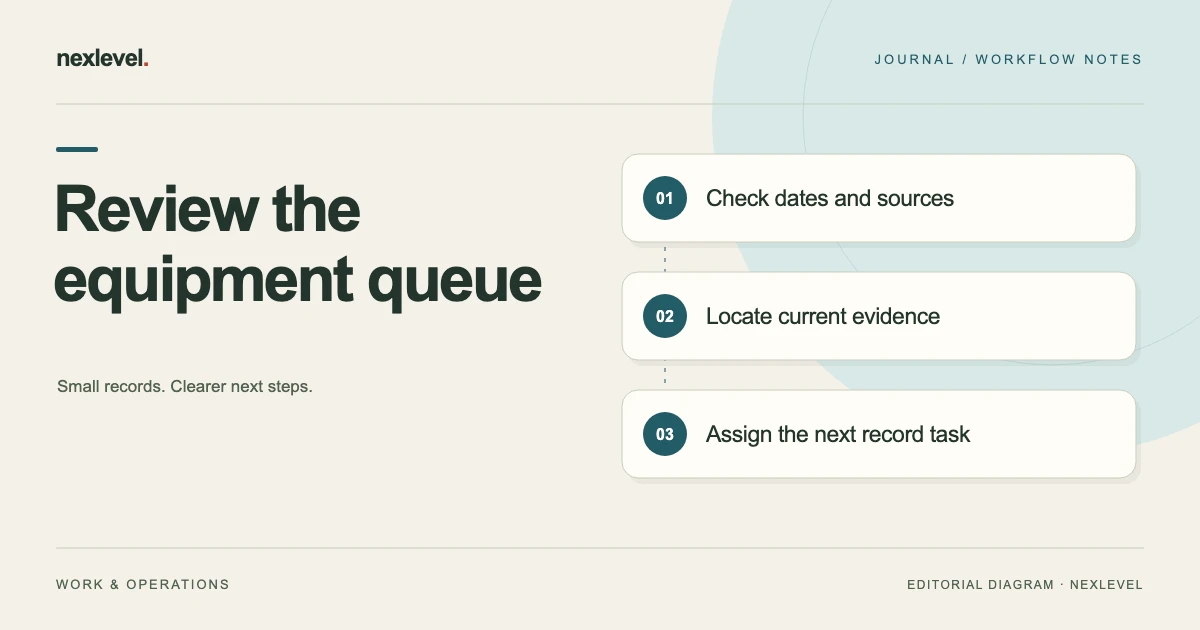
For a weekly calibration review, separate items needing scheduling, certificate follow-up or source clarification. Work from a dated register cutoff and leave each selected instrument with a specific next action. A service entry, an older certificate and an entered due date can require three different checks.
Turn the selected records into owned actions
- Record the review cutoff, equipment scope and planning window.
- Check equipment identity and the source behind each entered due date.
- Compare the selected service event with its certificate reference and availability.
- Assign each exception a concrete task, owner and next check.
- Inspect the action summary against the register before sharing it.
Working fields:
Cutoff | Equipment | Due event/date/basis | Service event | Certificate state | Next action | Owner | Next check
Useful next steps: Resolve a certificate identity discrepancy, Transfer the open action queue, Repair the underlying register fields.
Choose the review window and cutoff
Record the date of the review, the selected equipment scope, and the planning window being considered. A team’s chosen weekly look-ahead is separate from an application’s own due-soon display settings.
Identify the register or record set used at the cutoff. If a new event or certificate arrives afterward, keep it recognizable as later information rather than implying it was already included.
Use the organization’s actual process to establish intervals and dates. This worksheet reviews entered records; it does not determine the appropriate technical schedule for an instrument.
Check equipment identity before status
Read the internal asset reference, relevant serial or model details, and location context. Similar instruments can appear in the same queue with different histories.
Keep physical identity questions separate from date questions. A record with a clear due date can still be linked to the wrong instrument or certificate.
For document matching, use the certificate-to-equipment matching guide. A weekly queue should preserve any unresolved match rather than hiding it behind a tidy status label.
Read the entered due event and source
Identify the date, the event it represents, and the source or responsible process behind it. A scheduled service appointment, certificate issue date, and entered next-due date can be different.
Do not move a due date solely because a visit was arranged or an invoice arrived. Record what those sources establish and use the actual process for changing the equipment record.
If the date basis is unclear, create a specific clarification task. A recurring review should make the uncertainty actionable rather than repeatedly copying the same unexplained warning.
Separate a completed service event from its evidence
A service event can be recorded while its certificate reference remains pending. Conversely, an older certificate can exist while the latest event still lacks its relevant evidence.
Keep the event identity, date context, source, and certificate relationship distinguishable. A document in the folder does not necessarily support the current event.
The review’s purpose is to make that relationship clear. It does not interpret measurement results or decide whether the evidence satisfies an external standard.
Use a weekly queue worksheet
Useful fields include asset ID, current record state, entered due event, date basis, latest relevant service event, certificate reference, unresolved issue, next administrative action, owner, and follow-up check.
Keep the action specific: locate certificate C14, confirm event E3’s source, or arrange the responsible scheduling check. “Fix calibration” does not identify the work the record actually needs.
Add the review cutoff and a result field. Receiving an assignment is separate from completing it, and a prepared report is separate from closing every issue.
Work through a fictional three-item queue
Imagine a review on 2 July 2030 for assets E1, E2, and E3. E1 has an entered due date of 5 July and no later event in the selected record. E2 has a recorded 1 July service event but its relevant certificate is pending. E3 shows an entered 25 June date with no established closure event.
The reviewer does not compress these into one overdue count. E1 needs a scheduling or source check under the actual process, E2 needs its evidence relationship completed, and E3 needs investigation of its current record state.
The dates and items are invented. They illustrate why due work, missing evidence, and uncertain history can require different actions even when they appear together on one dashboard.
Prepare E1’s next scheduling question
The reviewer checks what E1’s 5 July entry represents and whether the relevant source is current. They identify the person responsible for the next scheduling action and any information that person needs.
A proposed appointment can be recorded as such. It should not automatically become evidence that the service occurred or that every related date should be changed.
Keep technical decisions with the appropriate process. The worksheet does not authorize continued use, prescribe an interval extension, or assess the instrument’s performance.
Prepare E2’s certificate follow-up
For E2, identify the recorded event and the missing evidence reference. Check whether a certificate exists elsewhere or whether the relevant source is still expected.
Keep an older certificate distinguishable from the one associated with the 1 July event. A familiar filename or matching model is not enough to establish that relationship.
Assign the evidence question and record its next check. If a document arrives, inspect identity and event context through the actual process before considering the administrative issue resolved.
Investigate E3 without inventing closure
The reviewer checks whether E3’s 25 June entry is current and whether an unrecorded or unclear event needs attention. Preserve the uncertainty rather than changing the date to remove the warning.
Identify the relevant source records and responsible person. A colleague’s recollection can point toward evidence without being presented as a complete event record.
Record the actual clarification and use the tool’s supported history method. A current interpretation should remain understandable alongside the earlier recorded date.
Keep correction history readable
If a record contains an error, use the supported workflow and retain the explanation required by the organization’s process. Identify the affected asset, event, source, and current result.
Where an application keeps events append-only, preserve that model rather than assuming an earlier event can be silently replaced. A new note or event should have a clear relationship to the question it addresses.
Do not edit source documents to make identifiers or dates agree. Obtain the appropriate clarification or corrected source through the responsible process.
Check local reminders separately
Inspect the reminder state and the entered event it concerns. A notification is an administrative prompt, not a technical assessment of the instrument or a provider confirmation.
If the record changes, check the actual tool’s reminder behavior and any separate maintained calendar or task copy. Do not assume all external copies update together.
Keep the person responsible for the next action visible. A reminder on one device does not by itself allocate work across a team.
Prepare a useful weekly action summary
Group tasks by the next action rather than giving every item the same vague instruction. The fictional queue might have scheduling clarification for E1, evidence follow-up for E2, and source investigation for E3.
Keep the asset and event references in the summary. A compact list should lead back to the relevant register entry and source without requiring the reviewer to explain each item aloud.
Record unresolved limitations. A report that lists open questions accurately can be useful without pretending that every record is complete.
Inspect an exported register or packet
Open the actual output intended for the recipient. Check equipment identities, event and due-date labels, certificate references, notes, and the preparation cutoff.
Confirm which evidence is included versus referenced elsewhere. A formatted packet does not automatically contain every original certificate or establish technical completeness.
Share only through the intended access arrangement. Keep the main retained records appropriately and avoid using an outdated export as the new working register.
Test the queue with another reviewer
Ask a colleague to identify the next action and source question for one item. They should distinguish an entered date, a recorded service event, and a pending certificate.
For E2, they should understand why a service entry does not make the evidence follow-up disappear. For E3, they should recognize that the source relationship is still being checked.
Use the gaps found to improve labels and references. This checks record usability, not calibration validity or readiness for a particular technical use.
Prepare E2’s evidence index in detail
A fictional source index for E2 can distinguish three records: the equipment entry, service event SE2 dated 1 July, and a retained earlier certificate C14. The current question concerns the evidence for SE2. C14 remains historical unless its actual source relationship establishes something more.
The reviewer records the source location for each item and checks whether the responsible person can open it. A filename in a personal folder may not be enough for the intended handoff. Arrange appropriate access or a deliberate copy through the actual records process.
If a new certificate arrives, compare its equipment and event references before updating the administrative queue. A familiar instrument model is not the same as a complete identity match. Keep any discrepancy as a specific question rather than calling the evidence task finished because another PDF appeared.
A filled queue note can say: “E2, event SE2, source date 1 July 2030; current-event certificate relationship pending. Earlier C14 retained as history. Records coordinator to locate the relevant source and check identity before closing this administrative follow-up.” It does not declare the equipment technically ready or the results acceptable.
After the check, record the actual result and supporting reference through the tool’s supported history. If the evidence remains incomplete, preserve the next action. The weekly review has still produced useful progress by establishing what is missing, where the earlier material belongs, and who will resolve the gap.
Check a misleading old summary
Imagine a separate exported list says E3 is complete, but its title and preparation date indicate an older review. The current register still contains the entered 25 June event with an unresolved relationship. Check which asset, event, and cutoff each source represents before treating the disagreement as a simple status error.
A broad equipment nickname can conceal two similar assets or several service occasions. Compare the actual identifiers and source references. An accurate old report should not be used as evidence that the current event was completed.
If the older summary is simply outside the present scope, label that role in the retained record. If it reveals a missing current event, obtain the appropriate source and update the register through the actual workflow. Do not choose whichever label removes the warning most conveniently.
Keep the resolution concise enough for the next review: source checked, event established or still uncertain, current administrative action, and owner. This helps the queue move forward without turning every weekly meeting into a reconstruction of the instrument’s entire history.
The resulting record can support scheduling and evidence retrieval while preserving the organization’s technical responsibilities. A due-queue correction, a source match, and a decision about equipment use remain different actions. The weekly worksheet should explain the administrative work it actually completed.
Before closing the weekly review, read back the action queue against the original scope. Confirm that each selected asset has either an established next administrative action or a clearly recorded result. Keep the sources and the cutoff available so a colleague can distinguish the current queue from last week’s export. If a task remains open, preserve its owner and next check. A completed review can honestly leave unresolved evidence work visible rather than turning every row into a finished state.
Use CalibraDue for due work and records
CalibraDue records equipment identity, due work, calibration events, certificate references, and notes. Its current listing describes append-only event history, CSV export, and Pro formatted PDF packets.
It does not perform calibration or replace a quality system. Check current capabilities and plan details in the official CalibraDue App Store listing, and keep each administrative action tied to the relevant source.