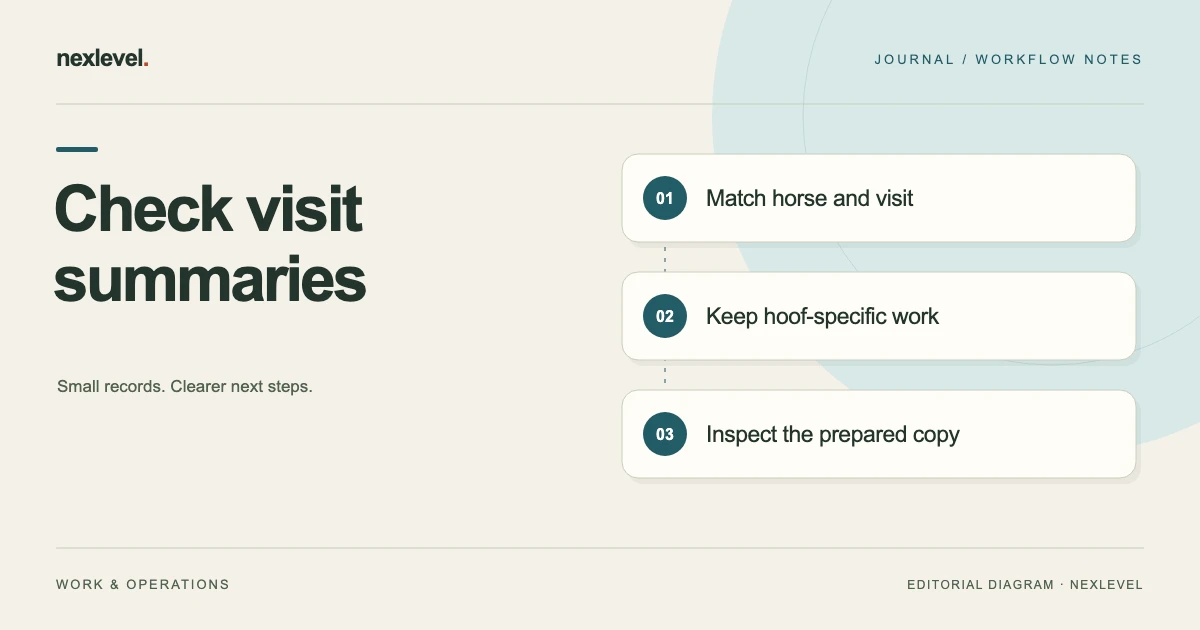
Before preparing an owner-facing summary, identify the saved visits it should describe and compare each consequential statement with that source. Preserve hoof-specific differences, label earlier and later context, and keep an entered service amount separate from payment evidence.
Compare the summary with the saved visit it describes
- Name the horse, selected visit range, recipient and review cutoff.
- Compare each selected hoof entry with the wording in the intended copy.
- Check any amount and Watch-origin save relationship against its actual source.
- Read the complete copy and record unresolved questions before sharing.
Working fields:
Horse/visit | Hoof source | Summary wording | Amount/source role | Save context | Copy scope/cutoff | Open question
Useful next steps: Check an unconfirmed Watch-origin action, Keep preset assumptions out of completed work, Prepare a professional handoff.
Choose the summary question
Write what the intended reader needs to understand. A summary of one selected visit differs from a historical sequence or a next-task handoff. Do not use a generic history label when the selected copy concerns only one occasion.
Identify the source cutoff and the supported representation you intend to inspect. If the native output includes a broader set, a companion note can explain the selected review scope without claiming a native date filter.
Keep the recipient’s role clear under the actual authorized arrangement. Preparing a summary does not independently establish that another person received, opened, or understood it.
Set up a fictional pre-summary case
Imagine H84 is the selected horse. V2 is an earlier saved visit, V5 the visit chosen for the current summary, and V6 a later preparation reference. P3 is a reusable preset, W4 a Watch-origin action reference, and S8 the prepared summary.
In the fictional V5 source, one selected hoof has a trim recorded and another has a reset recorded. The case supplies no shoe size, material, technique, actual service date, price, or animal-health conclusion.
The question is whether S8 preserves V5’s entered meaning without borrowing V2’s history, P3’s reusable setup, or V6’s later planning. These labels are teaching references rather than native identifiers.
Use a source-to-summary checklist
| Checkpoint | Selected source question | Summary error to avoid |
|---|---|---|
| Horse | Does the actual record identify H84? | Associating a familiar name with the wrong animal |
| Visit | Does the copy concern V5’s occasion? | Combining V2 and V5 silently |
| Hoof-specific work | What was entered for each selected hoof? | Copying one action across all four hooves |
| Reusable context | What role does P3 actually have? | Treating a preset as completed work |
| Amount | What source supports any displayed service amount? | Inferring payment from an entered charge |
| Save context | What actual saved source supports W4’s relationship? | Treating a queued attempt as confirmed persistence |
| Selected copy | What does S8 actually contain? | Calling it every current record or a full restore archive |
The checklist is a manual review convention. It does not establish automatic source validation or a native field for every row.
Confirm the horse before comparing visits
A similar name, owner label, or route note can appear in several records. Establish the actual selected horse relationship through authorized sources rather than assign V5 by resemblance alone.
The horse-record setup guide covers identity and source preparation before the first entered visit. Its result can support this check without supplying the current visit’s facts.
If the identity association is unclear, retain that precise question. Adding a more detailed-looking summary will not establish which horse the source concerns.
Keep the visit occasion visible
Read the actual selected visit source rather than infer the occasion from a file’s preparation date. A summary created later can still represent V5 accurately.
If V2 remains relevant historical context, label that role explicitly. Do not make a historical action appear to have occurred during V5 merely because it is useful background.
Likewise, V6’s later planning should retain its own occasion. A next-task note does not retroactively change what the saved V5 record represented.
Compare hoof-specific entries individually
FarrierForge’s current description supports a four-hoof map with work recorded separately for each hoof. Preserve those distinctions when reading the selected source and its summary.
In the fictional case, the trim and reset are separate entered actions for their selected hoof references. They should not become a statement that every hoof received the same work.
The exercise supplies no work for other hooves and should not fill that gap by assumption. An absent teaching entry is not a diagnosis, a procedure recommendation, or proof about actual physical work.
Keep material details within their source role
The current app can record applicable shoe type, size, modification, and material where a shoe stays on. The pre-summary task is to preserve entered source meaning, not to invent a setup for a real horse.
If a selected output abbreviates a detail, compare it with the authorized source before explaining it more broadly. Do not replace an unclear source with a familiar professional shorthand that changes its meaning.
A source question can remain open. The record review should not supply shoeing guidance or claim that a readable summary establishes suitability.
Exclude preset assumptions from performed-work wording
P3 can remain a reusable setup while V5 records an actual entered occasion. A saved preset does not independently prove that it was applied or physically performed.
Use the preset-versus-completed-visit guide when that relationship needs review. Keep the result beside the selected summary scope.
If S8 calls P3 the completed service without supporting history, correct that explanatory claim. Do not create a new visit merely to make the summary appear complete.
Read an entered amount according to its evidence
FarrierForge’s current listing places sharing individual owner summaries under Pro. When reviewing a summary, connect service dates, recorded work, and any entered amounts to their actual sources. An entered service amount and actual payment evidence have different roles.
This case supplies no amount or rate. The checklist asks which source supports any real displayed figure and whether it belongs to the selected visit.
Do not infer payment, balance, tax treatment, or an invoice outcome from a service-history amount alone. The summary can remain useful as an entered-work record without becoming a financial statement.
Establish saved context for Watch-origin actions
The current Watch companion can log a visit, with actions queued until the iPhone confirms they were saved. W4’s source role should remain distinguishable from a confirmed saved visit.
If the actual task concerns a Watch-origin entry, inspect the available saved source under supported controls. Do not use an attempted interaction as proof that the record persisted.
This exercise performs no Watch action and invents no synchronization debugger or retry control. Keep the actual save relationship visible rather than borrowing behavior from another app.
Work through a matched-source branch
In the first fictional branch, the sources establish H84/V5 and the selected hoof-specific entries. S8 accurately describes those records and preserves its limited review purpose.
The result can state which saved source was inspected and what the prepared representation contains. It should not claim a physical outcome, professional appropriateness, or recipient understanding.
V2, P3, and V6 remain separate roles. Their presence in the workspace does not automatically make them part of the selected visit summary.
Work through a mixed-visit branch
In the second branch, S8 uses V2’s historical action while labeling it as V5. Identify the actual source association and prepare the intended supported representation.
If the source history is accurate, do not rewrite it to match the mistaken summary. The repair belongs to the selected copy or explanation.
Keep the correction specific: wrong visit source, corrected reference, actual resulting scope. A generic fixed label would hide whether the horse, visit, or hoof relationship changed.
Work through an unconfirmed-save branch
In a third branch, W4 is the only available reference and its relationship to a confirmed saved visit is not established. Keep that limitation instead of presenting the attempted action as completed history.
The next administrative task can identify the actual saved source needed. It does not require inventing another physical service event or claiming that no work occurred.
Distinguish physical service, attempted record action, and confirmed saved history. A missing relationship between two of them should not be used as proof about the third.
Select a representation within current access
Free starts with five active horses, visit records, local reminders, and CSV export. Optional rewarded videos can add roster capacity when available under the current app’s conditions. Pro separately adds unlimited active horses and sharing individual owner summaries.
Inspect the actual supported representation selected for the task. Do not describe the independent checklist as a native output schema or promise every suggested context appears in a generated summary.
A CSV and an owner-ready summary serve different reading tasks. The public description does not establish arbitrary CSV import or complete restoration, so keep those claims outside the pre-summary result.
Review photo context without drawing health conclusions
If authorized before-and-after photos are relevant, identify the actual horse and service-record relationship. A familiar image should not be assigned to V5 merely because it looks like the selected animal.
Keep the source occasion and intended purpose visible. This exercise provides no image and draws no conclusion about hoof condition, treatment success, or animal health.
The current listing does not establish a diagnostic or consent-validation feature. Do not add one to the summary method by assumption.
Inspect the complete prepared copy
Read all of S8 and any companion note rather than stopping at a familiar heading. Check the selected horse, visit occasion, hoof roles, source amounts if any, and explanation of scope.
If the copy contains broader history than the stated task, identify that actual scope clearly. Use supported controls rather than claiming an unverified field-level filter.
A correct preview does not prove delivery or recipient access. Record the actual preparation or sharing stage separately.
Run a second-reader pre-summary test
Give another authorized reader S8 and the companion source note. Ask them to identify H84/V5, distinguish the selected hoof actions, and keep V2/P3/V6 in their separate roles.
Then introduce another similarly named horse or an older summary. The reader should preserve actual identity and occasion rather than assign history by familiarity.
Record any manual explanation needed. That identifies the context the prepared copy still lacks before it can support the selected reading task.
Write a bounded pre-summary receipt
A useful receipt can name the source purpose, selected horse/visit, hoof-specific record relationships, any amount source, actual save context, representation inspected, correction, and precise next question.
For the fictional matched branch, it identifies H84/V5, preserves the separately entered trim/reset roles, and keeps P3 outside performed-work evidence. No actual service date, payment, photo, or health result is supplied.
For the unresolved branch, it states which saved-source relationship remains unclear. A specific open question is a valid review result.
Connect summary preparation to handoff and retention
For a professional transition, use the new-farrier record handoff guide. For historical copies, use the horse and hoof-context archive guide.
Keep the selected summary’s purpose and cutoff with the copy. Later entered visits do not automatically update a file already retained elsewhere.
A useful packet can make the next source review specific while leaving actual service decisions and professional conclusions outside its administrative scope.
A short companion note can identify S8 as the prepared V5 review copy, name the selected saved source, and state that earlier history and reusable presets have separate roles. If an amount or Watch-save relationship is unresolved, keep that limitation beside the affected reference. Read the note without its filename: the next authorized reader should understand what was inspected and what remains open without inferring a payment, a service event, or an animal-health outcome from the summary’s polished appearance.
Use FarrierForge for clear saved visit context
FarrierForge connects local horse records, hoof-specific entered work, selected service history, scheduling context, and plan-dependent outputs without requiring an account.
Check the official FarrierForge App Store listing for current capabilities and access. Keep physical work, saved history, reusable setups, prepared summaries, and actual sharing distinguishable.