A quote revision changes planning assumptions; an actual cost entry records an expense source. Preserve both rather than updating the old estimate until it matches the outcome. A useful comparison names the selected baseline, revenue basis, direct costs and owner-time value, then explains which inputs changed.
Name the baseline before explaining a changed margin
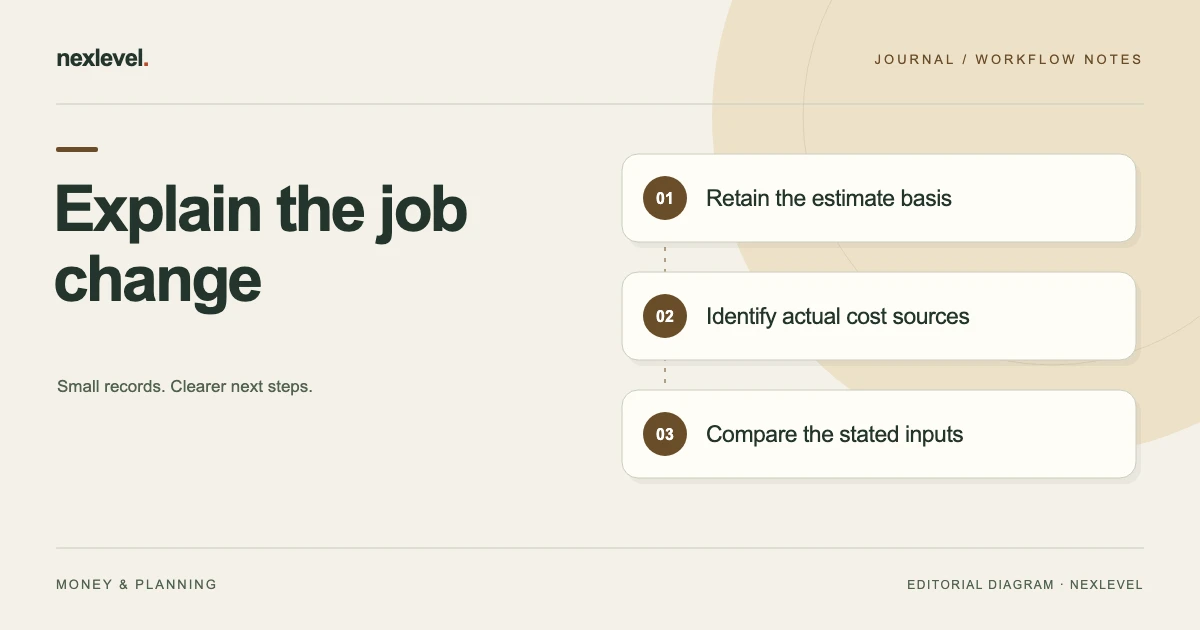
- Identify the original estimate, proposed revision and actual expense sources as separate record roles.
- Establish which revenue and scope basis the comparison uses without treating a proposal as acceptance or payment.
- Compare actual direct costs and owner-time inputs with that selected estimate on the same boundary.
- Show profit amount and margin denominator separately; matching profit amounts can conceal different results.
- Inspect the prepared report’s baseline, cutoff and unresolved questions while retaining the older estimate.
Working fields:
Job | Original estimate | Proposed revision | Selected scope/revenue basis | Actual expense sources | Owner-time basis | Profit amount | Margin denominator | Cutoff/open question
Useful next steps: Compare fixed-price and hourly assumptions, Check shared-receipt allocations, Explain the calculation basis behind each metric.
Define which record is being revised
A quote is an offer or planning source in the independent worksheet. A frozen estimate preserves selected assumptions. An actual expense source establishes a recorded cost.
Those roles can relate without becoming the same event. Do not change the meaning of an expense merely because the selected quote was revised.
JobMargin Pocket’s current listing describes comparing frozen estimates with actual results. Preserve which source supports each side of that comparison.
The worksheet should identify the actual job and selected baseline before discussing whether a change improved or reduced the entered margin.
Separate proposal, selected basis, and payment
A proposed quote revision is not automatically the revenue basis the responsible process established. A selected revenue input is also not proof that a customer paid it.
Keep the actual source relationship available in the private record. This guide does not decide contractual acceptance or create an invoice.
The current app description explicitly presents management estimates rather than accounting, banking, or invoicing software. Do not treat a displayed revenue value as independent payment verification.
If the relevant source remains unclear, retain that question before making a confident profitability comparison.
Use a revision-to-actual worksheet
Suggested fields are job reference, earlier estimate source, proposed revision, selected revenue basis, direct-cost source, labor-value basis, actual period, calculated result, and unresolved question.
| Input role | What to retain |
|---|---|
| Earlier estimate | Assumptions before the change |
| Revision | Which proposed inputs differ |
| Actual cost | Source-backed recorded expense |
| Labor value | Entered time and valuation basis |
These are proposed independent fields. They do not claim a native contract-revision or approval module.
Use the actual supported estimate and job controls for working records, and inspect the resulting source rather than assuming a worksheet edit changed the app.
Work through a fictional earlier estimate
Imagine job J12 in one fictional currency. Earlier estimate E1 uses revenue of 1,000 units, direct costs of 400, and entered labor value of 200.
Under this guide’s simplified model, subtracting both cost categories leaves 400: 1,000 minus 400 minus 200. Dividing 400 by revenue of 1,000 gives a 40% estimated margin.
The model deliberately excludes taxes, financing, overhead allocation, payment timing, and other adjustments. It illustrates one management comparison, not every real cost treatment.
Preserve E1’s stated assumptions so a later reviewer can see what was expected before a revision or actual expense update.
Record a fictional revised estimate separately
Now imagine proposed revision E2 with revenue of 1,250 units, direct costs of 500, and labor value of 250. Under the same simplified assumptions, estimated profit is 500.
The margin is 500 divided by 1,250, or 40%. The estimated profit amount rose while the estimated margin percentage remained the same.
This example shows why amount and percentage are different questions. It does not establish that a real customer accepted the proposed revision or that the job should be priced this way.
Keep E2’s source role explicit and preserve E1. Do not rewrite the earlier estimate as though it originally contained the revised assumptions.
Compare actual inputs against the selected baseline
Suppose the fictional selected management comparison uses revenue of 1,250, actual direct costs of 600, and entered labor value of 250.
The simplified result is 1,250 minus 600 minus 250, or 400. The margin is 400 divided by 1,250, or 32%.
Against E2, direct costs rose by 100, profit fell by 100, and margin fell by eight percentage points. Those statements concern the stated fictional model.
Do not call the actual result “on estimate” merely because it equals E1’s earlier profit amount of 400. E1 and E2 use different revenue and cost assumptions.
Keep labor value separate from unrelated cash claims
The current app description includes labor tracking and valuing owner time at an entered hourly rate. That management value should retain its source basis.
Do not describe owner labor value automatically as payroll paid, a bank withdrawal, or a tax deduction. Those are different questions this worksheet does not answer.
If time or rate inputs change, identify which one changed and which comparison uses it. A corrected timer record and a revised valuation assumption have different roles.
This guide recommends no hourly rate or financial treatment. Use the actual responsible accounting or professional process for questions outside the management estimate.
Match actual expense sources before summing
An actual cost needs the correct job and source relationship. A receipt image, a copied note, and an exported row can represent one expense rather than three expenses.
Review identity before arithmetic. A matching total does not establish that each source belongs to J12 or that none was represented twice.
For a split receipt, use the separate supplier-receipt allocation guide. The current guide concerns quote revisions and estimate-versus-actual meaning.
Keep uncertain allocations explicit. Do not choose a convenient cost split solely to make a margin match the estimate.
Review snapshots within current feature access
JobMargin Pocket’s current listing places frozen estimate snapshots, labor timers, margin alerts, and PDF/CSV reports under Pro.
Check actual access and the selected supported workflow. Do not invent unlimited automatic quote-version history or customer approval tracking from a general snapshot feature.
An independent label such as E1 or E2 can explain the comparison without claiming that the app exposes those exact version controls.
After preparing a snapshot or report, inspect the actual contents. A saved filename does not establish which revenue, cost, and labor assumptions it contains.
Explain a changed result with its inputs
A useful note says “direct costs increased from the selected estimate’s 500 to the fictional actual 600, with the other stated inputs unchanged.” That is more informative than “margin moved.”
If more than one input changed, identify each separately. Do not attribute the entire result to the quote revision when actual expenses or labor basis also changed.
For the separate choice between quote structures, see the fixed-price and hourly comparison guide.
A clear source explanation helps a future estimate review without claiming the software recommended a particular business decision.
Inspect the actual report or handoff copy
Open the intended output and verify job identity, selected baseline, actual period, revenue basis, cost scope, labor-value basis, and remaining limitation.
Do not assume every independent worksheet detail appears automatically in a PDF or portfolio CSV. Provide an appropriate companion explanation when the recipient needs it.
A static file is a prepared representation, not the full editable app or a live bank reconciliation.
Share only appropriate records through the actual arrangement. A management comparison does not require distributing unrelated client or receipt information.
Test the arithmetic and source roles separately
Reproduce E1’s simplified 400 profit and 40% margin, E2’s 500 and 40%, and the selected actual model’s 400 and 32%.
Then ask which source role each input has. Correct subtraction cannot establish quote acceptance, receipt identity, or actual payment.
If the reader thinks matching profit amounts mean identical performance, improve the baseline explanation. If they treat an estimate revision as an expense event, clarify the record roles.
The test checks a management worksheet’s clarity. It does not validate financial statements or determine a tax result.
Close the review without rewriting the baseline
A fictional receipt can identify J12, retained E1, proposed or selected E2 context, actual sources reviewed, simplified calculation, and unresolved question owner.
Replace the example figures with actual supported inputs in real work. Do not copy a completed-looking result while the revenue or cost basis is unestablished.
Keep a later correction attached to its actual source occasion. The earlier estimate can remain useful evidence of what was assumed at that time.
The aim is a reproducible explanation for the changed result, not a dashboard that always appears to match the original plan.
Explain why matching profit amounts can still mislead
In the fictional comparison, E1 and the selected actual model both show 400 units of simplified profit. That does not make them equivalent. E1 uses revenue of 1,000, while the selected actual model uses 1,250.
The denominator changes the meaning of the percentage. Four hundred divided by 1,000 is 40%; the same 400 divided by 1,250 is 32%. A cover note saying “profit stayed on target” would need to identify which target and baseline it means rather than relying on the matching amount alone.
Likewise, E2’s estimated 500 profit and 40% margin are not actual expenses or a payment event. They describe the proposed or selected planning assumptions stated in the example. The actual source process determines which revenue basis belongs in a real comparison.
A useful change table can therefore have separate rows for revenue basis, direct costs, labor value, simplified profit, and margin. Write each source role beside the number. A later reviewer can then explain that the 100-unit direct-cost difference against E2 accounts for the stated 100-unit profit difference when the other fictional inputs remain constant.
Now imagine a receipt source was entered twice. Correct arithmetic would faithfully subtract both rows, but that would not make the result accurate. Review expense identity and allocation before using the total as a management conclusion. The source check and arithmetic check remain separate.
If the cost source is correct while an independent report labels an estimate as actual, repair the report label. Do not change accurate source entries to make them resemble a shortened explanation. Preserve the earlier snapshot’s actual assumptions so the next quote review can learn from the comparison.
The final review note should say which baseline was used, which inputs became established, what calculation was reproduced, and what remains uncertain. It should not claim verified cash profit, tax treatment, or customer payment from this simplified model. A clear limitation is more useful than a precise-looking margin whose inputs no longer have identifiable sources. That is the administrative stopping point before any separate accounting or business decision is considered through its appropriate process.
Keep a job’s date scope visible in a wider report. A portfolio summary for a selected period and a full-job comparison may include different cost events. A difference between their totals does not automatically establish that either calculation is wrong. Identify which dated records the actual output includes.
For J12, a source-backed expense entered after an earlier report cutoff can change the later comparison. Preserve that occasion rather than making the old report look as though it already included the new information. The recipient should be able to distinguish a new actual source, a correction to an old entry, and a revised planning assumption. Those explanations support a better review than simply replacing the final profit number with the latest display.
Use JobMargin Pocket for transparent job estimates
JobMargin Pocket organizes entered job revenue, direct costs, labor value, profitability views, and supported estimate comparisons. Its current Pro description expands jobs, timers, snapshots, alerts, and reports.
Check the official JobMargin Pocket App Store listing for current features and plan details. Preserve estimate and actual roles so a revised quote does not erase the explanation for a changed result.