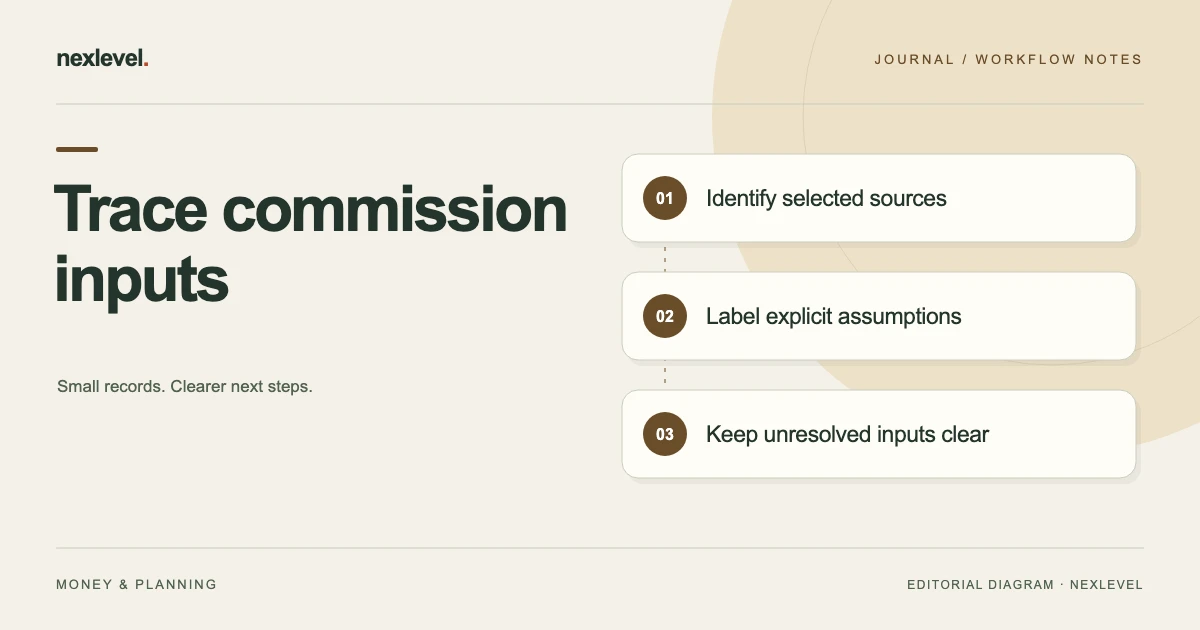
Label commission inputs according to what the selected source actually establishes, what the scenario deliberately assumes and what remains unresolved. A correct calculation cannot establish that every input is appropriate, and a missing source is different from a zero value.
Make each input’s basis visible
- Identify the model, plan version, scenario and source cutoff.
- Connect each input to the exact source relationship it relies on.
- Mark deliberate planning assumptions and unprovided relationships separately.
- Check the labels in the retained copy without borrowing values from a later plan.
Working fields:
Input | Plan/version | Source/occasion | Stated or assumed? | Scope established | Unknown relationship | Next source
Useful next steps: Review a changed input or plan version, Use the provenance review in a variance check.
Choose the selected model and source question
Write the plan/deal scope, source cutoff, intended scenario, reviewer arrangement, and exact input relationship being checked. A review for one model should not appear to verify the entire employer plan.
Useful questions include which source establishes a selected rate entry, whether a credited-share value was assumed for a scenario, or which plan version a cap reference belongs to.
Use fictional records during preparation. There is no need to copy private compensation or customer material into a public worksheet merely to test the labels.
Separate source, assumption, and calculation
A source document/reference, entered scenario assumption, and calculated result have different roles. A precise result cannot independently establish that an uncertain input was appropriate.
PayoutVerity’s current description includes entered plan/deal rules, scenarios, calculation trails, plan versions, statement comparisons, supporting evidence, and plan-dependent exports.
The app applies entered values. This guide’s provenance labels are an independent companion convention, not a native employer-verification or legal-review feature.
Set up a fictional input dictionary
Imagine plan version V4, deal alias D71, source reference S2, selected rate entry R3, credited-share assumption A5, and cap-source question C6.
Scenario P7 and retained copy E8 represent selected planning context. The exercise supplies no actual rate, amount, employer rule, deal, payment, or entitlement.
The question is which input relationships are established by the selected source, which are explicitly assumed for the scenario, and which remain unresolved.
Use a companion input-provenance table
| Selected input | Source role to establish | Label/result to retain |
|---|---|---|
| Plan version V4 | The selected rule-source occasion | Actual reference or precise question |
| Rate entry R3 | What S2 explicitly establishes | Source-confirmed only within that scope |
| Credited share A5 | The selected scenario assumption | Assumed rather than externally established |
| Cap question C6 | The source relationship still unavailable | Unresolved rather than filled by guesswork |
| Scenario P7 | The actual model purpose and cutoff | Planning role, not payment evidence |
These are independent preparation prompts. They do not claim the app provides these exact custom labels or automatically classifies source authority.
Identify the actual source before labeling an input
A familiar plan title or copied summary may not establish the specific field relationship. Keep the selected source route and occasion beside the input.
For R3/S2/V4, identify what is actually stated and the scope the review covers. Do not borrow a rate from another plan version merely because the field label matches.
If the source is unavailable or ambiguous, retain the precise question. A blank provenance relationship should not become source-confirmed by default.
Keep assumptions useful but visible
An assumption can support an independent planning scenario without being a verified rule. The important point is to preserve its role and source cutoff.
For A5/P7, identify why the model uses the selected assumption under the actual review arrangement. This guide supplies no recommended credited share or compensation strategy.
Do not hide an assumption merely to make a forecast look more authoritative. A useful model can make uncertainty explicit.
Keep unresolved inputs separate from zero or not applicable
An unavailable cap relationship, an established zero value, and a selected not-applicable condition can mean different things. A tidy worksheet should not collapse them into one empty field.
The actual source determines which relationship is established. This guide supplies no employer-plan interpretation or universal rule for resolving C6.
If the selected workflow needs a value before proceeding, identify that dependency rather than inventing a number to obtain a result.
Preserve version context when terms change
The current app describes new plan terms creating a new version without rewriting closed deals. A later rule source can be useful without becoming the historical basis of D71.
Use the plan-input change review for that narrower task. Preserve the actual result or precise limitation.
A correction to an explanatory source label is different from changing a plan, adding a deal, or recording a statement. Keep those purposes distinguishable.
Keep scenario labels and expected dates in scope
PayoutVerity currently describes base, likely, and stretch scenarios across expected payout dates. Those are entered planning contexts, not promises that a deal closes or a payment arrives.
P7 should identify the actual selected scenario and input roles. A retained total should not silently combine assumptions from several scenarios.
A precise expected-date label should not create certainty about provider/employer actions the selected source does not establish.
Separate forecast provenance from statement evidence
A source-labeled forecast, statement amount, and evidence of actual payment answer different questions. Correct model arithmetic does not make them interchangeable.
Use the forecast-versus-payment guide for that narrower review. Preserve the actual evidence boundary.
The current app supports statement comparison and issue-resolution records. A resolved administrative label should not independently become a bank transaction or legal conclusion.
Inspect the selected PDF or CSV
PayoutVerity Pro currently advertises focused evidence exports. Check actual access and open the representation relevant to the selected review.
Inspect plan/deal identity, version, selected scenario, input meanings, source/assumption roles, statement context if present, and cutoff. A companion dictionary may be needed where the output does not represent every provenance label automatically.
The public description does not establish arbitrary spreadsheet import or universal full-system restoration. A portable evidence pack can support bounded review without being the complete editable app.
Run a second-reader provenance test
Give a reader the fictional V4/D71/P7 packet and dictionary. Ask what S2 establishes, what A5 assumes, and what remains open for C6.
Introduce another plan version with a similarly named field. The reader should use actual references rather than assign source authority by the nearest label.
If the source is accurate but E8 overstates it, repair the explanation. If the source itself remains uncertain, retain the question rather than producing a more confident forecast.
Keep later clarification visibly later
A later source may clarify an input relationship. Retain its own occasion and connection to P7/E8 rather than making the older model appear to have known it originally.
A correction to a companion label is different from entering another deal, statement, or payment. Preserve those distinctions so review does not create compensation history.
A concise preparation receipt can name sources inspected, input roles established, selected assumptions, unresolved dependencies, and precise next question.
Connect the result to handoff and retention
For another reviewer taking over, use the variance-evidence handoff guide. An input dictionary does not itself grant employer-source access or compensation authority.
For a historical packet, use the forecast archive guide. For method selection, use the forecast-system comparison.
The fictional references remain teaching inputs. Reuse the structure with actual authorized records while preserving management-model, source-interpretation, and payment boundaries.
Complete an input-role dictionary before relying on a model
The fictional dictionary can use a few explicit role labels. These are independent review conventions rather than native app statuses or an automatic employer-verification process.
| Role label | What it means in this worksheet | What it does not establish |
|---|---|---|
| Stated by selected source | The bounded source explicitly establishes the entered relationship | Legal entitlement or guaranteed payment |
| Scenario assumption | The model uses a deliberately chosen planning input | An externally confirmed rule |
| Source unavailable | The selected relationship remains unresolved | A zero value or permission to guess |
| Not applicable within scope | The actual selected source/review establishes that role | A universal rule for every plan or deal |
| Unclassified blank | The provenance question has not been established | Default confirmation |
No actual employer formula, amount, rate, quota, clawback, cap, or payment is supplied by the labels.
Work through a source-and-assumption branch
In one fictional branch, S2 explicitly establishes the selected R3 relationship under V4, while A5 is an independent assumption for P7. The supported result is to preserve those two different roles beside the model.
In another branch, C6’s source is unavailable. The useful next task is to identify which authorized source would establish the relationship. A precise result should not make that question disappear.
A third branch has a later plan version with a similarly named field. Preserve its own occasion rather than borrowing the value to fill V4 without an established relationship.
A fourth branch has an accurate source label in the working record but an overconfident cover summary. Repair the explanation rather than change correct historical inputs to match it.
Prepare an input-provenance receipt
Give another reader only the fictional V4/D71/P7 packet and dictionary. Ask what is established by S2, what A5 assumes, what C6 leaves unresolved, and which source occasions apply.
The reader should distinguish source provenance from arithmetic correctness. A calculator can use entered values accurately while the source relationship remains uncertain.
Record source representations inspected, selected model scope, input roles established, actual assumptions, copy correction if any, and precise next question. Keep statement and payment evidence separate if the selected task also needs those records.
Preserve plan/deal identity, version, scenario, source roles, and cutoff inside the receipt as well as in filenames. A copied report can lose its original directory context.
A useful result can remain conditional on one source clarification. It does not need a claim about employer error, compensation owed, or money gained to make the next administrative review specific.
The fictional references remain teaching inputs. Reuse the role dictionary with actual authorized material while preserving plan interpretation, management-model, and external-payment boundaries.
Finish with a source-role review before calculation reliance
For a final practical check, give the reader only the fictional V4/D71/P7 dictionary and preparation receipt. Ask which selected source establishes R3, which input A5 assumes, what C6 leaves unresolved, and which source occasions apply. They should distinguish a source relationship from mathematical accuracy and a planning scenario from a statement or payment record.
If a later plan source uses the same field label, identify its own version/occasion before reusing anything. A similar label should not silently make an earlier model source-confirmed. If the working source is accurate while the summary overstates it, repair the summary instead of changing correct historical inputs.
Record the actual source representations inspected, selected model scope, input roles established, assumptions retained, copy correction if any, and precise next question. Do not describe a provenance check not performed as successful merely because the app displays a calculated forecast.
A useful preparation result can remain conditional on one missing source relationship. It does not need an entitlement conclusion, employer-error claim, or actual compensation outcome to make the next administrative review specific.
Keep plan/deal identity, version, scenario, source scope, and cutoff inside the receipt as well as in filenames. A copied evidence pack can lose its original folder context. The fictional references should remain outside genuine compensation history while the role-classification method is reused with authorized records.
Use PayoutVerity for traceable entered forecast context
PayoutVerity connects entered plan versions, deal scenarios, calculation trails, statement comparisons, evidence, and plan-dependent outputs without requiring an account.
Check the official PayoutVerity App Store listing for current capabilities. Keep selected sources, explicit assumptions, unresolved inputs, forecasts, and actual payment evidence in their appropriate roles.