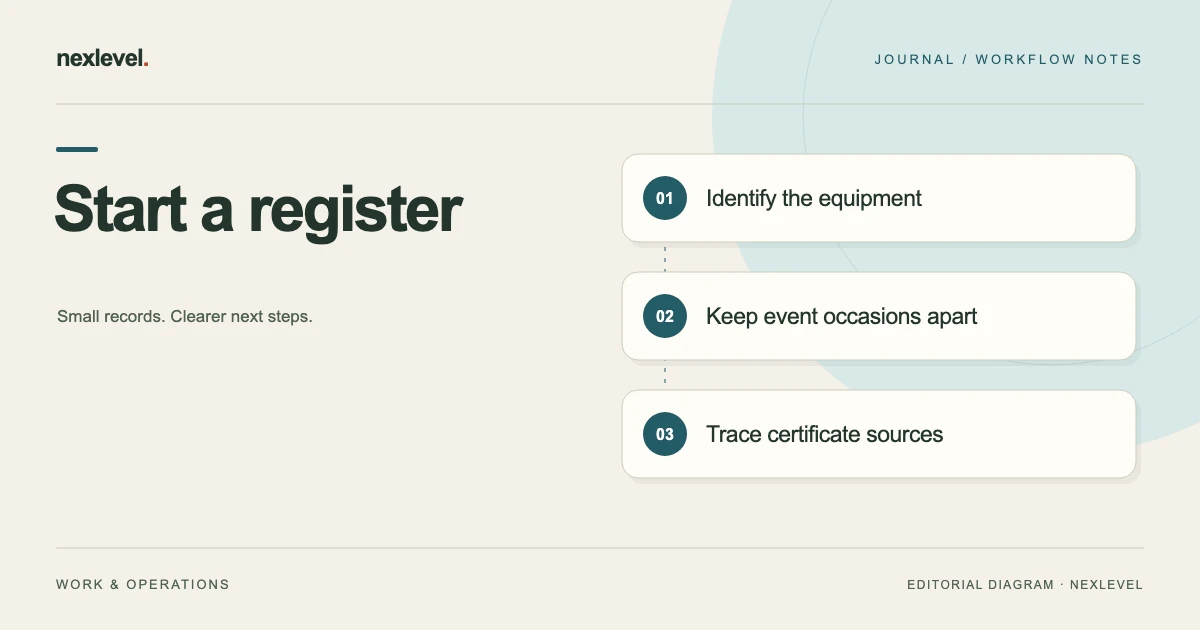
Create an equipment register from a certificate folder by establishing which physical item and service occasion each source describes. Several certificates can belong to one instrument; similar file names can belong to different instruments. Use an intake map to keep those relationships and unresolved matches visible.
Map the source files before creating equipment records
- Select the folder scope and record the intake cutoff.
- Map each source to a candidate equipment identity without creating one item per file.
- Separate equipment details from service occasions and certificate references.
- Read date and location fields according to their actual source role.
- Inspect the resulting register and leave a specific next check for each uncertain relationship.
Working fields:
Source file/reference | Candidate equipment/serial | Event occasion | Date meaning | Location occasion | Established relationship | Open question
Useful next steps: Use the calibration register template, Resolve a certificate identity match, Review an old location label.
Choose the first intake scope
Start with a bounded folder or selected group of equipment. Write which material is included, who is authorized to inspect it, and what source occasion the intake represents. A clear boundary makes unresolved references easier to follow.
The task is to create an understandable entered register from available evidence. It is not to certify the folder, inspect physical measurement performance, or make an operational release decision.
A filename inventory can help locate sources, but it should remain an index. Do not use the number of files as the number of active instruments or completed calibration events without establishing the actual relationships.
Set up a fictional certificate-folder exercise
Imagine folder F14 contains source references C2, C3, and C4. E51 is a candidate equipment record, S6 a serial-number reference, L7 a location source, and R9 the prepared register copy.
C2 and C3 might represent different occasions for E51. C4 might concern another instrument with a similar description. The exercise does not establish those relationships in advance; it asks the reviewer to inspect the appropriate authorized sources.
No actual certificate number, date, tolerance, calibration result, or laboratory claim is supplied. The labels keep the intake logic visible without pretending that the fictional folder proves a real instrument’s condition.
Use an intake source map
| Source role | Question to establish | What it should not replace |
|---|---|---|
| Equipment identity | Which actual item does E51 represent? | A generic equipment description |
| Serial reference | Does S6 identify the selected item? | A location or folder label |
| Certificate reference | Which source does C2, C3, or C4 identify? | A guessed event or result |
| Event occasion | Which calibration occasion belongs to this item? | The file’s copied date |
| Location | What does L7 establish at its actual occasion? | Permanent equipment identity |
| Register copy | Which sources and cutoff does R9 represent? | The complete quality system |
This is a companion worksheet for manual intake. It does not claim CalibraDue bulk-imports arbitrary folders, reads certificate text automatically, or creates every suggested field.
Establish the equipment identity before creating duplicates
A folder can contain multiple certificates for one instrument. Creating a new equipment record for every file would confuse item identity with event history. Establish which actual item each source concerns first.
Compare the available identity sources rather than matching only a shortened description. Two instruments can share a type, model, or familiar location label without being the same item.
If E51’s relationship to S6 is unclear, keep that question in the intake worksheet. A more confident record title cannot supply the missing identity evidence. The controlled source route should make the next check specific.
Separate equipment fields from event fields
Equipment identity, serial number, and location context describe the selected item. A calibration event belongs to a particular occasion in its history. A certificate reference supports its own source role.
In the fictional case, C2 and C3 may belong to two occasions for E51. Preserve that distinction rather than overwrite one date with another simply because C3 appears later in the folder.
CalibraDue’s current description says calibration events remain append-only. Organize intake so an event is not invented merely to hold an ambiguous file. Where the relationship remains uncertain, retain the source question outside any unsupported event claim.
Read dates according to their source meaning
A filename date, copied-file date, certificate date, entered event date, and due-work date can mean different things. Identify what the selected source actually establishes before assigning a number to another role.
This exercise supplies no date conversion or interval calculation. Any real service interval or acceptance basis should come from the appropriate authorized source and quality arrangement, not from a generic template.
If the source meaning is incomplete, record the missing relationship. Do not choose a plausible date just to remove an empty field or create a ready-looking status. A clear open question is more useful than a fabricated deadline.
Keep location useful without making it the identifier
A location can help find an item while remaining changeable context. A certificate folder named after a room may still contain records from an earlier location arrangement.
For L7, identify its actual occasion and relationship to E51. If it concerns an earlier location, preserve that historical role instead of silently treating it as the current location.
The location-label identity guide covers the narrower mismatch task. Keep the equipment identity independent of a label that can be reused or moved.
Associate certificate references deliberately
For each selected reference, ask which instrument and event occasion it concerns. A familiar certificate title does not independently establish the relationship. Neither does the fact that the file appears in the same folder.
CalibraDue advertises certificate references and history. The public description does not establish universal file ingestion, OCR, arbitrary certificate attachment formats, or a complete folder restore capability. Keep the proposed intake method within the actual supported controls.
If an authorized original remains elsewhere, preserve a usable controlled reference in the companion index. Do not imply that a reference is an embedded original or that its presence guarantees every future recipient can open it.
Use three concrete intake branches
In the first branch, the available sources clearly establish C2 and C3 as separate calibration occasions for E51. The register can preserve one equipment identity with the actual established event history and certificate references.
In the second branch, C4 concerns another instrument. Keep that source outside E51’s history and identify the actual item relationship if available. Changing the description of E51 would not make C4 appropriate evidence for it.
In the third branch, C3’s identity relationship remains unclear. Retain the exact question and source route. Do not create a completed event or infer a result merely because C3 is the newest-looking file.
Connect QR labels after the identity review
CalibraDue can create a QR label for an item and scan it to open the exact equipment record. The label connects a physical reference to an entered record; it does not independently verify that the selected source record belongs to the item.
Before relying on a label in this exercise, establish the equipment relationship through the actual authorized sources. Keep the intended record clear so a readable code does not merely make a mistaken association faster to retrieve.
The current description also provides manual lookup when camera access is unavailable. A local register should remain usable through that supported route. This guide does not prescribe a physical labeling procedure or change any real equipment label.
Review entered status as an organizational result
CalibraDue shows overdue, due-soon, and certificate-pending equipment to organize due work. Those states depend on the entered records and do not constitute an independent calibration or approval.
After intake, inspect whether the selected entered relationships are understandable. If a source is missing, describe the missing source rather than claim that a status proves the instrument is unfit or certified.
The due-work review checklist can support later maintenance. Keep the one-time source-intake task separate from a recurring queue review and from any actual quality-system decision.
Inspect the portable register
CalibraDue currently offers CSV register export in the free experience. Pro adds formatted PDF audit packets and removes the three-active-equipment limit. Check the current listing for access details rather than infer them from a generic export button.
Open the selected output and inspect equipment identity, serial and location context, event/certificate references, and the actual cutoff it represents. Use a companion source index if the supported representation does not carry every context needed for the selected review.
A portable register is not automatically a full editable backup or import format. The current description does not establish arbitrary CSV restoration. Keep source retrieval, report readability, and recovery claims separate.
Give a second reader the intake packet
Give another authorized reader R9 and the controlled source map. Ask which item E51 represents, why C2 and C3 belong to its history, which occasion each concerns, and what L7 establishes.
Then introduce C4 without explaining its relationship. The reader should check the actual source identity rather than attach it to the nearest familiar equipment description. Record any explanation the reviewer still needs.
Finally, ask what the register does not establish. The expected boundary is administrative: it organizes entered records and references. It does not perform calibration, certify measurement results, grant accreditation, or replace the applicable quality system.
Keep a concrete intake receipt
A companion receipt can name the selected folder scope, equipment identity, source references inspected, event relationships established, location occasion, actual copy correction, and precise next question. Use controlled references instead of duplicating sensitive source contents unnecessarily.
For the fictional matched branch, the result can identify E51/S6, preserve C2 and C3 as separate occasions, and explain L7’s role. C4 remains separate because it concerns another item. That result is useful without a real calibration result or a claimed compliance outcome.
If a copied summary associated C4 with E51, correct that summary using the actual source. Keep the original source intact. A bounded documentation repair should not silently rewrite accurate equipment history.
Prepare the next task from what remains open
The intake can finish with a specific unresolved source relationship. Write which authorized source would distinguish the issue and which selected item it concerns. Avoid a generic “check certificates” task that requires reconstructing the original folder review.
For a later review of evidence matching, use the certificate-to-equipment check. For transferring the task, use the calibration-record handoff guide.
Neither step requires inventing an event to make the intake look complete. The register can remain useful while a clearly labeled source question awaits its appropriate review.
Use an intake log without copying the whole folder
A compact companion log can have one row per source reviewed: source reference; candidate equipment identity; event occasion established; location context; selected register relationship; exact remaining question. One row per source does not mean one new equipment item per row.
For the fictional packet, C2 and C3 can point to E51 when the actual sources establish those relationships. Their event occasions remain separate. C4 can point elsewhere or stay unresolved. The log should preserve that difference rather than force every file into the first equipment record created.
Do not use a filename suffix such as final or newest as the result of the check. Such words can help find a file while failing to establish its relationship to an instrument or event. Record the actual source role needed by the selected intake task.
Before retaining the log, read it without the original folder path. The next reader should still understand which equipment identity is established, which historical occasions were entered, and which source relationship remains open. Keep access dependencies beside the relevant reference so a portable register does not imply that every original is included.
Use CalibraDue for local record organization
CalibraDue provides local equipment records, append-only calibration history, certificate references, QR lookup, due-work views, reminders, and supported outputs without requiring an account.
Check the official CalibraDue App Store listing for current capabilities and Pro access. Keep the equipment register, source folder, calibration events, physical measurement work, and quality decisions in their appropriate roles.