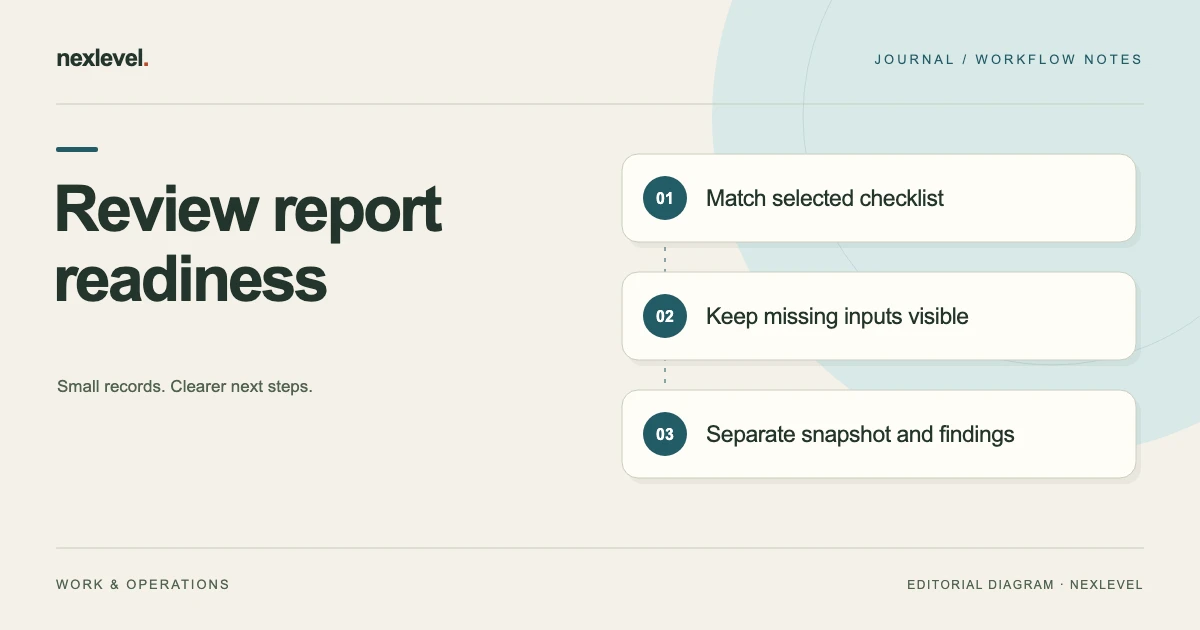
Before freezing an inspection report, check the selected report identity, entered evidence, actual missing-requirement context, critical-finding acknowledgements, and the representation that will be retained. A polished output should not hide an unanswered source question or appear to include later changes.
The review concerns the selected documentation workflow. It does not inspect a property, measure a condition, approve a repair, or certify compliance. Keep completion, acknowledgement, snapshot creation, and actual physical outcomes in different roles.
This guide uses fictional administrative references. It supplies no inspection procedure, technical threshold, defect finding, or safety conclusion. Start with the inspection evidence-log template for the underlying record roles.
Choose the selected completion question
Write which working report and source occasion the pre-snapshot review concerns. A prepared outline, a working record, and an earlier snapshot can have different roles.
The task is to establish what the selected documentation actually supports before relying on its completion representation. It is not to make every item look resolved.
A precise source question is a useful result when evidence is incomplete. Do not invent a reading, photo, or acknowledgement to make the report appear finished.
Set up a fictional report packet
Imagine R63 is the working report reference, T2 its selected checklist context, I3 an item, O4 a note, P5 a photo reference, D6 an entered-reading reference, K7 a critical-acknowledgement source, S8 a snapshot role, and Q9 the chosen output.
The selected question is whether the actual R63 source relationships and completion context are understandable. The exercise does not supply any real photo, reading, severity, acknowledgement, or completed snapshot.
These are teaching identifiers rather than native fields. They do not make every suggested evidence role universally required for every report.
Use a pre-snapshot source checklist
| Role | Question to establish | Keep separate |
|---|---|---|
| Report identity | Which R63 source occasion is selected? | A similar title or earlier copy |
| Checklist context | What does the actual T2 workflow require? | A generic professional standard |
| Item evidence | What relationships do O4/P5/D6 establish? | Assumed observations or measurements |
| Missing inputs | Which actual source question remains? | A warning silently treated as resolved |
| Acknowledgement | What does K7 record for the selected context? | Physical repair or safety approval |
| Snapshot | Which completed representation does S8 identify, if established? | The current editable work by assumption |
| Output | What does Q9 actually contain? | Every later change or original source |
The checklist is an independent companion convention. It does not establish native custom fields, automatic certification, or a universal set of professional inspection requirements.
Identify the report before reviewing readiness
A familiar report title can recur across revisions. Establish which selected R63 context the review concerns before associating evidence or an earlier acknowledgement.
Keep the controlled source route usable without copying unnecessary property details into a broad review note. A filename alone may not distinguish the selected representation.
The pre-observation structure guide covers preparation. Its result does not supply the later report’s evidence or completion facts.
Use the actual selected checklist context
Inspecova currently supports a curated reusable checklist and required and optional items. Respect the selected workflow’s actual requirements rather than assume this article’s companion fields are mandatory native inputs.
If the actual workflow identifies missing work, preserve that context beside the affected item. Do not translate an empty prompt into an answered observation.
A starter checklist is documentation structure. It should not become a claim that every real professional or regulatory requirement for a property is covered.
Review evidence associations individually
O4, P5, and D6 can have different source roles. A clear note does not independently establish that a selected photo or reading belongs to the same item and occasion.
Match each actual source relationship needed for I3. If one remains unclear, retain that precise question instead of treating the entire evidence packet as a single resolved object.
This exercise supplies no measured value or image. It does not infer a defect, condition, or professional conclusion from a hypothetical label.
Keep missing evidence separate from availability
The current app allows field work to continue when photo selection or the network is unavailable. That availability statement does not mean every selected requirement is automatically satisfied.
Keep the actual missing-input context and recovery action identified by the supported workflow. Do not invent a skip control or a method for clearing a warning without its source basis.
The inaccessible-area documentation guide addresses a related source limitation. A limitation should remain distinct from a guessed physical finding.
Read critical acknowledgement within its actual role
Inspecova advertises Monitor, Attention, and Critical finding states and explicit acknowledgement before a report can be completed. K7 should retain its actual selected finding/report relationship.
Acknowledgement is different from physical repair, elimination of a condition, or a safety guarantee. Do not broaden a recorded action into those conclusions.
This exercise records no actual acknowledgement. It keeps the role visible so the source needed for a real completion review can be identified.
Keep observations separate from recommendations
An entered observation and proposed next action can support different questions. A report should not make a recommendation appear to be an observed fact merely because both concern the same item.
The observation-versus-repair guide covers that narrower distinction.
This pre-snapshot review supplies no repair instruction or technical recommendation. It checks the source role actually represented in the selected documentation.
Review accepted wording against source meaning
The current app’s local sentence cleanup covers extra spacing, initial capitalization, and ending punctuation. It remains advisory, editable, and under inspector control.
Cleaner wording does not supply a missing fact or certify completeness. If wording was accepted, check that it retains the selected source role rather than making a prompt sound like an observation.
Do not describe this capability as managed AI, technical diagnosis, or automatic report fact checking. The advertised cleanup is bounded.
Work through a source-clear branch
In the first fictional branch, R63/T2 are established and the actual selected item-evidence relationships are clear. Any completion requirements and acknowledgement roles are reviewed under the supported workflow.
The bounded result identifies which documentation relationships were inspected. It should not become a physical safety or compliance claim.
If an actual snapshot is later created, preserve its own selected representation and occasion. A preparation receipt does not create S8 merely by naming it.
Work through an open-requirement branch
In another branch, a source relationship needed for the selected workflow remains open. Keep the affected item and precise missing input visible.
Do not fill the gap with another item’s photo, a familiar reading, or a generic completed label. Those would change the source meaning rather than establish it.
The next task can identify the authorized source needed. It does not require inventing a physical inspection event or clearing the warning by assumption.
Work through a different-context acknowledgement
In a third branch, an available K7 source concerns an earlier report context or another finding. Do not carry it into R63’s selected completion representation automatically.
Correct the source association in the companion note or preserve the actual unanswered relationship. Accurate historical acknowledgement can remain useful without applying to every later record.
A copied-label correction is different from a new acknowledgement or physical repair. Keep the actual event explicit.
Preserve snapshot identity
Inspecova currently freezes completed work into an immutable report snapshot. S8 should identify that selected completed representation when its actual source relationship is established.
A working report can later differ from an older snapshot without making the older source appear to contain later changes. Keep both roles understandable.
The revision-and-original-photo guide covers the broader historical evidence question.
Keep traceability separate from physical truth
The current listing advertises unique report numbers, page numbering, and SHA-256 traceability details. Those features help identify selected representations without independently certifying their facts.
A traceability detail is not a substitute for appropriate professional evidence, safety judgment, or compliance review. Do not turn it into an electronic-signature or validation claim absent from the advertised scope.
The pre-snapshot exercise supplies no actual digest or report number. It preserves the role those details may have in the selected output.
Choose an output within current access
The free experience currently includes one template, up to two completed reports per month, basic fields, watermarked PDFs, and five local sentence cleanups per month. Pro adds the advertised expanded report and evidence tools.
Inspect the actual selected representation rather than promise every companion field appears in a native PDF or CSV. Keep plan-dependent capabilities clear.
The public description does not establish arbitrary report import or complete restoration. A readable report copy is not automatically the full editable workspace.
Read the complete retained packet
Review Q9 and any companion note rather than stop at a familiar cover. A correct title does not establish every item, photo, acknowledgement, or snapshot relationship.
Use the actual supported representation and preserve needed context separately when appropriate. Do not invent a filtering control or guaranteed export field.
This exercise performs no completion, snapshot creation, or sharing action. Preparation, inspection of a copy, delivery, and recipient understanding remain different roles.
Run an independent completion-reading test
Give another authorized reader the fictional review note and controlled source routes. Ask which report is selected, what the actual requirements concern, and what each evidence and acknowledgement source establishes.
Then introduce an earlier snapshot or another item’s photo. The reader should preserve actual identity and occasion rather than assign evidence by familiarity.
Record any manual explanation needed. Repair an unclear copy when its source is accurate; retain the precise question when the underlying relationship is missing.
Use a copy-ready pre-snapshot receipt
A companion receipt can identify R63/T2, selected item sources, actual missing requirements if any, acknowledgement context, snapshot role if established, output inspected, correction, cutoff, and next question.
For the source-clear fictional branch, it preserves the inspected documentation relationships without a safety claim. For the open-requirement branch, it names the exact unresolved input instead of calling the whole report ready.
Read the receipt without its filename. The next reviewer should understand the source roles without reconstructing the original site conversation.
Connect completion review to retention
For historical packets, use the inspection source archive guide. For indexing, use the multi-room evidence index.
For choosing a working method, use the inspection workspace comparison. Keep the selected pre-snapshot purpose visible when choosing a representation.
A clear packet can make the next source review specific while preserving the difference between entered evidence, acknowledgement, completion, snapshot identity, and professional conclusions.
Make the open-requirement result explicit
A concrete companion note can identify R63/T2 as selected, I3 as the affected item, and the actual missing input as still unestablished. That is a source-role statement, not a prescribed native status or an invented universal requirement.
If K7 exists but concerns another finding, keep that relationship separate. The note should not use acknowledged as shorthand for every item complete or physical issue repaired.
If the relevant input is later established, give that source its own occasion before preparing another representation. An earlier retained review can remain accurate history without appearing to include later evidence.
For a final practical check, ask the authorized reader to identify the report, the affected item, the missing relationship, the actual acknowledgement role, and whether a snapshot source has been established. They should not infer those facts from a polished PDF extension or a cleared-looking copied heading. Record any explanation still needed and keep the next source question specific.
Use Inspecova for clear entered completion context
Inspecova connects selected checklists, entered evidence, visible missing work, explicit critical acknowledgement, and completed report representations without requiring a NexLevel account.
Check the official Inspecova App Store listing for current capabilities and access. Keep documentation readiness, saved actions, retained snapshots, and actual property outcomes distinguishable.