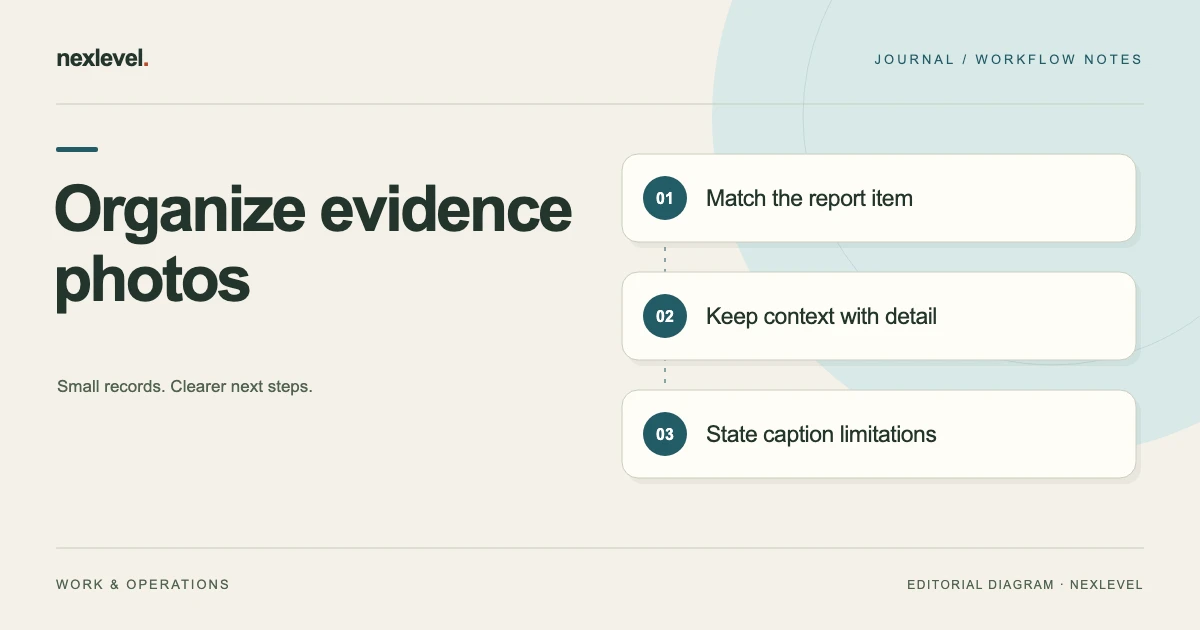
A readable inspection-photo report tells the recipient why each selected image is present, which report item it concerns, and what the image does not establish. A gallery can look complete while leaving those relationships unclear.
This guide provides a fictional administrative photo-reading worksheet. It supplies no inspection procedure, defect diagnosis, technical measurement, repair instruction, compliance finding, or safety conclusion. Keep selected evidence, inspector-entered descriptions, interpretations, acknowledgements, report representations, and physical outcomes distinguishable.
Start with the recipient’s reading question
Write a bounded purpose: “Make the selected photo sequence understandable in the report’s actual item context.” Identify report/visit role, selected item, source-photo occasions, intended reader, cutoff, and next review task.
The task is narrower than deciding whether a property is safe. A clear source explanation can support review without supplying a professional conclusion.
Do not begin by filling image slots. First identify what relationship the reader needs to understand from each selected photograph.
Use inspector-selected evidence as the source
Inspecova advertises inspector-selected photos alongside checklist items, notes, readings, severity, and recommendations. The app does not inspect a site, detect defects, or measure conditions for the user.
Keep the inspector’s actual source and judgment separate from what a layout can show. A polished PDF is not independent verification of its underlying facts.
Pro expands selected evidence photos, readings, recommendations, and unwatermarked PDF/CSV output. Do not promise the same expanded evidence capability in every plan.
Create a controlled fictional photo set
For this exercise, V24 identifies a visit/report context and I2 the selected checklist-item role. P3 is a wider context-photo role, and P4 a separate detail-photo role associated with that item.
N5 identifies the inspector-note source, C6 a companion caption, and F7 the selected report representation. No actual property, image, defect, measurement, severity, or repair is supplied.
The labels are independent worksheet references, not native field names, album tools, or an import schema.
Keep item identity visible before image order
Identify what actual source connects P3/P4 to I2. A familiar room name or similar-looking surface is insufficient to establish the association by itself.
If a photo belongs to another item, preserve that actual relationship. If its association is unknown, retain a source question rather than a proven mismatch.
For multi-room references, use the multi-room evidence index. This guide focuses on a reader’s interpretation of the selected photo sequence.
Make context and detail roles understandable
In the fictional reading plan, P3 provides selected orientation context while P4 provides a detail role. Explain their relationship without assuming the recipient remembers the original site conversation.
This is a companion presentation method, not a promise that Inspecova has a particular drag-and-drop order or paired-photo control. Use the actual supported representation.
A sequence can help a reader understand source roles without proving an unseen condition, cause, or recommended physical action.
Do not make a detail frame prove more than it shows
A closer view can omit surrounding context. A wider view can omit detail. Preserve those limits beside the relevant image rather than let a confident caption supply missing evidence.
The example gives no actual image to interpret and no technical conclusion. It does not recommend a capture angle, instrument setting, or hazardous access method.
For access limitations, use the inaccessible-area documentation guide. Keep a source boundary separate from a confirmed normal or defective condition.
Distinguish separate images from repeated copies
Two files do not automatically establish two independent observations. A copied or cropped representation may concern the same underlying source occasion.
Identify the actual relationship before treating another file as new evidence. Do not invent a native duplicate detector, metadata-authentication feature, or forensic chain-of-custody guarantee.
For original/revised source roles, use the photo and report revision guide. This worksheet edits no image.
Write captions that preserve the evidence role
A useful independent caption can identify the report item, selected source, visible context, and limitation. It need not diagnose a cause or describe a repair as completed.
For fictional P3, a companion caption might say: “Selected context image for I2; source association retained; the image alone establishes no condition outside its recorded view.”
For P4, preserve its detail relationship and any unresolved source question. These are teaching captions, not actual inspection findings or strings the app is claimed to generate.
Use a copy-ready photo-reading worksheet
A practical companion worksheet asks for report/visit, selected checklist item, photo-source identity and occasion, context/detail purpose, inspector-note reference, proposed caption, and the limitation the reader needs to see.
Add actual representation/page inspected, cutoff, missing associations, correction source, next task, and sharing stage.
These prompts form administrative structure, not native required fields, a photo-analysis engine, or an import-ready template.
Fill the source-clear branch
In the first fictional branch, P3/P4/N5 clearly concern V24/I2. The worksheet can preserve their selected reading roles without supplying a real photo or condition.
C6 can explain context and detail while keeping interpretation separate from observation. A stronger-sounding sentence does not create new evidence.
No native report, photo selection, reading, or recommendation is created by the exercise.
Fill a missing-association branch separately
In another branch, P4’s relationship to I2 is unprovided. A sharp-looking detail image should not be attached by appearance merely to make the report fuller.
Retain the exact source question. If actual material establishes another item, preserve that different conclusion rather than call the gap a native application error.
A clear packet can finish with a bounded unanswered relationship instead of an invented property finding.
Keep local sentence cleanup within its advertised scope
Inspecova advertises on-device cleanup for extra spacing, initial capitalization, and ending punctuation. It is advisory, editable, and under inspector control; recorded text changes only if the cleanup is accepted.
Do not describe it as managed AI, semantic fact checking, automatic diagnosis, or photo interpretation. A tidier caption does not validate its source.
For that review, use the original-note and advisory-cleanup guide. This exercise performs no cleanup.
Keep critical acknowledgement separate from remediation
The app advertises Monitor, Attention, and Critical findings, explicit acknowledgement before report completion, and visible missing requirements or recovery actions.
An acknowledgement is not a repair, safety certificate, or proof that a warning was physically resolved. Do not bypass requirements to make an output look finished.
For completion-source review, use the pre-snapshot requirements guide. The worksheet assigns no real severity.
Read the actual PDF as a recipient would
Inspecova advertises immutable completed-report snapshots, unique report numbers, page numbering, and SHA-256 traceability details. Inspect the actual supported PDF and its selected photo/item relationships.
Those documentation identifiers do not independently establish photo authenticity, correct conclusions, compliance, or safety. A hash identifies selected content rather than a physical condition.
The public description does not establish every layout or attachment detail. Keep actual output scope explicit instead of promising a particular sequence control.
Preserve local work and chosen sharing
The app advertises field work without a network and continuing when photo selection is unavailable, with no NexLevel account required. That does not waive actual required evidence or completion controls.
Sharing occurs only when the user chooses Apple’s system share sheet. A report being prepared does not establish delivery or recipient understanding.
The fictional exercise sends no property material and makes no network request. Supply only authorized context needed for an actual selected task.
Read device roles without inventing capabilities
The listing describes field flow on iPhone, a multi-column evidence workspace on iPad, and a focused no-scroll Watch companion for the critical action that matters now.
Do not describe the Watch glance as a full photo editor or promise every evidence action on every device. Inspect the actual supported view for the task.
This worksheet performs no device action and supplies no native-interface test result.
Keep portable output distinct from restoration
Pro advertises structured CSV and unwatermarked PDF output. A readable representation can support a selected review without containing every editable relationship or original attachment.
The public description does not establish arbitrary import or guaranteed complete restoration. This exercise exports nothing, imports nothing, restores nothing, and deletes no source.
For retention, use the report and evidence archive guide.
State current access accurately
Free access advertises one template, up to two completed reports per month, basic fields, watermarked PDFs, and five local sentence cleanups per month.
Pro expands completed reports and local cleanups and includes selected photos, readings, recommendations, and unwatermarked PDF/CSV. Monthly and annual subscriptions advertise eligible seven-day trials; Lifetime unlocks local Pro with no trial.
Expanded access cannot establish a missing photo association, professional conclusion, or safety result. Keep entitlement separate from evidence.
Run a photo-sequence reading test
Give an authorized reader the fictional worksheet without the original folder context. Ask which item is selected, why P3/P4 are present, what N5 establishes, and what C6 leaves unproven.
Then introduce an unassociated detail image and a repeated copy separately. The reader should preserve source roles rather than treat every attractive image as independent evidence.
Record any explanation still needed. A useful result identifies the next documentation task without an inspection or repair finding.
Write a bounded evidence-reading result
A compact fictional note can state: “V24/I2 uses selected P3/P4/N5 source roles. Context and detail purposes remain explicit. C6 is a companion caption, not new evidence. The packet establishes no actual condition, cause, repair, compliance, or safety conclusion.”
Add actual later sources and corrections only when they exist, with their own occasions. Preserve accurate originals while repairing an unsupported explanation.
The result is an administrative reading aid, not a substitute for professional judgment or an actual inspection.
Fill the context/detail reading note
The companion note can identify V24/I2 before describing P3 as context and P4 as detail. Keep N5’s actual source role visible rather than let the caption become the only account of what was entered.
If P4’s association is missing, retain that precise question. The sequence should not imply that a sharper image establishes an unseen cause or that every relevant area was documented.
This makes the next review specific without selecting a severity, recommending a repair, or certifying the property.
Keep page references tied to the selected report
If an actual PDF is inspected, record its selected report identifier and the page where the relevant representation appears. Do not assume an old companion page reference describes every later report version.
The advertised immutable snapshot helps identify completed selected work. It does not mean a page number independently proves the image’s original occasion, interpretation, or physical truth.
A later actual report or source clarification needs its own reference. Preserve the earlier reading note as history rather than silently make it appear to contain later material.
Keep missing representation and missing evidence distinct
A detail absent from a selected output may present a scope question. It does not automatically establish that the underlying source was deleted or that the physical condition was never observed.
Likewise, an unprovided photo in this fictional packet does not establish a completed native report or waive a requirement. Inspect the actual supported state in a real task.
A future reader should be able to identify report, item, source-photo roles, caption, limitation, inspected page, cutoff, and next task without reconstructing the original site conversation. That is a reproducible documentation explanation, not a professional finding or safety guarantee.
Use Inspecova for traceable evidence documentation
Inspecova connects reusable checklists, selected evidence, inspector-entered notes/readings, visible requirements, critical acknowledgements, and frozen report output.
Check the official Inspecova App Store listing for current capabilities and access. Keep source photos, report representations, professional conclusions, and physical outcomes distinguishable.