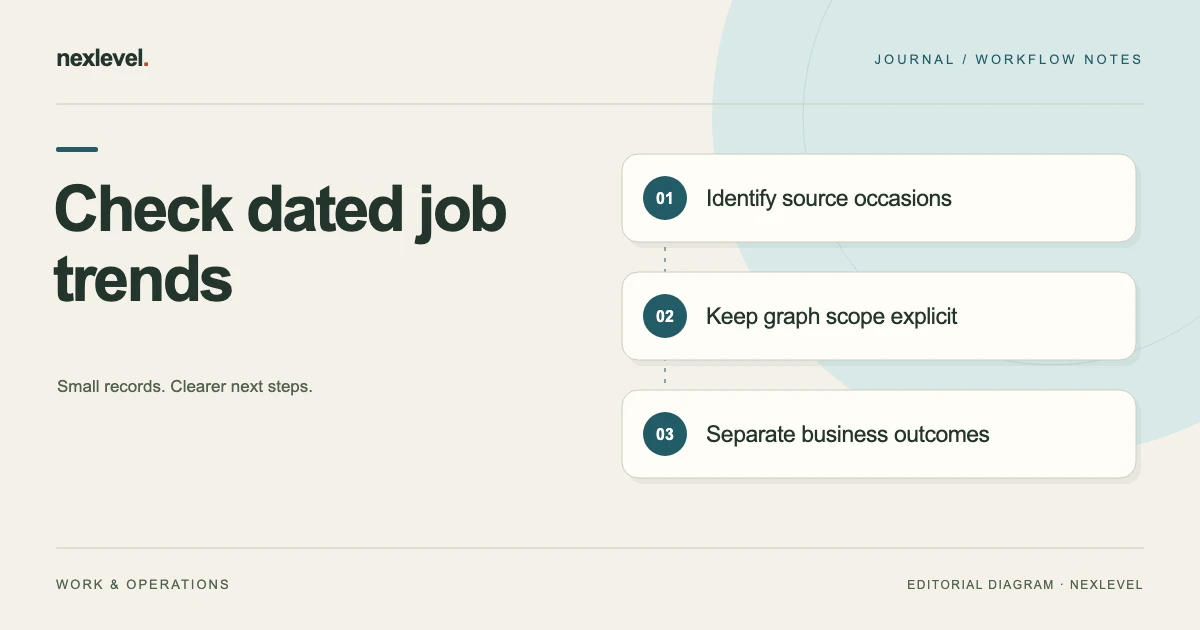
To review a seven-day job trend, identify the actual chart’s metric and period, then trace the relevant job, cost and labor dates. A companion calendar range can help organize the review, but it does not establish the app’s aggregation rules. Keep missing scope or date definitions explicit before drawing a performance conclusion.
Check what the chart represents before interpreting the line
- Identify the actual trend view, displayed metric, job scope and review cutoff.
- List each selected source entry with its job association and the role of its date.
- Compare the supplied dates with the stated review period while keeping undocumented native boundaries open.
- Separate a copied label error from a new source entry or a genuine unresolved date question.
- Retain a concise source note with the actual representation and the next scope or metric check.
Working fields:
Trend/view | Metric definition | Period/basis | Source entry | Job association | Event date and entry occasion | Representation/cutoff | Missing definition | Next check
Useful next steps: Prepare source-linked job inputs, Separate frozen plans from later actual entries, Retain the chart’s source context.
Define the graph-source question
Write a bounded purpose: “Review which dated source relationships the selected trend explanation actually establishes.” Identify the actual graph representation, job-set context, relevant source occasions, cutoff, and next task.
A graph review is narrower than verifying a whole business ledger. A selected record can be readable while its scope or metric definition remains unprovided.
Do not begin with an assumed improvement story and select familiar points to support it. Preserve the actual source basis first.
Use the advertised trend capability precisely
JobMargin Pocket advertises a seven-day mini trend built from dated jobs, costs, and labor. The public description does not document every aggregation rule, date boundary, graph axis, or view selector.
Inspect the actual supported representation before describing what it measures. Do not label a graph revenue, profit, or cash flow merely because those are familiar management terms.
This worksheet supplies independent reading prompts rather than a native chart reconstruction or observed application test.
Create a controlled fictional reference period
For teaching only, the companion worksheet selects August 1 through August 7, 2032 inclusive. That independent reference contains seven calendar dates; it is not a statement of the app’s actual rolling-window algorithm.
J2 is a job-source role dated August 2, C3 a direct-cost role dated August 4, and L4 a labor-source role dated August 6. G5 is the selected graph role and N6 the companion explanation.
No actual job, customer, amount, hour, graph, or business result is supplied. The references are not native field names or an import schema.
Keep source dates tied to their event roles
A job date, cost date, and labor occasion describe different source relationships. A matching calendar day does not make them interchangeable.
Identify what actual source establishes the date used in a real review. A later entry occasion and the date an underlying note describes may also be different roles.
Do not invent a native rule about which timestamp always controls every graph point. Retain an unprovided date-basis question when the selected material does not establish it.
Check job association before interpreting a pattern
A receipt or labor note with a familiar customer name may concern another job. Preserve the actual selected association instead of attaching it to the nearest graph point.
If the relationship is unknown, record an unprovided source question rather than a proven mismatch. If an actual source establishes another job, keep that different conclusion.
For initial setup, use the labor and expense source guide. This review changes no native record.
Separate the companion period from native behavior
J2/C3/L4 fall within the declared teaching period under ordinary calendar-date reading. That comparison does not prove G5 uses the same period or aggregates those roles in a particular way.
If a real entry falls outside the companion reference, identify the scope question before calling the graph wrong. The worksheet is not a native expected-output test.
Keep actual view context and source definitions visible. A mathematically clear date interval cannot supply undocumented application semantics.
Use a copy-ready dated-source worksheet
A practical companion worksheet asks for actual graph/view context, job-set scope, metric definition when supplied, reference-period basis, source-entry identities, relevant date roles, and job associations.
Add representation inspected, cutoff, missing relationships, correction source, next task, and any later source occasion.
These prompts are administrative structure, not native required fields, automated validation, a date-filter promise, or an import-ready format.
Fill the source-clear branch
In the first fictional branch, J2/C3/L4 have their supplied date and association roles. N6 can preserve that context without inventing an amount or graph value.
The result does not establish accounting completeness, physical work, customer acceptance, payment, or improved profitability. Those questions need their relevant actual sources.
No job, cost, labor entry, timer, or graph is created by the exercise.
Fill a graph-scope gap separately
In another branch, the packet supplies G5’s image but not its actual metric or job-set basis. A readable line is not enough to establish what it represents.
Retain the precise missing relationship instead of interpreting the chart as a complete weekly profit statement. A familiar date label cannot answer every scope question.
The next task is to inspect the relevant actual supported context. This guide establishes no native application error.
Keep cost and labor roles separate
The app advertises direct costs and owner labor value alongside management metrics. A cost record and a recorded time basis need their own actual sources.
Do not infer a wage, billable amount, payroll obligation, or financial result from a graph shape. An entered hour is not independent observation of physical work.
The example supplies no monetary model or native effective-hourly-return formula. It reviews dated source relationships only.
Keep frozen estimates separate from actual entries
JobMargin Pocket advertises comparison of frozen estimates with actual results. A plan snapshot is a different source role from a later cost or labor entry.
A later actual source should not make an older estimate appear to contain information that arrived afterward. Do not infer that a graph automatically rewrites every prior representation.
For that distinction, use the quote revision and actual-cost guide.
Read targets and alerts within their actual role
The listing advertises margin targets and alerts. A target is a selected preference, not a guarantee of profitability or a professional standard.
An alert or trend representation should not become a claim that every source was reviewed or a corrective business action succeeded.
This exercise creates no target, triggers no alert, and recommends no rate, customer price, or financial action.
Handle later or corrected source material distinctly
If actual later material clarifies a date or job association, give it its own source occasion before preparing another explanation. An older note can remain accurate history of its selected packet.
If only N6 copied the wrong date label, correct that explanation rather than invent a cost or worked hour to support it.
A source update, copied-label correction, and physical event are different administrative outcomes. Keep the actual evidence behind each conclusion.
Inspect the actual portable output
The app advertises job PDF reports and portfolio CSV with Pro reporting capabilities. Inspect the supported representation before stating which graph, source-date, or metric context another reader receives.
A readable file may need N6 to explain a missing relationship. The public description does not establish every export field or guarantee that every view appears in every output.
For retention, use the estimate and cost-context archive guide. Keep copy scope explicit.
Preserve local work and receipt privacy
The advertised workflow requires no account, keeps jobs and receipts on device, and supports core job tracking offline. Locally supported review should not acquire a mandatory server or customer-login requirement.
Receipt images and PDFs remain private on device under the advertised workflow. Supply only authorized material needed for a selected task.
The fictional packet sends no receipt, contacts no customer, and makes no remote or payment request.
Keep portable copies separate from restoration
A PDF or CSV can support a bounded review without containing every editable relationship or attachment. The description does not establish arbitrary import or guaranteed complete restoration.
This exercise exports nothing, imports nothing, restores nothing, and deletes no job data. Keep actual deletion controls separate from a source-review task.
A source-limited packet remains useful when the next exact date, association, or metric question is clear.
State current access accurately
Free includes three active jobs. When creating or reopening a job at full Free capacity, an optional completed video can earn one permanent extra active-job slot on this device. Videos require connection, consent and availability; closing early earns no slot. Earned slots do not unlock Pro tools and are removed by deleting all local data. Closing a completed job also frees capacity offline. Pro provides unlimited jobs, labor tools and timers, additional estimate tools, and PDF/CSV exports.
Do not invent a graph-specific purchase gate, introductory trial, plan duration, or localized price absent from the selected source.
A purchase cannot establish a missing date basis or actual business result. Keep entitlement separate from the evidence behind a representation.
Run a dated-trend reading test
Give an authorized reviewer N6 and the fictional references without the original folder context. Ask what the companion period establishes, which source roles are dated, and what G5’s actual metric would need to establish.
Then introduce another job’s cost and an unprovided date basis separately. The reader should preserve their different source questions instead of choosing a familiar graph interpretation.
Record any explanation still needed. A useful result can identify the next task without claiming professional verification or a financial outcome.
Write a bounded trend-review receipt
A compact fictional note can state: “The companion reference is August 1–7, 2032 inclusive. J2/C3/L4 retain their supplied job/cost/labor date roles. G5’s actual scope and metric require their own inspection. The packet establishes no native aggregation rule, accounting completeness, physical work, or business improvement.”
Add actual later sources and corrections only when available, with their own occasions. Preserve accurate records while repairing a copied explanation.
The result is an administrative source review, not accounting, tax, invoicing, payroll, banking, inventory, legal, or financial-advice software output.
Fill the dated-source note concretely
N6 can identify the independent companion period and the supplied J2/C3/L4 date roles without asserting a graph value. Keep the actual source association beside each date rather than rely on a familiar point’s position.
If G5’s metric or job-set scope is unprovided, retain that specific question. A clearly stated calendar reference cannot establish the native aggregation basis by itself.
The packet can therefore be ready for a bounded review while the actual graph interpretation remains open. It does not need an invented improvement story to be useful.
Keep entry occasion and represented event distinct
A later note can describe an earlier event. Identify what date role the actual source establishes before deciding how it relates to a selected period.
The public description does not document which timestamp controls every native trend component. Do not turn a companion calendar exercise into an expected-output specification.
If the relationship is missing, name the source question. That is different from a proven date error or an observed application defect.
Keep coverage limitations precise
Checking J2/C3/L4 does not establish that every relevant job, cost, or hour was captured. Record the selected review scope rather than call the whole period complete.
An absent source here does not prove an expense or work event never occurred elsewhere. Keep the conclusion within the packet actually inspected.
A graph can remain useful as a management representation while accounting completeness, physical work, and commercial outcomes require their own evidence.
Preserve later corrections as new occasions
If actual later material clarifies a date, job association, or metric, give it its own reference before preparing another note. Do not make the older review appear to include later information.
If only a companion heading mislabeled a source occasion, correct that explanation without inventing a new job or cost. A wording correction is not a financial transaction.
A future reader should be able to identify the reference period, source roles, actual view, unprovided definitions, correction, and next task without reconstructing an old conversation. That is a reproducible administrative review, not a business-performance finding.
Use JobMargin Pocket for contextual management records
JobMargin Pocket connects quote context, direct costs, labor value, management metrics, dated trends, estimate comparisons, and supported reports.
Check the official JobMargin Pocket App Store listing for current capabilities and access. Keep dated sources, graph representations, management interpretations, and actual commercial outcomes distinguishable.