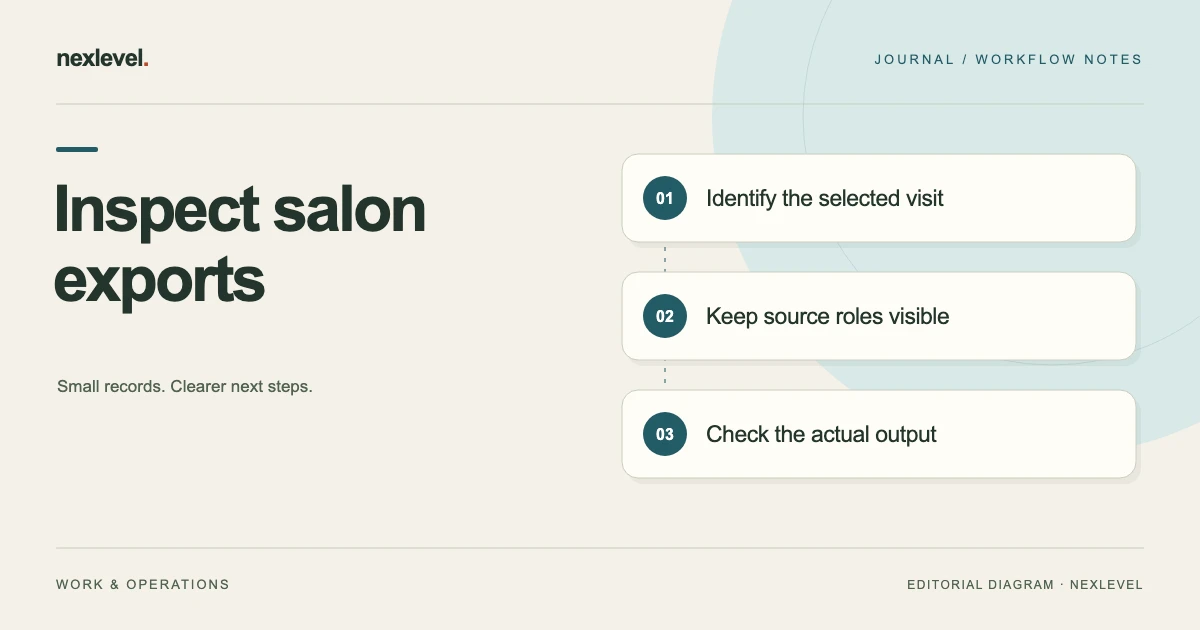
Before sharing a hair color record, inspect the actual selected output and confirm which client, visit and source notes it represents. Check the complete file and its companion note, including photo context. A visit PDF, structured CSV and encrypted recovery backup have different purposes.
Inspect the copy the recipient will use
- State the output’s purpose, selected client/visit and intended reader.
- Match its formula, zone, unit and adjustment references to the actual visit sources.
- Check photo identity and relevant permission context, retaining any unresolved question.
- Read the whole prepared file and cover note, recording the cutoff, limitations and actual sharing stage.
Working fields:
Output/purpose | Client/visit | Formula/zones | Adjustment source | Photo/context | Contents inspected | Cutoff | Limitation | Sharing stage
Useful next steps: Resolve pinned-versus-latest ambiguity, Prepare the professional handoff.
Write the selected output’s purpose first
State what the copy needs to support. A visit-history review, a narrow professional handoff, and a controlled personal backup can need different representations. The purpose determines which source relationships the reader must understand.
A broad request such as export the client does not explain which visit or why the reader needs the data. Replace it with a bounded statement identifying the selected client/visit context and intended review task.
The preparation exercise does not send a file, contact a client, or change access. Keep prepared, shared, delivered, and understood as separate stages when recording the actual result.
Set up a fictional pre-export packet
Imagine C62 is the selected client reference, V4 the visit, F5 its formula/zone source, N6 an adjustment note, P7 a photo reference, and A8 its consent-record context. R9 is the selected visit PDF, C10 a structured CSV, and B11 an encrypted backup.
The immediate task is to inspect R9 for an authorized professional review of V4. It is not to prepare every available representation. C10 and B11 remain separate output roles even if they originate in the same local vault.
These identifiers are teaching labels. They do not claim native record IDs, a prescribed export schema, or field-level export filters. No actual client’s information or service outcome is supplied.
Use a pre-export source checklist
| Selected role | Check in the actual copy | Keep separate |
|---|---|---|
| Client and visit | Does R9 identify C62/V4 clearly? | A similar name or another visit |
| Formula/zone context | Which F5 source does the copy represent? | A reusable template or later formula |
| Adjustment note | Does N6 retain its actual occasion and role? | A new treatment instruction |
| Photo context | What relationship to P7/A8 is established? | Automatic permission for every use |
| Output purpose | What review task does R9 support? | A complete-vault or restore claim |
| Cutoff and status | Which selected source occasion is represented? | Later changes or unconfirmed delivery |
This is a manual companion checklist. It does not establish an automatic privacy audit or guarantee that every listed context appears in every native output.
Identify the client without relying on the filename
A familiar filename can conceal the wrong visit or an older prepared copy. Read the actual visible identity context in R9, then match it to the selected authorized source.
If the intended reader needs a controlled reference rather than broad personal details, preserve that distinction in the companion note. Do not add unnecessary identifying information to make a general review worksheet look complete.
A clear client association does not independently establish the visit occasion. Check C62 and V4 separately so a matching client name does not make every formula in the file relevant to the selected task.
Distinguish the selected visit from pinned or recent views
A pinned historical visit and the newest visit can both be valid sources. The export review should identify which occasion was selected rather than infer it from prominence in the workspace.
Use the pinned-versus-recent visit guide for that narrower comparison. Keep its actual source result beside the export purpose.
If R9 represents V4 accurately but the cover note calls it the newest visit without support, correct the note. Do not change accurate visit history merely to make a prepared explanation agree with it.
Preserve formula and zone relationships
ColorFolio currently supports formulas by zone with multiple components, recorded ratios, units, batch size, timing, and visit context. A selected output should remain understandable about which entered source those details represent.
This exercise does not assess whether a formula is appropriate for a person or prescribe any service. It checks whether F5’s record role is represented accurately in the selected copy.
If a unit or zone label is unclear in the output, compare it with the actual source before repairing the explanation. Do not infer missing quantities or substitute a familiar recipe just to make the file easier to read.
Keep adjustment notes attached to their actual occasion
N6 may describe a recorded observation, adjustment, or next-visit note. Those roles can differ. A copied sentence should not silently turn a historical observation into an instruction for future work.
Preserve the source occasion and purpose needed by the selected reader. If the note belongs to another visit, identify that relationship rather than making it appear to describe V4.
The review can finish with a precise unresolved source question. It should not invent a professional recommendation or physical result because an adjustment field contains confident wording.
Keep reusable templates out of client history by assumption
ColorFolio describes reusable templates that do not copy client information. A template and a completed visit still have different roles in the review.
Use the salon template and client-history guide if the source relationship needs checking. A reusable structure should not stand in for evidence of what actually happened during V4.
If the export’s explanatory cover confuses those roles, repair that cover using the established source. Do not create a new service event merely to document a template.
Inspect photo and consent context together
The current app supports before-and-after photos with an explicit consent record. In the fictional packet, identify what P7 represents and which A8 source relationship is actually established.
A photo’s presence does not independently establish every intended sharing purpose, recipient arrangement, or legal conclusion. Keep the selected administrative context visible without claiming that a record alone authorizes any possible use.
If the relationship is unclear, retain the precise source question before preparing a broader packet. This exercise does not collect consent, change a client’s choices, or give legal advice about a real photograph.
Choose the supported representation deliberately
ColorFolio currently advertises polished visit PDFs, structured CSV files, and encrypted backups with restore. Those outputs have different purposes. Inspect the actual selected format rather than assume their contents are interchangeable.
The free experience includes up to ten clients and one PDF export. Pro unlocks the advertised expanded access and exports. Check the current listing for availability before planning a workflow that depends on an entitlement.
The companion checklist does not create new output controls. If the supported representation lacks needed context, keep an appropriate separate note rather than claim a native field or filtering feature that has not been established.
Keep a CSV separate from a restore archive
C10 can support structured record review while B11 serves the advertised encrypted backup/restore role. Do not describe a CSV as a complete editable vault merely because its rows are readable.
The public description does not establish arbitrary CSV merging or import. Likewise, a visit PDF is not the same thing as the selected encrypted backup.
Record which representation was actually inspected. A successful R9 reading check should not become a statement that B11 was restored, that every original photo is included, or that all future retrieval dependencies have been tested.
Work through three pre-export branches
In the first branch, R9 clearly represents C62/V4, F5 and N6 retain their proper roles, and P7/A8’s selected context is established. The bounded result is an understandable prepared visit copy for the stated review.
In the second branch, the visible formula is from another visit while the explanatory label says V4. Establish the actual source relationship and prepare the intended supported representation. Do not rewrite accurate history to make the wrong copy fit.
In the third branch, the visit and formula are clear but the photo-context relationship remains open. Keep that question explicit. A readable PDF does not independently settle it.
Review the whole packet rather than one preview
Read the complete selected representation and any companion note. A correct first screen does not establish what appears on later pages or in another part of the prepared packet.
Check that explanatory wording does not disclose additional private context or claim more than the source supports. The practical review concerns what the intended recipient will actually receive under the chosen arrangement.
This is a manual inspection. It should not be described as ColorFolio automatically detecting every unwanted disclosure, judging consent, or controlling a recipient’s retained copies.
Run an authorized second-reader check
Give another authorized reader only R9 and the companion source note. Ask which client/visit is selected, which formula/zone source applies, how N6 relates to the visit, and what the photo context establishes.
Then ask whether the packet is a visit copy, structured register, or restore archive. The reader should not infer format purpose from a polished appearance.
Record any manual explanation needed. If the source is accurate but the copy is confusing, repair the copy. If the source relationship is unclear, retain the most specific question instead of inventing missing context.
Write a concrete pre-export result
A companion receipt can name the output purpose, selected C62/V4 source, F5/N6 relationships, P7/A8 context, actual representation inspected, copy correction, cutoff, and precise remaining question.
For the fictional matched branch, the receipt can identify R9 as a prepared visit copy and state that no external sharing event is supplied. C10 and B11 were not assessed merely because R9 was readable.
Keep the receipt with the selected copy when appropriate. A future reader should not have to reconstruct the original conversation to learn which visit or output role the review concerned.
Connect the check to handoff and retention
For an actual record transfer, use the client color-record handoff guide. The pre-export result supplies the source context that makes a handoff easier to interpret.
For a historical packet, use the color-visit archive guide. Retain the selected occasion rather than imply an old copy updates whenever local history changes.
A useful review can identify a bounded repair while leaving a professional decision outside its scope. It should not claim treatment suitability, legal clearance, or a client’s physical outcome.
Use a short selected-copy note
A practical companion note can say: selected visit copy R9 for the stated authorized review; client reference C62 and visit V4; formula source F5; adjustment context N6; photo reference P7 and established A8 role; source cutoff recorded; prepared copy inspected; actual sharing not supplied in this exercise.
The note should also state any specific limitation. If A8’s relationship remains unresolved, name that question beside P7 rather than conceal it in a general disclaimer. If C10 and B11 were not inspected, keep them outside the result.
Read the note without its filename. Another authorized professional should still distinguish the selected visit from the newest or pinned view and distinguish the prepared PDF from a complete backup. Add the missing source context rather than assume a familiar client name makes those roles obvious.
Use ColorFolio for clear selected visit records
ColorFolio connects entered formulas, zones, visit histories, adjustments, photo context, and supported outputs in a private workspace without requiring a ColorFolio account.
Check the official ColorFolio App Store listing for current capabilities and access. Keep source accuracy, output scope, actual sharing, recipient access, and professional service decisions distinguishable.